
Your iPhone Photos Are Out of Control — Here’s the Fix
The best remove similar photos app options for iPhone in 2026 are:
- LuminaClean – 100% on-device AI, free daily deletions, swipe-to-delete interface
- Clever Cleaner – Scans 10,000+ photos in under 5 minutes, fully free
- Remo Duplicate Photos Remover – 4.6 stars, 13K ratings, works on iOS 9+
- Cleanup: Clean Storage Space – 4.5 stars, swipe-based, includes video cleanup
- Similar Photos Fixer – Three scan modes, auto-keeps best copy
- Duplete – Smart selection using smile, eye contact, and edit history
Open your iPhone’s Photos app right now. Chances are you’re looking at five versions of the same sunset, three nearly identical selfies, and a pile of screenshots you forgot existed.
You’re not alone.
On average, 17% of photos on any given device are identical copies of the original. That’s wasted storage — and wasted money if you’re paying for extra iCloud space.
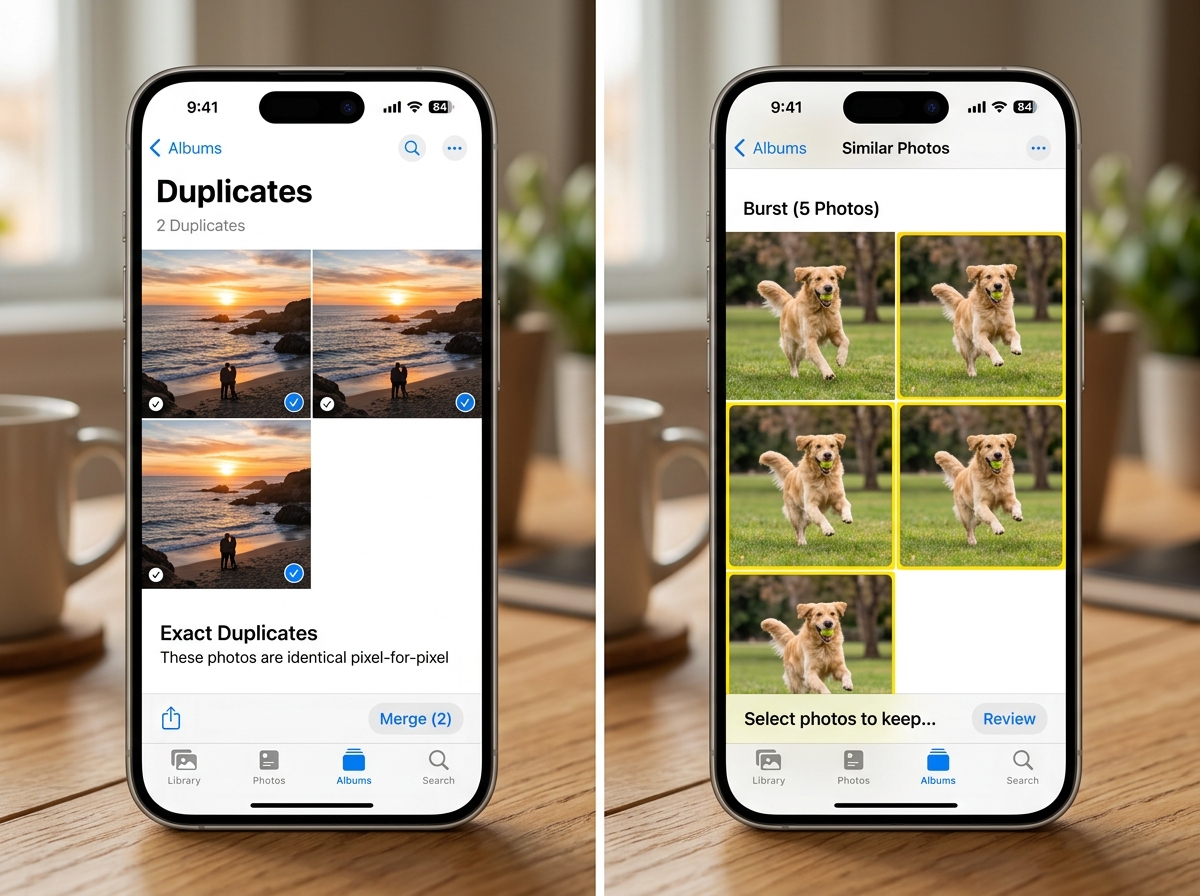
Apple did add a built-in Duplicates tool in iOS 16. But it only catches exact matches, and it can take days to index your library. It won’t find burst shots, near-identical edits, or similar-looking photos from the same scene.
That’s where dedicated apps come in. They use AI to scan your full library on demand — often in minutes — and catch the duplicates Apple misses.
Why You Need a Dedicated Remove Similar Photos App
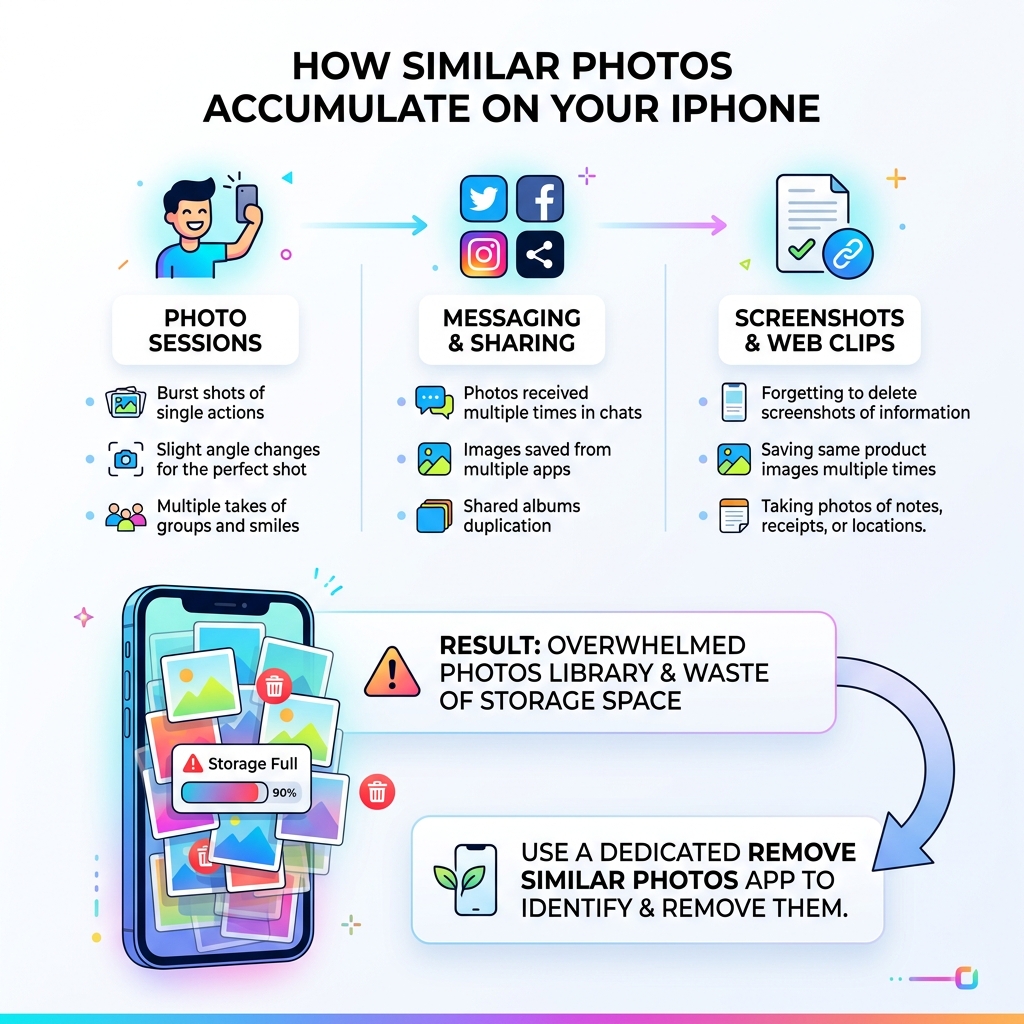
Many of us assume that Apple’s built-in “Duplicates” album is enough to keep our storage lean. However, if you have ever tried to rely on it, you probably noticed two major flaws: it only finds exact bit-for-bit matches, and it is painfully slow. The system often takes days to index a library, and even then, it completely ignores “near-duplicates.”
A dedicated remove similar photos app bridges this gap using advanced AI-powered scanning. While Apple looks for identical file data, these third-party tools look at the actual content of the image. They can identify:
- Burst Shots: Ten photos of your dog running, where only one is actually in focus.
- HDR Versions: Multiple copies of the same landscape with slightly different lighting.
- Similar Compositions: Five group photos where someone blinked in four of them.
- Edited Copies: The original photo and the three different filtered versions you saved to Instagram.
By using these tools, we can move beyond simple file management and start Reducing Digital Storage Overload: A Simple Guide for Beginners. If you are tired of seeing that “Storage Full” notification, Deleting Duplicate Files Quickly is the most effective first step you can take.
Top-Rated Solutions to Clean Your Library
Finding the right tool depends on your library size and your budget. We have tested the most popular options to see which ones actually deliver on their promises.
| App Name | Scan Speed | Detection Accuracy | Best For |
|---|---|---|---|
| LuminaClean | Very Fast | Excellent (AI-driven) | Privacy & Manual Review |
| Remo Duplicate | Fast | High | Older Devices (iOS 9+) |
| Similar Photos Fixer | Moderate | Adjustable | Custom Scan Levels |
| Clever Cleaner | Ultra Fast | Excellent | Massive Libraries |
LuminaClean
LuminaClean – Clean Up Duplicate Photos on iPhone stands out for its commitment to privacy. It uses 100% on-device AI processing, meaning your photos never leave your phone. It features a “Tinder-style” swipe interface that makes the chore of cleaning feel like a game. You get 65 free deletions to start, with 10 more added every day you return.
Remo Duplicate Photos Remover
With a 4.6-star rating and over 13,000 reviews, Remo Duplicate Photos Remover App – App Store is a reliable veteran in this space. It is particularly great for those with older hardware, as it supports versions as far back as iOS 9.0. It offers a “best copy” feature that automatically marks the highest-quality version in a group to keep.
Similar Photos Fixer
If you want granular control, Similar Photos Fixer – Delete duplicate and similar Photos is the way to go. It offers three distinct scan modes: Normal, Aggressive, and Custom. This allows you to decide exactly how “similar” a photo needs to be before it’s flagged for deletion. For those managing professional portfolios or hobbyist photography, this is one of the most Efficient Strategies for Organizing Large Media Libraries.
Choosing the Best Remove Similar Photos App for Large Libraries
When your library exceeds 10,000 or 20,000 photos, scan speed becomes the most critical factor. Nobody wants to leave their phone plugged in for three hours just to find a few duplicates.
In our testing, Clever Cleaner proved to be the undisputed champion for large-scale operations. It can scan a library of over 10,000 photos in less than 5 minutes. This is vital for users who have accumulated years of digital clutter from multiple device migrations. If you are struggling with a massive gallery, checking out the Best Photo Organizing Apps for iPhone can help you find a tool that won’t crash under the weight of your memories.
Essential Features of a High-Quality Remove Similar Photos App
A modern remove similar photos app should do more than just find duplicates. As we look for ways to streamline our digital lives, we should prioritize apps that offer a “Swiss Army Knife” approach to storage. Look for these essential features:
- Swipe-to-Delete Interface: This makes manual review intuitive and “addictive.” Swiping left to trash and right to keep is much faster than tapping individual thumbnails.
- Intelligent Selection: The best apps use AI to detect who is smiling, whose eyes are open, and which photo has the best focus.
- Video Compression: Videos often take up 10x more space than photos. Some apps can shrink large 4K files without noticeable quality loss.
- Screenshot Cleanup: We all take screenshots we forget to delete. High-quality apps categorize these separately for bulk removal.
- Contact Management: Some cleanup apps even help merge duplicate contacts, making them a total device maintenance solution.
For those on a budget, there are several Free Apps for Cleaning Digital Files that include these premium-feeling features without the hefty subscription price.
Privacy and Safety: How These Apps Handle Your Data
The biggest concern when downloading a third-party photo app is privacy. Do you really want an unknown developer having access to your entire life’s history in photos?
The gold standard for safety is on-device processing. This means the app uses your iPhone’s built-in processor to analyze images rather than uploading them to a cloud server. Apps like LuminaClean even work in Airplane Mode, proving that your data never leaves the device.
Additionally, these apps work within the “Recently Deleted” framework of iOS. When you hit delete in an app, the photos aren’t gone forever immediately. They move to your iPhone’s native “Recently Deleted” folder, where they stay for 30 days. This acts as a safety net in case you accidentally bin a cherished memory.
When Organizing Photos on Smartphone and Cloud, always ensure the app is compatible with iCloud. Most top-tier apps will sync your deletions, meaning if you delete a photo on your iPhone, it also disappears from your iPad and Mac, instantly freeing up iCloud storage space.
Frequently Asked Questions about Photo Cleanup
Will these apps permanently delete my photos?
No, not immediately. Due to iOS restrictions, third-party apps cannot bypass the “Recently Deleted” album. When you confirm a deletion, the images are moved to that folder within your native Photos app. You have a 30-day window to recover them before they are permanently purged. This is a built-in safety feature we highly appreciate!
Do these apps work with iCloud Photos?
Yes, most do. If you have “iCloud Photos” enabled, the app will scan your library. If you use the “Optimize iPhone Storage” setting, the app may need a moment to download a low-resolution thumbnail to analyze it. Once you delete a photo through the app, that deletion is synced across all your Apple devices via iCloud.
Are there any truly free options for iPhone?
Yes, but they often come with caveats. Some, like Remo, are completely free to use. Others, like Delete Similar Photos: Duplete App – App Store, offer a smart selection of features for free but might limit how many photos you can process per day. LuminaClean offers a generous “Daily Bite” model where you get 10 free deletions every single day you log in.
Conclusion
Cleaning your photo library doesn’t have to be a weekend-long project. By choosing the right remove similar photos app, you can reclaim gigabytes of storage in the time it takes to finish a cup of coffee. Whether you choose the privacy-first approach of LuminaClean or the raw speed of Clever Cleaner, the goal is the same: a leaner, more organized digital life.
At Tamba Tech, Lucas Oliveira and our team of experts are dedicated to helping you navigate storage optimization. If you’re ready to tackle the rest of your device, explore our guide on App Alternatives to Reduce Digital Clutter or browse More info about file management services to keep your tech running at peak performance. Happy cleaning!
