
The Best App for Organising Photos in 2026: Quick Answer
The best app for organising photos depends on what you need most. Here’s a fast breakdown:
| App | Best For | Platform | Price |
|---|---|---|---|
| Utiful | Moving photos into real folders | iOS, Android | Free (annual fee) |
| Mylio Photos | Privacy-first, cross-device sync | iOS, Android, Mac, Windows | Free + paid plans |
| Slidebox | Swipe-to-delete decluttering | iOS, Android | Free + $19.99 one-time |
| Swipix | Quick AI-powered sorting | iOS, Android | Free |
| HashPhotos | All-in-one gallery + editor | iOS | Free + subscription |
| Excire Foto | AI keywording for large libraries | Mac, Windows | Paid (perpetual) |
Think about this for a second. The average person has over 10,000 photos sitting on their phone right now. Screenshots mixed with holiday memories. Work receipts next to baby photos. Blurry duplicates of the same moment, taken three times in a row.
Your phone’s built-in gallery wasn’t really designed to fix this. Standard camera roll apps mix everything together and offer little in the way of true organisation. That’s exactly why dedicated photo management apps exist.
Over 250 million photos have been organised using apps built specifically for this problem. People aren’t just looking for a place to store photos — they want to actually find them, declutter them, and protect them without spending hours doing it manually.
Whether you’re a busy parent with five years of family memories scattered across three devices, or someone who just wants to separate work screenshots from personal snapshots, the right app can make this feel almost effortless.
Why You Need a Dedicated App for Organising Photos
We have all been there: scrolling frantically through a sea of thumbnails, trying to find that one specific photo of a tax receipt or a vacation sunset from three years ago. This “camera roll chaos” is the primary reason why a standard gallery isn’t enough. Native apps on our iPhones and Androids are great at capturing images, but they are notoriously bad at keeping them sorted.
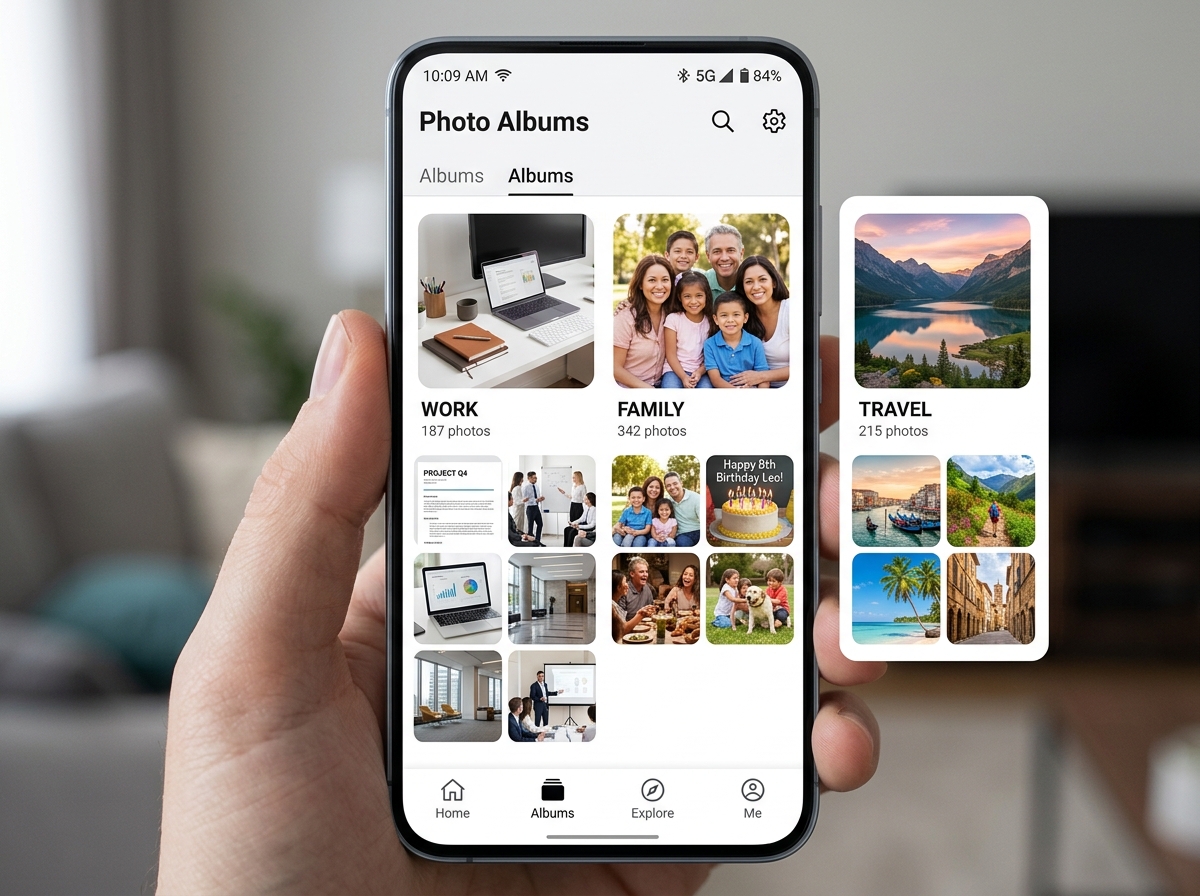
The main problem is that native apps usually just copy photos into albums. If you “organize” a photo into an album in Apple Photos, the original stays in your main camera roll, cluttering your view. This makes it nearly impossible to separate work from personal life. For professionals or hobbyists, this lack of structure is a nightmare.
A dedicated app for organising photos solves this by offering features like:
- True Folder Systems: Moving photos out of the main library entirely.
- Duplicate Detection: Finding the five nearly identical shots of your lunch and keeping only the best one.
- AI Tagging: Automatically identifying objects, people, and locations so you don’t have to keyword them manually.
- Storage Management: Helping you reclaim space by identifying large videos or unnecessary screenshots.
Research shows that over 250 million photos have been organized through specialized tools like Utiful, proving that users are desperate for a “missing folder system.” By adopting better organizing photos on smartphone and cloud habits, we can transform a digital junkyard into a curated library of memories.
How to Declutter Your Library Using an App for Organising Photos
Decluttering doesn’t have to be a weekend-long chore. Modern apps have turned the culling process into something that feels more like a game. One of the most effective methods we’ve found involves “swipe gestures.”
Apps like Swipix – Organize Your Photos with a Swipe allow you to fly through your library. You swipe right to keep a photo and left to delete it. It’s incredibly fast—you can often sort through hundreds of photos in just a few minutes. This “digital zen” approach helps you make quick decisions without the emotional weight of manual deletion.
These apps also provide storage insights, telling you exactly which files are eating up your space. They use visual similarity technology to group “burst” photos together, allowing for one-tap deletion of the blurry extras. By the time you’re done, your smart albums are clean, and your storage bar is finally in the green.
Key Features to Look for in Photo Management Software
When you’re shopping for the perfect tool, not all features are created equal. We recommend looking for apps that offer “Real Folders.” As highlighted by the Utiful App – Move & Organize Your Photos, there is a massive difference between moving and copying. A true organizer physically moves the file, removing it from the “clutter” of the main camera roll.
Other essential features include:
- Local AI Processing: Many modern apps use AI for facial recognition and object detection. However, privacy-conscious users should look for apps that do this on the device rather than uploading your data to the cloud.
- Metadata and EXIF Editing: For the power users among us, being able to edit the date, time, or location of a photo is vital for keeping a chronological history.
- Privacy and Security: Look for passcode protection or “hidden vaults.” Some apps even offer “fake passcodes” that open a decoy gallery if someone forces you to show them your phone!
- Search Capabilities: Natural language search allows you to type “dog at the beach” and find the exact moment without scrolling.
Top-Rated Solutions for Mobile and Desktop
If you are an iPhone user, you might feel trapped by the default Photos app. However, there are incredible alternatives like HashPhotos – The Best Photo Gallery and Editor App for iPhone/iPad!. It acts as an all-in-one powerhouse, combining advanced organization with a professional-grade editor.
For those looking for a broader list of iOS-specific tools, check out our guide on the best-photo-organizing-apps-for-iphone. These tools often include timeline navigation, 5-star rating systems (similar to professional photography software), and professional histograms to check image quality.
| Feature | Utiful | Mylio Photos | HashPhotos | Slidebox |
|---|---|---|---|---|
| Primary Goal | Folder Organization | Multi-device Sync | Advanced Editing | Fast Decluttering |
| AI Features | Basic | Advanced (Local) | Metadata Search | Similarity Detection |
| Move vs Copy | Physical Move | Virtual Link | Virtual Link | System Sync |
| Best For | Work/Personal Split | Families/Pros | Power Users | Casual Users |
Can I use an app for organising photos across multiple devices?
Absolutely. In fact, for many of us, the “holy grail” of photo management is having the same organized library on our phone, tablet, and laptop. Mylio Photos is a leader in this space. It uses a peer-to-peer connection to sync your devices without ever needing the cloud.
This means your photos stay private and are accessible even when you’re offline—like on a long flight. These apps also offer “Social Media Reclamation,” allowing you to pull your photos back from Facebook or Instagram and store them in your own private vault. This ensures your digital legacy isn’t at the mercy of a social media platform’s terms of service.
Frequently Asked Questions about Photo Management
What is the difference between moving and copying photos in an app?
Most apps, including the ones built into your phone, only “copy” photos. When you add a photo to an album, the photo stays in your main “Recents” or “Camera Roll” folder. This doesn’t help with decluttering. An app like Utiful uses a “physical move” logic. When you put a photo in a folder, it is removed from the camera roll. This allows for a strict separation between categories—perfect for keeping work receipts away from your weekend trip photos.
Are free photo organizing apps safe for my privacy?
Privacy varies wildly. Many free apps make money by mining your data or showing ads. However, some premium-tier apps offer “Privacy-First” models. Look for features like SafeShare, which strips location data and metadata before you share a photo. Always check if the app processes AI (like face tagging) locally on your device or if it sends your photos to a server. Local processing is always the safer bet for your personal life.
How do AI-powered features improve photo organization?
AI has changed the game. Instead of spending weeks keywording 10,000 images, AI can perform “automatic keywording.” It recognizes objects (car, mountain, cake) and even performs “aesthetic assessment,” identifying which photos are the sharpest and most visually appealing. This automation saves hundreds of hours, allowing you to find any memory using natural language search—just like you would on Google.
Conclusion
At Tamba Tech, we believe that your digital memories should be a source of joy, not a source of stress. Whether you choose a swipe-to-delete tool like Slidebox or a professional-grade organizer like Mylio, the goal is the same: to stop the endless scroll and start enjoying your photos again.
By choosing the right app for organising photos, you aren’t just cleaning up your phone; you’re protecting your digital legacy for years to come. If you’re ready to dive deeper into managing your digital files, explore our more info about file management services for more expert tips and tricks. Happy organizing!
