
Why the Best Apps for Aesthetic Photos Can Transform Your Content
The best apps for aesthetic photos can be the difference between a scroll-stopping feed and one that gets ignored. Whether you’re curating a Pinterest-worthy Instagram grid or just want your everyday shots to look more polished, the right app makes it effortless.
Here’s a quick look at the top picks:
| App | Best For | Platform | Starting Price |
|---|---|---|---|
| Tezza | All-in-one creator editing | iOS (limited Android) | $6.99/month |
| Esti | Efficient batch editing | iOS only | $4.99/week |
| Hypic | AI-powered selfie edits | iOS + iPad | $6.99/month |
| Snapseed | Free professional edits | iOS + Android | Free |
| Artia | AI selfie-to-photoshoot | iOS | ~$1.54/week |
| ImagineArt | AI background and lighting | Web + Mobile | Varies |
Most people take dozens of shots trying to get one great photo. Then they spend even more time editing it. The truth is, with the right tools, you don’t have to work that hard.
Modern aesthetic editing apps now offer everything from one-tap film filters and vintage overlays to full AI-generated photoshoots – all from your phone. Some are built for speed and batch editing. Others give you deep creative control. A few are completely free.
This guide breaks down the best options so you can find the right fit fast.
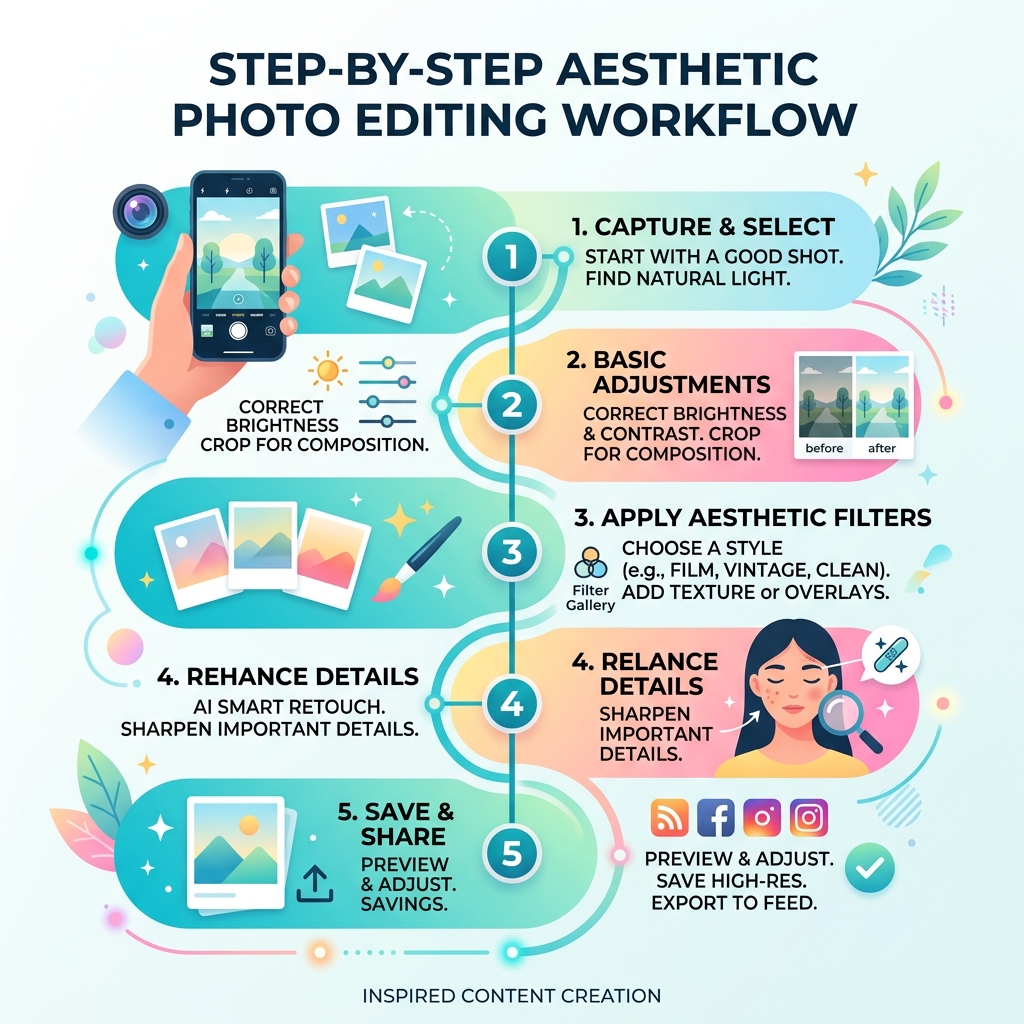
Top-Rated All-in-One Editors for the Best Apps for Aesthetic Photos
When we talk about the best apps for aesthetic photos, we are usually looking for “the one”—that single app that can handle filters, lighting adjustments, and feed planning without making us jump between five different platforms. The heavy hitters in this category focus on visual consistency. If your Instagram looks like a chaotic rainbow and you want it to look like a cohesive editorial magazine, these are your primary tools.
The following table compares the top all-in-one contenders based on their core strengths:
| Feature | Tezza | Esti | Hypic |
|---|---|---|---|
| Batch Editing | Yes | Yes | Yes |
| Film Effects | Extensive (Super 8, VHS) | High Quality (Kodak, Fuji) | AI-Enhanced |
| Feed Planner | Yes (Drag & Drop) | No | No |
| AI Tools | Moderate | Basic | Advanced |
| Best For | Influencers & Creators | Quick iPhone Edits | AI Art & Retouching |
Using these apps allows us to maintain a “brand” even if we are just posting photos of our morning coffee. By applying the same presets or using batch editing—where you copy the edits from one photo and paste them onto twenty others—you save hours of work while ensuring every post feels like it belongs in the same collection.
Tezza: The Creator’s Choice for Best Apps for Aesthetic Photos
If you follow any major fashion or lifestyle influencers, chances are they’ve used Tezza: Aesthetic Photo Editor App – App Store. This app is female-founded by creators who actually understand what makes a photo look “expensive” and “vibey.”
With over 40 hand-crafted presets, Tezza covers everything from dark and moody vibes to bright, sun-drenched aesthetics. But it isn’t just about filters. We love the “juiciness” of its texture overlays—think dust, paper crinkles, and light leaks that add dimension to a flat digital photo.
Key Features we love:
- Retro Film Frames: Replicate the look of Super 8, VHS, 8mm, or Kodak film with a single tap.
- Stop Motion & Subtitles: Great for adding a vintage cinema feel to your videos.
- Feed Planner: You can drag and drop your photos to see how they’ll look on your Instagram grid before you hit post.
- Batch Editing: Copy your exact adjustments (HSL, grain, blur) and apply them to a whole “photo dump” at once.
One thing to note: while Tezza: Aesthetic Editor on Google Play has over 5 million downloads, the Android version has historically lagged behind the iOS version in terms of features. Some users have reported bugs on Samsung devices, so iPhone users definitely get the premium experience here.
Esti: Streamlined Efficiency for iPhone Users
For those of us who find Tezza a bit overwhelming, Esti: Aesthetic Photo Editor is a fantastic alternative. It currently boasts a 4.6-star rating from 13K reviews on the App Store, and for good reason. It’s designed for the “busy creator” who wants a refined look with minimal effort.
Esti excels at capturing “sweet, heart-fluttering moments.” Whether it’s a bouquet of flowers or a romantic sunset, Esti’s filters are designed to enhance natural beauty rather than mask it. It features specialized film effects inspired by iconic names like Polaroid, VCR, and Super8.
Pros:
- Excellent HSL (Hue, Saturation, Lightness) tools for fine-tuning specific colors.
- New video editor feature that syncs your clips to the beat of a song using templates.
- Simple subscription tiers (Weekly at $4.99-$6.99 or Yearly at $39.99).
Cons:
- Only available for iPhone (Requires iOS 15.0 or later).
- Less focus on “editorial” templates compared to Tezza.
Specialized Tools for Vintage and AI-Driven Aesthetics
Sometimes a standard filter isn’t enough. Maybe you want to look like you’re in a Parisian café when you’re actually in your living room, or you want that specific grainy film stock that hasn’t been manufactured since 1974. This is where specialized AI and vintage emulation apps come into play.

Artia and ImagineArt: The Future of AI in Best Apps for Aesthetic Photos
AI has completely changed the game for aesthetic content. Apps like Artia — AI Aesthetic Photo App allow us to turn a single selfie into a professional-grade photoshoot.
Artia uses advanced AI to analyze your face and place it naturally into over 1,000 curated styles. We’re talking “Old Money,” “Coquette,” or “Golden Hour” aesthetics that look like they were shot by a pro photographer.
- Pinterest Reference Mode: You can actually upload a photo you found on Pinterest, and Artia will recreate that exact vibe using your face.
- Realistic Results: Unlike older AI apps that looked “uncanny,” Artia generates 4 unique variations per session that look like real camera shots.
Similarly, ImagineArt provides a suite of 12 specialized tools for those who want to “curate” rather than just “edit.” Their workflow includes:
- AI Object Remover: To get rid of that annoying trash can in the background of your perfect street style shot.
- Relight AI: To fix bad lighting after the fact.
- Image Upscaler: To boost the resolution of a blurry photo up to 1080p.
Hypic and Tone Studio: Mastering Dreamy Overlays and Video
If your aesthetic is more “dreamy” and “soft,” you need to check out Hypic – Photo Editor & AI Art App – App Store. Developed by ByteDance (the same company behind TikTok), Hypic is an all-in-one powerhouse that feels incredibly modern.
Hypic is famous for its Smart Retouching. It doesn’t just blur your skin; it uses AI to enhance features naturally. It also offers “AI Hair” and “AI Flash” tools to give your photos a professional studio finish. For those who love “photo dumps,” its batch editing and collage tools are top-tier.
Tone Studio, on the other hand, is the secret weapon for video aesthetics. Created by famous influencers, it offers unique filters and natural overlays that blend seamlessly. If you’ve ever wondered how travel vloggers get that specific “creamy” look on their reels, they are likely using Tone Studio’s adjustable RGB curves and vintage overlays.
Professional-Grade Free Alternatives for Every Creator
We know that subscription fatigue is real. Not everyone wants to pay $40 a year just to edit photos of their cat. Fortunately, there are professional-grade tools that offer incredible features for free.
Snapseed: Precision Editing Without the Price Tag
Snapseed: Photo Editor App – App Store is Google’s gift to the creative world. It is completely ad-free and contains over 25 pro-level tools. While it might not have the “trendy” templates of Tezza, it offers precision that most paid apps can’t match.
Why Snapseed is a must-have:
- RAW Support: You can open and edit native RAW files non-destructively.
- Selective Adjustments: Use “Control Point” technology to brighten just one person’s face without affecting the whole background.
- Healing Tool: Perfect for removing blemishes or unwanted power lines in a landscape shot.
- Face Pose: It can actually adjust the tilt of a head based on a 3D model.
Organizing Your Masterpieces for a Better Workflow
Once you start using the best apps for aesthetic photos, your camera roll is going to explode. We’ve all been there—scrolling for ten minutes to find that one photo you edited three days ago.
Efficiency is part of the aesthetic process. We recommend checking out our guide on the best photo organizing apps for iPhone to keep your library clean. If you are dealing with thousands of high-res edits, you might also need efficient strategies for organizing large media libraries to ensure you don’t lose your hard work when you switch devices.
Expert Tips for Taking and Editing Aesthetic Photos
Even the best app can’t save a truly terrible photo. To get the most out of these tools, you need a solid foundation. Here is what we’ve learned from the pros:
- Light is Everything: Always aim for natural light. Shooting near a window or during the “Golden Hour” (the hour after sunrise or before sunset) gives you a soft, warm glow that apps can enhance beautifully.
- The Underexposure Trick: Many creators suggest slightly underexposing your photos (making them a bit darker) when you take them. It’s much easier to bring out details in shadows during editing than it is to fix “blown out” white highlights.
- Minimalism Wins: Keep your backgrounds clutter-free. Use the “AI Object Remover” in apps like ImagineArt if you can’t find a clean spot.
- Composition Rules: Use the grid on your camera to follow the “Rule of Thirds.” Leading lines and negative space (empty areas) help create that high-end Pinterest look.
- Stay Organized: Don’t let your edits sit in the cloud. Learn about organizing photos on smartphone and cloud to keep your workflow smooth.
Frequently Asked Questions about Aesthetic Photo Apps
Which aesthetic app is best for a vintage film look?
Tezza and KUNI Cam are the top choices for vintage looks. Tezza offers specific emulation for Super 8 and VHS, while KUNI Cam is famous for its 100+ dust and light leak overlays that replicate specific film stocks like Kodak and Fuji.
Are there any completely free aesthetic photo apps?
Snapseed is the best completely free, ad-free option. While it requires a bit more manual work than a one-tap preset app, its results are professional-grade. Hypic also has a very strong free tier with many AI features available without a subscription.
How do I maintain a consistent Instagram aesthetic?
The secret is Batch Editing and Presets. Choose one or two presets that you love and apply them to every photo. Use a Feed Planner (like the one built into Tezza) to visualize how your photos look next to each other before you post. Consistency in color palette (e.g., always using muted pastels or warm browns) is key.
Conclusion
Creating stunning, professional-looking content no longer requires a $2,000 DSLR and a degree in Photoshop. Whether you choose the creator-led tools of Tezza, the AI magic of Artia, or the precision of Snapseed, the best apps for aesthetic photos are right in your pocket.
At Tamba Tech, we believe that technology should empower your creativity, not hinder it. By choosing the right tools and following a few simple photography rules, you can transform your digital presence from drab to fab in seconds.
Ready to level up your mobile experience? Explore more app guides at Tamba Tech and let us help you find the next big tool for your digital life.
