
Your Android Calendar Shouldn’t Feel Like a Second Job
The best minimalistic calendar app Android users can download right now includes these top picks:
| App | Rating | Downloads | Best For |
|---|---|---|---|
| Simple Calendar (Simple Mobile Tools) | 4.6 stars | 10M+ | Open-source, offline use |
| My Calendar – Simple Planner | 4.8 stars | 500K+ | Standalone, no Google account |
| Calendar 2025: Simple Calendar | 4.6 stars | 5M+ | Clean UI, Google sync |
| Simple Calendar – Plan Easily | 4.6 stars | 100K+ | Beginners, easy setup |
| Simple Calendar: Clean&Minimal | 4.0 stars | 10K+ | Privacy-first, no data collection |
| Tweek Calendar | 4.8 stars | – | Weekly planning, pen-and-paper feel |
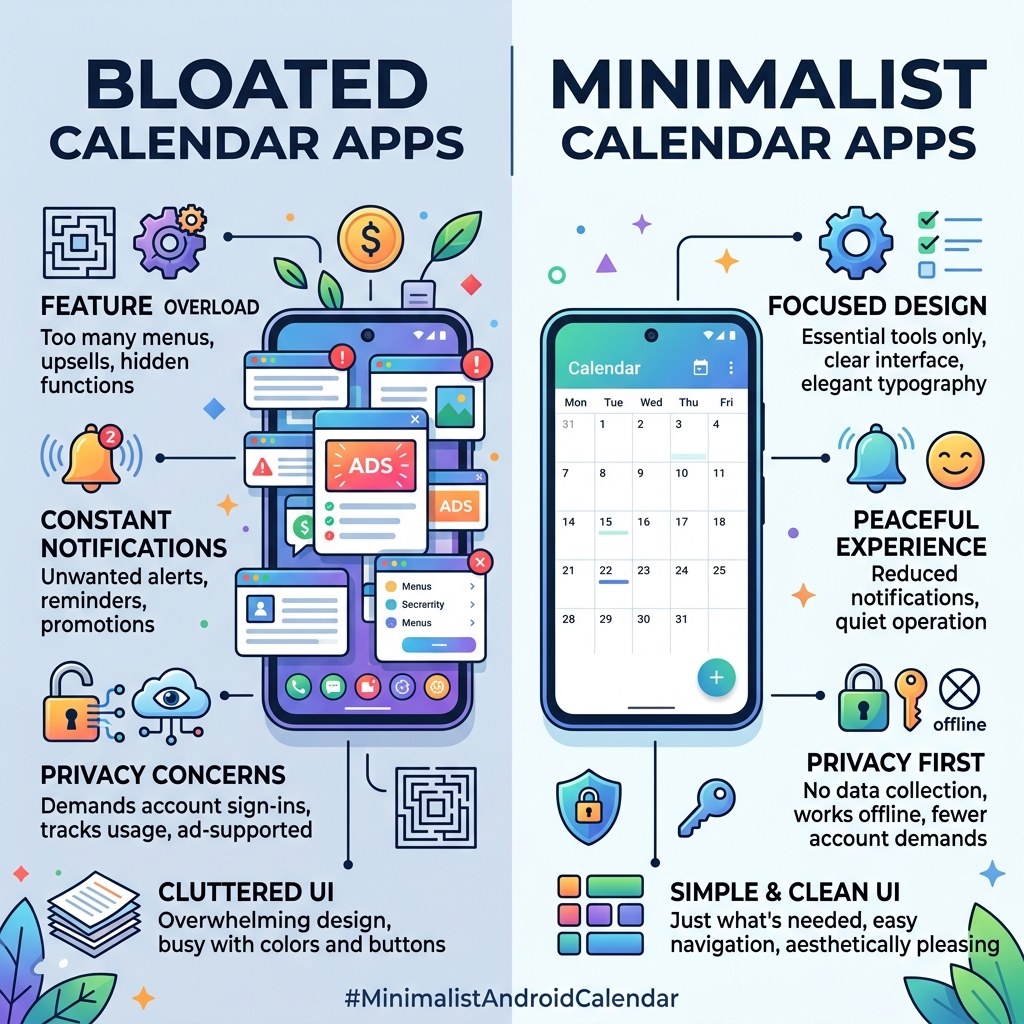
Most Android calendar apps do too much. They push notifications you didn’t ask for, demand Google account sign-ins, and bury basic features behind menus and upsells.
App fatigue is real. And your calendar — something you check every single day — shouldn’t add to that stress.
The good news? A growing number of Android apps are built around a different idea: show only what matters, skip everything else.
Whether you want something that works offline, skips ads entirely, or simply looks clean on your home screen, there’s a minimalist option that fits. This list covers the best ones, with honest notes on what each does well and where it falls short.
What Defines a Minimalistic Calendar App on Android?
When we talk about a minimalistic calendar app android users actually want to use, we aren’t just talking about a lack of features. True minimalism is about intentional design. It’s the difference between a cluttered desk and a clean workspace where only the necessary tools are within reach.
For us, a minimalist calendar must meet a few “no-negotiable” criteria:
- Clean Interface: The UI should follow modern design principles, often utilizing Material Design. This means plenty of white space (or dark space!), clear typography, and an absence of neon-colored “upgrade now” buttons.
- Zero Bloat: We don’t need a weather forecast, a news ticker, or integrated social media feeds in our schedule. A minimalist app focuses on events, tasks, and reminders.
- Privacy Focus: Many of these apps prioritize offline stability. They don’t ask for permissions to see your contacts or location unless it’s absolutely necessary for an event.
- Reduced Notifications: Instead of constant pings, these apps offer meaningful, customizable alerts.
Choosing a simpler tool is a major step toward android apps for decluttering digital life. By stripping away the noise, you can focus on intentional scheduling rather than just reacting to the loudest notification.
Top Picks for a Minimalistic Calendar App Android Users Love
Navigating the Play Store can feel like a minefield. To help you out, we’ve vetted the top-rated options based on their performance, user feedback, and how well they adhere to the “less is more” philosophy.
Simple Calendar: The Open-Source Gold Standard
If you’ve spent any time looking for privacy-respecting software, you’ve likely come across Simple Mobile Tools. Their version of Simple Calendar – Apps on Google Play is a powerhouse of minimalism.
With over 10 million downloads and a stellar 4.6-star rating, it’s the “gold standard” for a reason. It is entirely open-source, meaning the code is transparent and community-vetted. We love it because it doesn’t require internet access to function, providing incredible offline stability and privacy.
Key Highlights:
- CalDAV Sync: While it works great as a local calendar, you can sync it with Google Calendar, Outlook, or Nextcloud if you choose.
- Custom Widgets: It offers a highly customizable full-month widget that looks sleek on any home screen.
- No Ads: Even the free versions of these open-source tools tend to be remarkably clean compared to “free” corporate apps.
- Multi-language Support: Translated into over 45 languages.
One thing to note: some users have reported confusion over “Pro” versions versus free versions due to recent developer changes, but the core experience remains one of the cleanest on the market.
Tweek: The Pen-and-Paper Minimalistic Calendar App Android Experience
Tweek is a bit different. It doesn’t try to look like a traditional digital grid. Instead, it mimics the feel of a paper weekly planner. If you find monthly views overwhelming, Tweek is a breath of fresh air.
It’s one of our favorite minimalist calendar apps for productivity because it treats your week as a simple to-do list. You can drag and drop tasks between days, which feels incredibly natural. It’s designed for people who want to “unclutter” their brains.
Why it stands out:
- Weekly Focus: It defaults to a weekly view that feels like a physical notebook.
- To-Do Integration: Events and tasks live together in one view.
- Printable Templates: If you still love physical paper, Tweek offers printable weekly templates.
- No Fuss: With 17,330 active users every 24 hours, it’s clear that people value its “pen and paper” simplicity.
Dawn: A Privacy-First Minimalistic Calendar App Android Alternative
Dawn is the newcomer that’s making waves for its beautiful typography and “Spaces” organization. It’s a great pick for productivity apps for minimal tech enthusiasts who want a refined, aesthetic look.
Dawn takes privacy to the extreme: zero personal data is uploaded, there are no ads, and you don’t even need to create a login. You simply open the app and start planning.
Standout Features:
- Spaces: You can create different “Spaces” for work, home, or side projects to keep your life segmented but accessible.
- Integrated Todos: Like Tweek, it combines your calendar and your task list.
- Clean Typography: It’s arguably the most “designer-friendly” app on this list.
My Calendar – Simple Planner
For those who want to completely divorce themselves from the Google ecosystem, My Calendar – Simple Planner is a fantastic standalone choice. It has a 4.8-star rating from nearly 19,000 reviews, with many users praising it as the perfect alternative to bloated defaults.
It offers 25 different color codes for time blocks and 21 theme colors, allowing you to make the app your own without it feeling “busy.” We especially like the passcode lock feature, which adds an extra layer of privacy for your personal schedule.
Simple Calendar: Clean&Minimal
If you want an app that is “true to the name,” Simple Calendar: Clean&Minimal is worth a look. It has a smaller footprint (10K+ downloads) but a very dedicated user base. It doesn’t require any third-party accounts and explicitly states that no data is collected or shared.
Users love the vertical scrolling view, which is a nice departure from the standard horizontal “page-turning” feel of most calendars.
Calendar 2025: Simple Calendar
With over 5 million downloads, Calendar 2025: Simple Calendar strikes a balance between simplicity and familiar features. It syncs easily with Google, Samsung, and MI calendars, making it a great “drop-in” replacement for your phone’s default app. It even includes a unique “Kalandar Panchang” for those who need to track specific cultural or religious dates.
Key Features to Look for in a Minimalist Planner
When you’re shopping around for a minimalistic calendar app android solution, don’t get distracted by flashy icons. Look for the features that actually improve your workflow.
Widget Customization
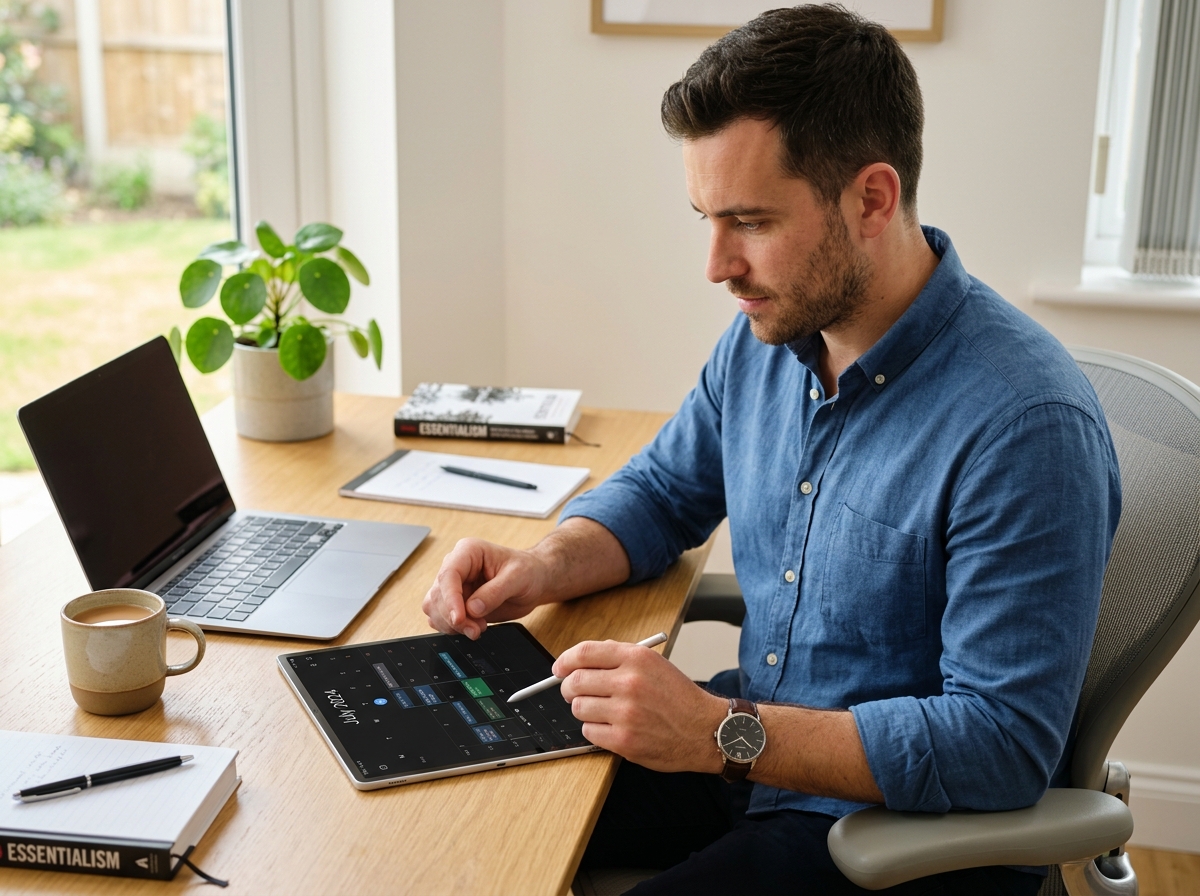
A minimalist calendar is only as good as its widget. You shouldn’t have to open the app every time you want to see what’s next. Look for widgets that offer transparency controls and font size adjustments so they blend into your wallpaper rather than clashing with it.
Dark Mode and Themes
Since you’ll be looking at your calendar early in the morning or late at night, a well-implemented dark mode is essential. Apps like Simple Calendar and My Calendar offer extensive theme options that allow you to reduce eye strain.
Recurring Events and Reminders
Even the most basic app should handle a “Third Thursday of the month” meeting with ease. Minimalist doesn’t mean “incapable.” These apps should support complex recurring rules without making the “Add Event” screen look like a cockpit. This is vital for maintaining task management apps for minimalist workflow.
Syncing vs. Local Storage
Decide early if you want your data in the cloud.
- Syncing: Best if you need to see your calendar on a laptop or share it with a partner.
- Local Storage: Best for maximum privacy and offline use.
Frequently Asked Questions about Minimalist Calendars
Can a minimalist calendar sync with Google or Outlook?
Yes! Most of the apps we’ve discussed, including Simple Calendar – Plan Easily, support syncing through the CalDAV protocol. This allows you to keep your data on Google’s servers while using a much prettier and faster interface on your phone. If you’re looking for a deep dive into how this works, check out the developer site for Simple Calendar – App for Android.
Are there ad-free minimalist calendar options for Android?
Absolutely. Many minimalist apps are either open-source (and thus free of ads by philosophy) or offer a one-time “Pro” purchase to remove ads forever. We generally recommend avoiding “free” apps that don’t have a clear monetization strategy, as they often pay the bills by selling your data. Apps like Simple Calendar (Simple Mobile Tools) and Dawn are famous for their ad-free experiences.
Do these apps support offline use and privacy?
Privacy is one of the biggest reasons people switch to a minimalistic calendar app android users trust. Many of these apps, like “Simple Calendar: Clean&Minimal,” require no internet permissions at all. This means your schedule never leaves your device. For those who prioritize security, using these alongside note-taking apps for minimalists can create a completely private digital planning ecosystem.
Conclusion
At Tamba Tech, we believe that your technology should serve you, not the other way around. Expert writers like Lucas Oliveira have tested dozens of these tools to ensure that our recommendations actually hold up in daily use.
Switching to a minimalistic calendar app android is about more than just aesthetics; it’s about reclaiming your time and attention. By choosing an app that values privacy, reduces bloat, and looks great on your home screen, you’re making a choice for digital intentionality.
If you’re just starting your journey into a simpler tech life, we recommend starting with workflow optimization for beginner minimalists to see how a clean calendar fits into a larger productive lifestyle.
Ready to declutter? Pick one app from our list today, spend ten minutes setting up your color codes, and enjoy a schedule that finally looks as organized as you want to feel. For more deep dives into the best software for your devices, visit us at https://tambastech.com/.
