
The Best Photo Management Apps for iPhone at a Glance
The best photo management app for iphone depends on what you need most — but here are the top picks to get you started fast:
| App | Best For | Price |
|---|---|---|
| Clever Cleaner | AI cleanup, duplicates, free | Free |
| Slidebox | Swipe-to-sort, album organization | From $4.99/mo |
| Google Photos | Cloud backup, AI search | Free (15 GB) |
| LuminaClean | Privacy-first duplicate removal | Free (limited) |
| Mylio Photos | Local sync, no cloud required | Free / Premium |
| HashPhotos | Power users, real folders | Free (limited) |
| Secret Photo Vault | Privacy and secure storage | Free / Premium |
Taking photos on your iPhone takes zero effort. Keeping them organized? That’s a completely different story.
Most iPhone users end up with thousands of photos — duplicates, blurry shots, random screenshots — all jumbled together. The built-in Photos app helps a little, but it wasn’t built to handle serious photo chaos.
That’s where third-party apps come in. Whether you want to bulk-delete duplicates, sort photos into real folders, back everything up to the cloud, or lock down private images — there’s an app built exactly for that.
This guide breaks down the best options clearly, so you can pick the right tool for your situation and finally get your photo library under control.
Why You Need the Best Photo Management App for iPhone Beyond Apple Photos
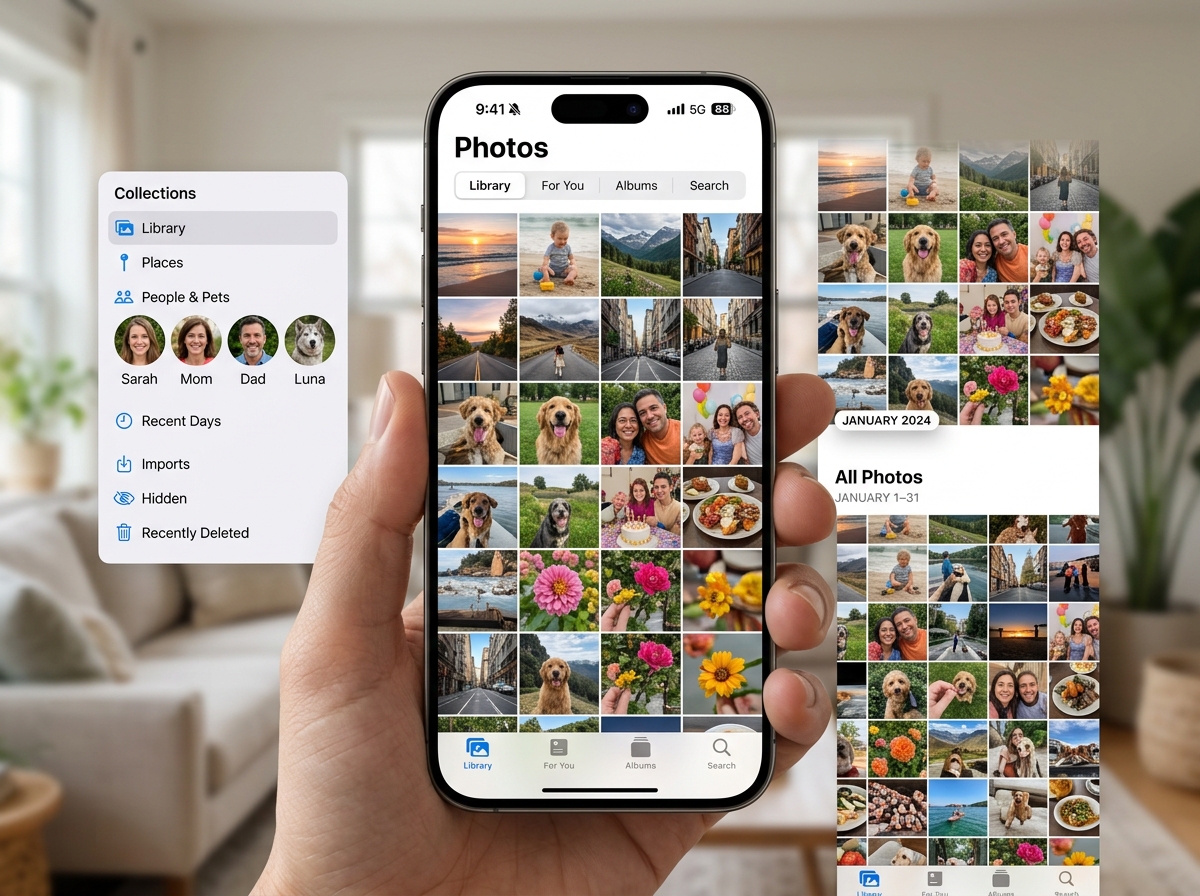
We have all been there: scrolling through an endless grid of nearly identical selfies, blurry pet photos, and screenshots of receipts from three years ago. While Apple provides the native Photos 4+ app for basic viewing, many of us find it falls short when the library grows into the thousands.
One major pain point for power users has been the recent iOS 18 redesign. While Apple aimed for a “smarter” look, many users find the new interface—with its endless scrolling and tiny thumbnails—more confusing than helpful. It feels like a downgrade if you are trying to find a specific memory quickly.
Furthermore, the native app is quite conservative when it comes to cleaning. It can find exact duplicates, but it often misses “similar” photos—those five shots of your lunch where only the lighting changed. It also lacks advanced features like batch metadata editing, file size sorting, and a true folder system. If you want to dive deeper into organizing photos on smartphone and cloud, you need a tool that offers advanced search filters and storage optimization that Apple simply hasn’t implemented yet.
Top-Rated Apps to Declutter and Reorganize Your Gallery
Before you can organize your photos, you have to get rid of the “trash.” Trying to sort 20,000 photos is a nightmare; trying to sort 5,000 curated ones is a breeze. This is where decluttering apps shine.
We have found that these apps generally fall into two camps: AI-powered cleaners that do the thinking for you, and gesture-based sorters that make the manual work feel like a game.
| Feature | AI-Powered Cleanup (e.g., Clever Cleaner) | Gesture-Based Sorting (e.g., Slidebox) |
|---|---|---|
| Speed | Very Fast (Bulk actions) | Moderate (One by one) |
| Control | High (App suggests, you confirm) | Absolute (You decide every photo) |
| Best For | Removing 1,000s of duplicates | Organizing photos into albums |
| Effort | Low | Low-Medium |
Choosing the best photo management app for iphone often starts with deciding which of these workflows fits your personality. If you want a deep dive into these options, check out our guide on the best photo organizing apps for iphone.
Best Photo Management App for iPhone for AI Cleanup: Clever Cleaner
If you are looking for a “set it and forget it” solution, Clever Cleaner is a standout choice. Currently 100% free with no ads or subscriptions for early users, it uses on-device AI to scan your library for clutter.
What makes it the best photo management app for iphone for cleaning? It goes beyond exact duplicates. It groups “similar” images—like a burst of photos from a sports event—and helps you pick the best one while trashing the rest. It also excels at finding large video files, blurry shots, and old screenshots that are eating up your iCloud storage. Because it processes everything locally on your iPhone, your privacy is protected. It can even convert those space-hogging Live Photos into still shots, helping you move from drab to fab: the best apps for aesthetic photos you need now.
Best Photo Management App for iPhone for Gesture Sorting: Slidebox
For those who prefer a more “hands-on” approach, Slidebox is widely considered the gold standard. It has been described as “Tinder for your camera roll.” You see a photo; you swipe up to trash it or tap an album name to file it away.
It is incredibly satisfying and surprisingly fast. We have seen users organize hundreds of vacation photos in just a few minutes. Because Slidebox syncs directly with your iCloud and native Photos app, any album you create or photo you delete is reflected across all your Apple devices. It even includes a “Trash” folder within the app, giving you a safety net before you permanently delete anything. If you have ever felt overwhelmed by the ultimate guide to taming your android gallery chaos, you will find Slidebox’s iOS version to be an even more polished experience.
Another fantastic option for those who want a fun, privacy-focused experience is LuminaClean – Clean Up Duplicate Photos on iPhone | Free Photo Organizer. It uses a similar swiping mechanic but adds “Daily Bites”—small, manageable chunks of photos to clean every day so the task never feels insurmountable.
Advanced Management Tools for Power Users and Privacy
For some of us, “albums” aren’t enough. We want “folders.” If you are a professional or a hobbyist with a massive library, you might need the advanced features found in HashPhotos – The Best Photo Gallery and Editor App for iPhone/iPad!.
HashPhotos is a powerhouse. It offers nested albums (folders within folders), a timeline view, and a calendar view. It even includes a “Tray” feature that lets you collect photos from different dates and perform batch actions on them all at once—like resizing them or stripping their metadata for privacy.
If your biggest frustration is that Apple doesn’t let you physically move a photo out of the Camera Roll, you should look at Utiful. Most apps just “tag” a photo into an album, meaning it still sits in your main “All Photos” grid. Utiful actually moves the file into a separate folder system, which is a game-changer for separating work photos from personal memories.
For those who prioritize privacy above all else, Mylio Photos and Secret Photo Vault (Keepsafe) are the top contenders.
- Mylio Photos is unique because it offers local-first sync. You can sync your entire library across your iPhone, Mac, and PC without ever using the cloud. This is perfect for power users who don’t want to pay for a monthly iCloud or Google subscription.
- Secret Photo Vault is the place for sensitive images. It uses PIN locks, FaceID, and even “decoy” albums with a fake passcode to ensure your private photos stay private.
Best Apps for Cloud Backup, Editing, and Creative Projects
Sometimes the best photo management app for iphone isn’t just about cleaning—it’s about what you do with the photos once they are organized.
Google Photos remains the “gold standard” for search and backup. With 15GB of free storage, it’s much more generous than Apple’s 5GB. Its AI search is legendary; you can type “me laughing at the beach” or “dog in a hat,” and it will find the exact photo in seconds. It also includes Google Photos: Backup & Edit App – App Store features like “Photo Stacks,” which automatically tidies up your grid by grouping similar shots together.
If your goal is to make your photos look professional, Darkroom: Photo & Video Editor App – App Store is a must-have. It’s an Apple Design Award winner that brings desktop-class editing to your phone. It handles RAW and ProRAW files with ease and offers 8K color grading for videos.
For those who want to turn digital memories into physical keepsakes, Mixbook is fantastic for creating photo books directly from your phone. And if you want to join a community of fellow photographers, Flickr still offers a great platform for sharing and high-quality storage.
Frequently Asked Questions about iPhone Photo Management
Are there any completely free photo organizer apps for iPhone?
Yes, but they are rare. Clever Cleaner is currently 100% free with no ads as it builds its user base. LuminaClean offers a “freemium” model where you get 65 free deletions to start and 10 more every day you return. Most other apps use a subscription model (typically $4.99/month) or a one-time “lifetime” purchase.
Do these apps move photos or just copy them from iCloud?
Most apps, like Slidebox or HashPhotos, work with your iCloud library. When you delete a photo in the app, it moves it to the “Recently Deleted” folder in your native Photos app. However, apps like Utiful are different; they create their own storage space to physically move photos out of the main camera roll. Always check if an app requires “Full Access” to your library to perform these actions.
How do these apps handle my photo privacy and security?
Privacy varies by app. Apps like LuminaClean and Clever Cleaner use on-device AI, meaning your photos are never uploaded to a server for analysis. They even work in airplane mode! Others, like Google Photos, require uploading your images to the cloud to use their advanced search features. If privacy is your main concern, look for apps that emphasize “local processing” and offer “SafeShare” features to remove location metadata before sharing.
Conclusion
At Tamba Tech, we know that your photo library is more than just data—it’s a collection of your most precious memories. But a cluttered library makes it impossible to enjoy those moments.
Whether you need the AI power of Clever Cleaner, the satisfying swipes of Slidebox, or the professional folders of HashPhotos, there is a tool out there to help you tame the chaos. Our expert writer, Lucas Oliveira, recommends starting with a cleanup app first to prune the “dead wood” before trying to organize what’s left.
Ready to take control of your digital life? Explore more expert app reviews and tech guides to find the perfect tools for your iPhone.
