
The Best Apps for Shared Photos in 2026: A Quick Answer First
The best apps for shared photos right now are:
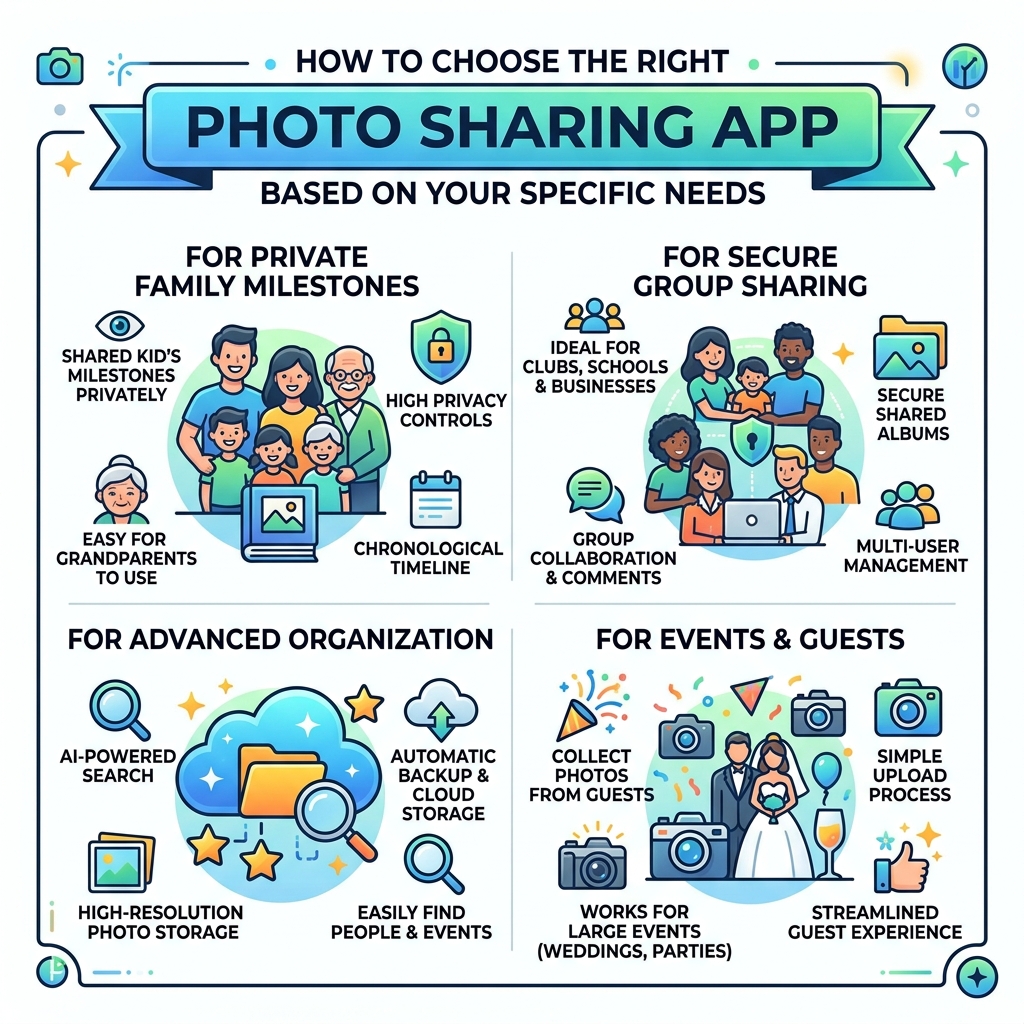
- FamilyAlbum – Best for families sharing kids’ milestones privately
- PhotoCircle – Best for secure group sharing across families, schools, and businesses
- Google Photos – Best for AI-powered search, backup, and large storage needs
- SharePix – Best for events where guests don’t want to create an account
We take a lot of photos. And then they end up scattered across five group chats, three cloud services, and a camera roll nobody can search.
Sound familiar?
The problem isn’t taking photos. It’s sharing them in a way that actually works for everyone involved — the grandparent who struggles with apps, the wedding guest who won’t download yet another platform, and the parent who just wants a private space away from social media.
Different situations call for different tools. A family sharing baby photos needs something very different from a couple collecting pictures from their wedding guests.
The good news: there are apps built specifically for each of these needs. Some offer unlimited free storage. Others let guests upload photos with no account required. And a few use AI to organize everything automatically.
This guide cuts through the noise and compares the top options side by side — so you can pick the right one without wasting time testing them all yourself.
What to Look for in the Best Apps for Shared Photos
When we go looking for the perfect platform to house our collective memories, it’s easy to get distracted by flashy filters. However, the “best” app is usually the one that stays out of the way and just works. Based on our research, there are five pillars you should evaluate before committing your library to a service.
Storage Limits and Costs
Some apps are “free” until you hit a wall. For example, many cloud services offer a base of 5GB to 15GB, which disappears quickly once you start uploading 4K videos. We look for apps that offer either unlimited storage for specific use cases or generous free tiers that don’t feel like a trap.
Privacy and Data Security
Privacy is the biggest concern for most of us today. You should look for apps that offer invite-only access and clearly state that they do not share your data with third parties. Some of the best apps for shared photos prioritize “zero-knowledge” or private-by-default settings, ensuring your family photos don’t end up on a public social feed.
Ease of Use (The “Grandparent Test”)
If an app requires a 20-minute tutorial, your less tech-savvy relatives won’t use it. The interface should be intuitive, with large buttons and simple invitation links. Cross-platform compatibility is also vital—it doesn’t matter how good an app is if your sister on Android can’t see the photos you sent from your iPhone.
Collaboration and Contribution
For events like weddings or parties, the barrier to entry must be zero. We prefer apps that allow guests to contribute photos via a QR code or a simple link without needing to create an account or download a bulky application.
Original Resolution Preservation
Compression is the enemy of quality. If you plan on printing these photos later, you need an app that preserves the original resolution. Some apps compress images to save space, which is fine for a phone screen but looks “drab” when printed. For more on keeping your gallery in top shape, check out our guide on efficient-strategies-for-organizing-large-media-libraries/.

| Feature | FamilyAlbum | PhotoCircle | Google Photos | SharePix |
|---|---|---|---|---|
| Storage | Unlimited (Free) | Limited (Free) / Paid | 15GB (Shared) | Event-based |
| Guest Access | App Required | App Required | Google Account | No Account Needed |
| Privacy Level | High (Family Only) | High (Circles) | Medium (Cloud) | High (Unlisted) |
| Best For | Parents/Baby Photos | Groups/Teams | Search/Backup | Weddings/Parties |
Top Picks for Family and Private Memories
Sharing photos of children is a sensitive task. Many parents are moving away from traditional social media due to privacy concerns and “sharenting” risks. The apps in this category focus on creating a digital “walled garden” where only invited loved ones can see your milestones.
Using dedicated apps for family memories also helps with organizing-photos-on-smartphone-and-cloud/, as it keeps your personal life separate from your work screenshots and memes.
FamilyAlbum: The Best Apps for Shared Photos for Parents
FamilyAlbum – Photo Sharing App – App Store has carved out a massive niche for itself, boasting over 10 million downloads and a stellar 4.9-star rating. Why do parents love it? Because it offers unlimited storage for free.
The app is designed to be a digital scrapbook. It automatically sorts photos by the child’s age and the month they were taken. One of its most “fab” features is the “1-second movie”—the app takes short clips of your videos and mashes them into a nostalgic compilation every few months.
For those who want physical keepsakes, FamilyAlbum – Photo Sharing – Apps on Google Play even offers 11 free photo prints every month (you just pay shipping). It’s an incredible way to keep distant relatives involved without the pressure of a group chat. You can learn more about managing these types of apps in our article on the best-photo-organizing-apps-for-iphone/.
PhotoCircle: Secure Circles for Every Group
If your sharing needs extend beyond just family—say, a school project, a non-profit event, or a group of friends—PhotoCircle – Private photo sharing for families, friends, schools, and businesses is a top-tier choice.
PhotoCircle uses a “Circle” system. Each Circle is private and invite-only. It’s trusted by over 9 million users because it scales beautifully. You can use it for a simple weekend trip or for a Fortune 500 company’s marketing assets.
The free version is ad-supported, but the premium tiers offer features like:
- Canva Integration: Design directly from your shared photos.
- Data Recovery: Up to 90 days of safety if something is accidentally deleted.
- Enhanced Quality: Support for 12 MP photos and 1080p video.
It’s a fantastic tool for the-ultimate-guide-to-taming-your-android-gallery-chaos/ because it centralizes everything in one searchable place.
Best Solutions for Events and Large Groups
Events like weddings or graduation parties present a unique challenge: you want everyone’s photos, but you don’t want to spend your honeymoon chasing people down for uploads. The best apps for shared photos in this category focus on “zero download barriers.”
SharePix: The Best Apps for Shared Photos Without Accounts
SharePix – Private Photo Albums, Created Together solves the “group chat fatigue” problem. Instead of everyone texting photos to a group of 20 people (and ruining the quality), you create one album and send out a link or a code.
The standout feature here is that guests do not need an account to contribute. They simply open the link in their browser and upload. This “zero barrier” approach ensures you actually get the photos people took at the reception. The albums are unlisted and private by default, meaning they won’t show up in search engines. It’s a great way to see from-drab-to-fab-the-best-apps-for-aesthetic-photos-you-need-now/ moments from every guest’s perspective.
Google Photos: The Power of AI and Search
Google Photos – Apps on Google Play is the heavyweight in the room. While it requires a Google account, almost everyone already has one.
The real magic of Google Photos is its AI. You can search for “wedding” or “cake” or even “Alice laughing,” and it will find the exact moment across thousands of photos. It offers 15GB of free storage shared across your Google account, which is three times more than what Apple offers for free.
Key features include:
- Facial Recognition: Automatically groups photos of the same person.
- Partner Sharing: Automatically share photos of specific people (like your kids) with your spouse.
- Locked Folder: Keep sensitive photos behind a passcode.
Understanding Privacy, Quality, and Costs
As we navigate these apps, we have to understand how they stay in business. Most follow a “Freemium” model.
- Ad-Supported: Apps like PhotoCircle offer a robust free version but show ads to keep the lights on.
- Product Sales: FamilyAlbum is free with unlimited storage because they hope you’ll buy their (admittedly high-quality) photobooks or prints.
- Subscriptions: Google Photos and premium versions of other apps charge a monthly fee for extra storage (starting around $1.99/month for 100GB) or advanced features like AI editing tools.
When it comes to quality, always check the settings. Some apps default to “Data Saver” mode, which compresses your images. If you want to preserve the original resolution for printing, ensure you select “Original Quality” in the upload settings.
Privacy is equally important. Look for apps that use encryption in transit and offer granular controls. For instance, FamilyAlbum lets you toggle between “Family Only” and “Admins Only” for specific photos, so some memories stay between partners while others go to the grandparents.
Frequently Asked Questions about Photo Sharing
How do free photo sharing apps compare to paid versions?
Free versions usually have “walls.” These might be storage limits (e.g., 15GB), video length restrictions (some free apps limit videos to 1 minute), or the presence of ads. Paid versions often unlock “Pro” features like computer uploads, longer video support, and advanced organization tools like AI-tagging.
Which apps are best for non-tech-savvy family members?
FamilyAlbum and PhotoCircle are our top recommendations here. They are designed with simplicity in mind. FamilyAlbum, in particular, has a very “clean” interface that avoids the clutter of traditional social media, making it easy for anyone to scroll through and leave comments.
How can I ensure the best photo quality when sharing?
To keep your photos from looking blurry, use apps that specifically mention “Original Resolution” or “High Definition” support. Avoid sharing via SMS or standard WhatsApp chats, as these platforms heavily compress images. Instead, use a dedicated sharing app link.
Conclusion
Choosing from the best apps for shared photos doesn’t have to be a chore. If you’re a parent, FamilyAlbum is a no-brainer for its unlimited storage and private nature. For those organizing a big event or a school group, PhotoCircle and SharePix offer the flexibility and ease of use that guests appreciate. And for the ultimate power user who wants AI to do the heavy lifting, Google Photos remains the king of search.
At Tamba Tech, we believe your digital legacy should be easy to manage and even easier to share. Don’t let your memories sit forgotten in a cloud folder—pick an app that brings your circle together.
