
Your iPhone Photo Library Is a Mess — Here’s How to Fix It Fast
The best iPhone photo organizer apps right now are:
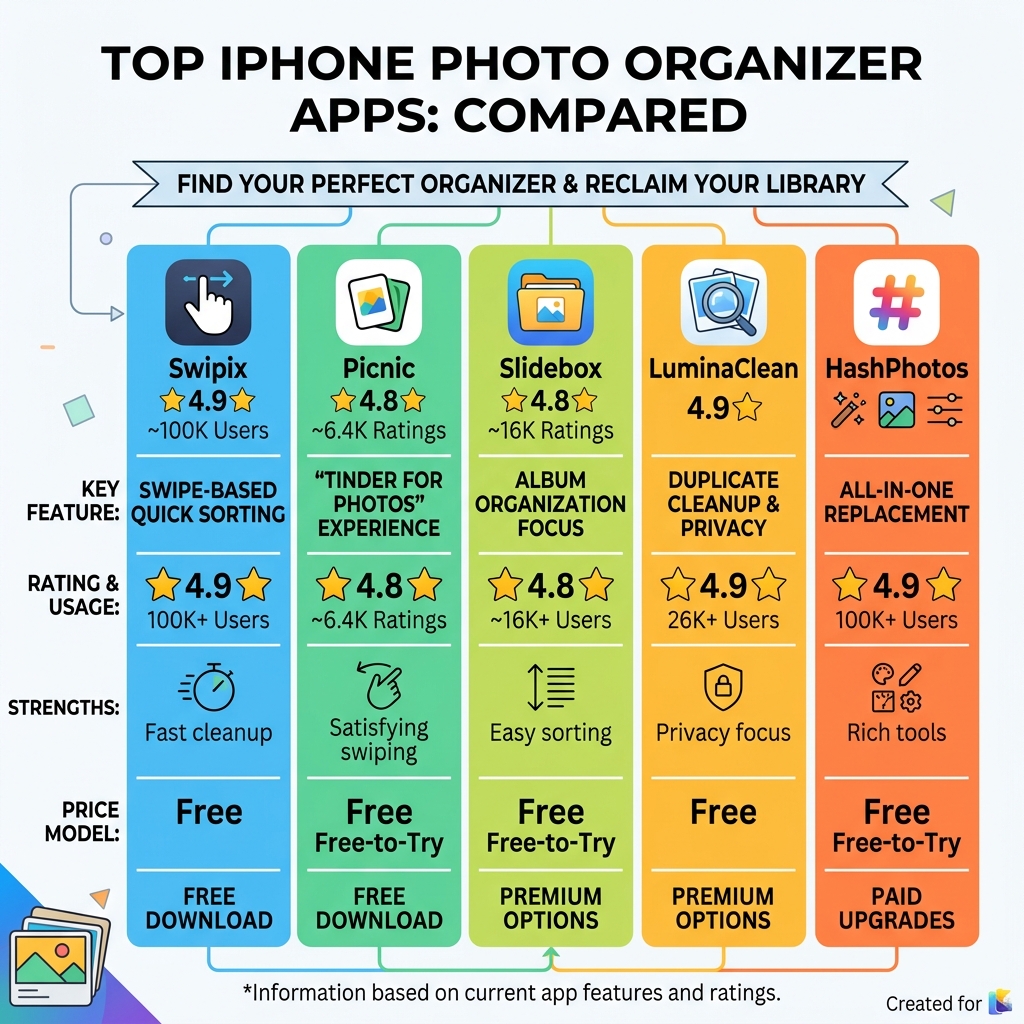
- Swipix – Best for swipe-based quick sorting (4.9★, 100K+ users)
- Picnic – Best “Tinder for photos” experience (4.8★, 6.4K ratings)
- Slidebox – Best for album organization (4.8★, 16K ratings)
- LuminaClean – Best for duplicate cleanup with full privacy (4.9★)
- TagCam – Best for AI face tagging and search (4.6★)
- HashPhotos – Best all-in-one replacement for Apple Photos
- Utiful – Best for creating real, separate folder systems (250M+ photos organized)
Your iPhone takes great photos. But after a few months — or a few years — that camera roll turns into chaos.
Screenshots mixed with vacation memories. Blurry shots next to your best photos. Duplicates eating up your storage. Sound familiar?
Apple’s native Photos app is decent for viewing your pictures. But it falls short when you need to seriously clean and organize them. It lacks core tools like duplicate detection, batch deletion, smart categorization, and real folder systems.
That’s exactly where third-party iphone photo organizer app options come in.
These apps are built to do the heavy lifting — finding duplicates, grouping similar shots, compressing videos, and sorting everything into a structure that actually makes sense. Some use AI to do it automatically. Others give you a fast, satisfying swipe-based interface that makes cleanup feel effortless.
Whether you have 500 photos or 50,000, there’s an app that fits your needs and your budget.
Why You Need a Third-Party iPhone Photo Organizer App
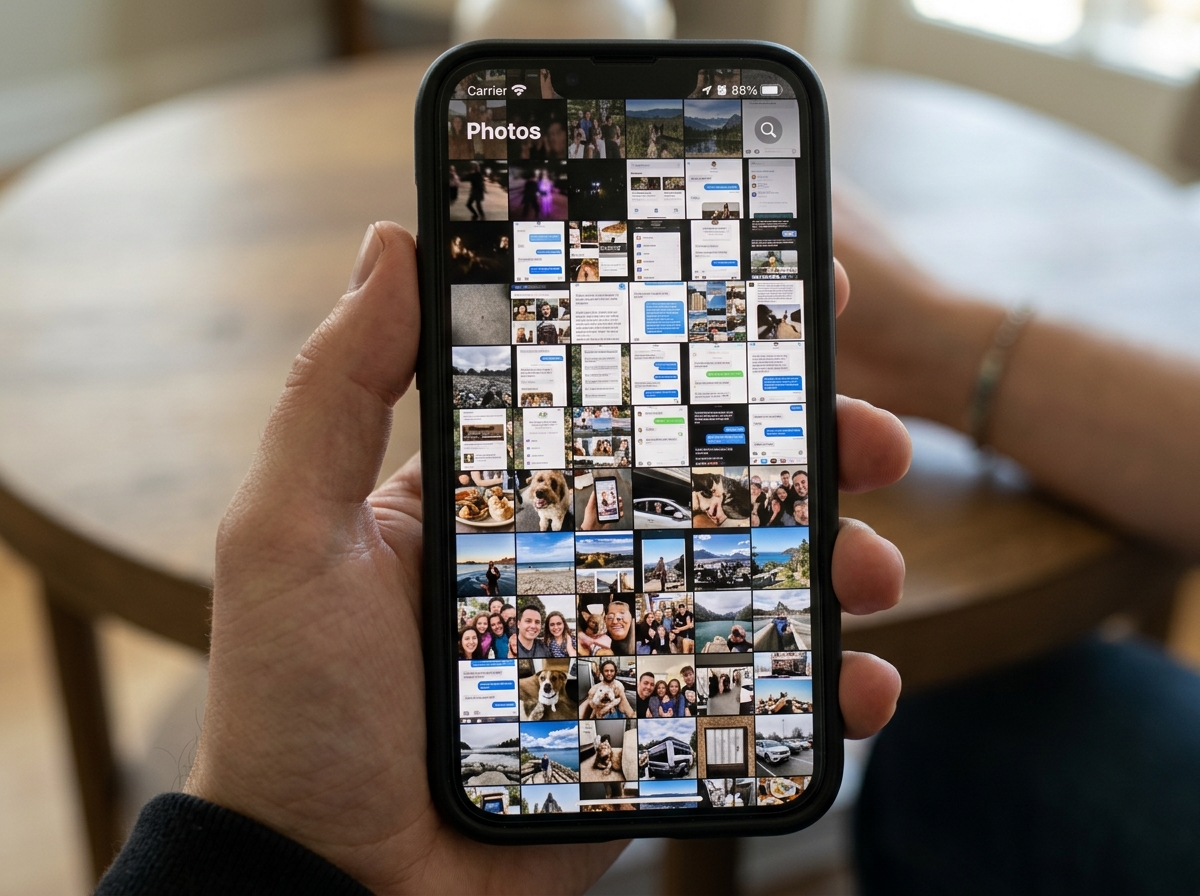
If you have ever spent twenty minutes scrolling through your library just to find a photo of a receipt or that one specific shot from your 2019 vacation, you know the frustration. While Apple’s native Photos app has improved over the years, it still treats your library like one giant bucket.
Third-party iphone photo organizer app solutions offer several primary benefits that the native app simply doesn’t prioritize:
- Advanced Cleaning Tools: These apps excel at finding “near-duplicates”—those five slightly different versions of the same group photo where only one person is actually smiling. They can also identify blurry shots, massive video files that are eating your storage, and old screenshots you no longer need.
- True Folder Systems: One of the biggest gripes users have with Apple Photos is that “Albums” are just pointers. If you put a photo in an album, it stays in your main “Recents” folder too. Apps like Utiful allow you to actually move photos out of the main gallery into a separate filing system.
- Batch Operations: Want to move 500 photos to a new folder or delete all screenshots from last Tuesday in one tap? Third-party apps are designed for these high-volume tasks.
- AI-Powered Efficiency: Modern apps use on-device machine learning to recognize faces, objects, and even text within your photos (OCR), making search much more powerful than the standard “Date” or “Location” filters.
- Video Compression: Many dedicated organizers include tools to shrink large 4K videos without noticeable quality loss, saving you gigabytes of iCloud space.
By stepping outside the native ecosystem, you gain access to professional-grade management tools. For more insights, check out our guide on organizing photos on smartphone and cloud.
Top-Rated Apps to Declutter and Organize Your Library
Choosing the right iphone photo organizer app depends on whether you want to “swipe and delete” or “categorize and file.” Here is how the top contenders stack up:
| App Name | Primary Strength | Key Feature | Pricing Model |
|---|---|---|---|
| Swipix | Speed | Swipe-to-decide interface | Free |
| Picnic | Fun/Intuitive | Tinder-style sorting | Freemium |
| LuminaClean | Privacy | 100% On-device AI cleaning | Free |
| HashPhotos | All-in-One | Metadata editor & Private Vault | Subscription/Lifetime |
| Utiful | Filing System | Real folder management | Subscription |
| TagCam | Search | AI Face Tagging & Stacking | Subscription/Lifetime |
| Slidebox | Albums | Quick album sorting | Subscription/Lifetime |
Swipix – Organize Your Photos with a Swipe
Swipix is a favorite for those who want to tackle a massive backlog of photos quickly. With over 100,000 users and a 4.9-star rating, it uses a simple “Swipe to Decide” gesture. Swipe right to keep, left to delete. It also features “Time Travel” to help you jump through years of memories and “Storage Insights” to show you exactly what is hogging your space.
TagCam – Photo Organizer
If you are a “tagger,” TagCam is your best bet. It uses AI-powered face recognition and tagging to make searching effortless. A unique feature is “Stacking,” which groups similar photos (like bursts) into a single stack, instantly making your gallery look cleaner. It is highly recommended for professionals or hobbyists who need to separate work and personal images.
Utiful: Move & Organize Photos App
Utiful calls itself the “filing system Apple forgot to build.” Unlike other apps, it allows you to move photos out of the camera roll entirely. This is perfect for keeping “utility” photos—like IDs, receipts, and work references—separate from your precious family memories. It has organized over 250 million photos for users who demand real order.
Photo Organizer: Picnic App
Picnic turns photo cleaning into a game. It offers 100 free swipes every day, allowing you to archive or favorite photos with a tap. It syncs perfectly with your Apple Photos “Favorites” album, ensuring that your hard work in the app is reflected in your main library.
LuminaClean – Clean Up Duplicate Photos on iPhone
LuminaClean is the gold standard for privacy-conscious users. It has cleaned nearly 2 million photos using 100% on-device processing. It automatically detects blurry shots, screenshots, and duplicates. One user even reported saving $120 a year by cleaning their library enough to avoid an iCloud storage upgrade!
HashPhotos – The Best Photo Gallery and Editor App
HashPhotos is the “power user” choice. It combines organization with a robust editor. You can view and edit EXIF metadata, use a 5-star rating system, and even create a “Private Album” protected by Face ID. It’s an all-in-one tool that can replace multiple separate apps.
Advanced Features and Selection Criteria
When selecting your iphone photo organizer app, look beyond the basic “delete” button. Modern apps offer advanced features that can save you hours of manual labor.
- Smart Categorization: AI can now sort your photos into “Smart Albums” based on content—think Pets, Food, Travel, or even Architecture.
- OCR (Optical Character Recognition): This allows you to search for text inside your photos. If you took a picture of a menu or a document, you can find it just by typing a word that appears in the image.
- Quality Detection: Some apps use “quality detection” to find photos where subjects have their eyes closed or where the focus is slightly off.
- Face Tagging: While Apple does this, third-party apps often allow for more granular control and better synchronization across different devices.
For a deeper dive into the best options, check out our list of the best photo organizing apps for iPhone.
AI and Privacy in Your iPhone Photo Organizer App
Privacy is the biggest concern when granting an app access to your entire life’s history. There are two main ways apps handle your data:
- On-Device Processing: Apps like LuminaClean and Picnic process everything locally. Your photos never leave your phone. This is the most secure method and even works in Airplane Mode.
- Cloud-Based Processing: Some apps upload low-resolution versions to a server to use more powerful AI. While this can offer better recognition, it carries more risk.
Always look for apps that explicitly state “Data Not Linked to You” or “Data Not Collected” in the App Store privacy labels. Many top-tier organizers also offer a “Private Vault” or “Secret Folder” with passcode or Face ID protection to keep sensitive documents away from prying eyes.
Pricing Models for Your iPhone Photo Organizer App
The “free” app is often a myth in high-quality software. Here is what you can expect to pay:
- Free Tiers: Apps like Swipix or Picnic offer a generous number of daily actions (like 100 swipes) for free.
- Subscriptions: Most modern apps (TagCam, Utiful) charge a monthly or annual fee (ranging from $3.99/mo to $59.99/yr) to cover ongoing AI development and cloud sync costs.
- One-Time Purchase: Power-user apps like HashPhotos or Slidebox often offer a “Lifetime” license (usually $19.99 to $89.99). If you plan to use the app for years, this is almost always the better deal.
Pro Tips for Maintaining an Organized Photo Library
An app is a tool, but a habit is a solution. Even the best iphone photo organizer app won’t help if you don’t use it. Here are our expert tips for keeping the chaos at bay:
- The “Immediate Delete” Rule: After taking five versions of a selfie, delete the four you don’t like immediately. Don’t let them sit in your library for “later.”
- Use a Mac for Heavy Lifting: If you have a Mac, use the native Photos app there. It is much easier to drag and drop hundreds of photos into folders using a mouse and keyboard than it is with your thumb.
- Create “Pre-Organizing” Albums: Create an album called “To Sort.” Every few days, move new photos there. Once you’ve sorted them into their final homes, remove them from “To Sort.”
- Monthly Maintenance: Set a calendar reminder for the last Sunday of every month to run a duplicate scan using an app like LuminaClean.
- Utilize Screenshots Wisely: Screenshots are the #1 cause of library clutter. Use an app like Utiful to move them to a dedicated “Reference” folder so they don’t mix with your family photos.
Frequently Asked Questions about Photo Organization
Q: If I delete a photo in a third-party app, does it disappear from iCloud? A: Usually, yes. Most apps like LuminaClean and Slidebox sync directly with your system library. If you delete it in the app, it moves to the “Recently Deleted” folder in your Photos app, where it stays for 30 days before being permanently removed from your iPhone and iCloud.
Q: Can these apps help me save money on iCloud storage? A: Absolutely. By using video compression and deleting duplicates, many users find they can drop down a storage tier, potentially saving over $100 a year.
Q: Is my data safe with these apps? A: Look for apps that use “Local AI” or “On-Device Processing.” This ensures your photos are never uploaded to a third-party server. Apps like HashPhotos even offer “Fake Passcodes” for decoy albums for extra security.
Q: Can I move photos out of the camera roll entirely? A: Yes, but only with specific apps like Utiful. Most apps just “link” to the photo, but Utiful acts like a true file manager, allowing you to store photos in a separate directory.
Conclusion
Taming your iPhone photo library doesn’t have to be a weekend-long chore. By choosing the right iphone photo organizer app, you can transform a cluttered mess into a streamlined collection of memories.
Whether you prefer the swiping of Swipix and Picnic, the deep organizational power of HashPhotos, or the privacy-first cleaning of LuminaClean, there is a solution for every type of user. At Tambas Tech, our expert writers like Lucas Oliveira are dedicated to testing these tools to ensure you get the most out of your devices.
Ready to take control of your digital life? Start by downloading one of our top picks today and reclaim your storage space! For more expert advice, explore our comprehensive guides on file management.
