
The Fastest Cloud Sync for iPhone: A Quick Answer Before We Dive In
Fastest cloud sync iPhone users can realistically achieve comes down to which service you use — and how you use it. Here’s a quick summary if you’re in a hurry:
Fastest cloud sync options for iPhone (2026):
| Service | Speed Verdict | Free Storage | Best For |
|---|---|---|---|
| pCloud | Fastest tested | 10 GB | Speed + privacy |
| Google Drive | Very fast | 15 GB | Everyday use |
| Internxt | Fast + secure | 1 GB | Privacy-first users |
| MEGA | Fast | 20 GB | Free storage hunters |
| iCloud | Slow (often) | 5 GB | Apple-only setups |
If you’ve ever watched the “X items remaining” counter in iCloud barely move — you’re not alone. Slow cloud sync is one of the most common frustrations for iPhone users, especially when dealing with large photo libraries.
One user documented uploading 5,000 to 6,000 photos over three full days through normal iCloud syncing. After changing a single setting, they uploaded 4,000 photos in roughly three hours. That’s the difference the right approach can make.
iCloud is deeply woven into iOS, so it feels like the obvious choice. But convenient doesn’t always mean fast. Background throttling, server load, Low Power Mode, and API limits can all quietly slow your sync to a crawl — sometimes for days.
The good news? There are real fixes, and real alternatives, that can dramatically speed things up.
This guide covers:
- Why iCloud sync is often frustratingly slow
- Which services are actually fastest for iPhone in 2026
- Practical tricks to force faster uploads right now
- When third-party apps beat cloud services entirely
Why iCloud Sync is Often Slow for iPhone Users
We’ve all been there: you take a beautiful 4K video, wait to see it on your Mac or iPad, and… nothing. You check your iPhone, and it says “Syncing 1 item,” but the progress bar hasn’t moved in twenty minutes. Why does the native solution feel so sluggish compared to third-party apps?
The primary culprit is background throttling. Apple designs iOS to prioritize battery life and system snappiness above all else. To prevent your phone from getting hot or dying in two hours, iOS strictly limits how much data apps can upload in the background. Even Apple’s own iCloud service is subject to these “energy-aware scheduling” rules.
Another major factor is Low Power Mode. When this is toggled on, iCloud sync is often paused entirely to save juice. Furthermore, your physical distance from Apple’s data centers can introduce latency. If you are thousands of miles from the nearest server, those handshakes take longer.
We also have to consider delta sync limitations. While some advanced services only upload the changed portion of a file, iCloud often struggles with large, complex file types. For a deeper dive into managing these hurdles, check out our cloud-storage-management-tips.
The Impact of Large Photo Libraries on Fastest Cloud Sync iPhone Performance
If you’re a power user, your “All Photos” album is likely the biggest bottleneck. Modern iPhones capture incredible detail, but that comes at a cost. A single ProRAW photo can be 75MB, and a minute of ProRes video can easily top 1GB.
When you try to sync thousands of these assets, the metadata overhead becomes staggering. iCloud has to index every face, location, and timestamp while simultaneously moving the heavy image data. Because iOS limits background execution time, the system might only get through a dozen photos before the “window” closes and the sync pauses.
To keep things moving, it helps to be organized. You can find some great tips for organizing smartphone photos to reduce the clutter that iCloud has to sort through. Additionally, the way iOS handles HEIC processing (converting images for compatibility) can add another layer of computational lag before the upload even begins.
Top Alternatives for the Fastest Cloud Sync iPhone in 2026
If speed is your north star, you might need to look outside the Apple ecosystem. In our 2026 benchmarks, several third-party providers consistently outperformed iCloud in raw upload and download speeds.
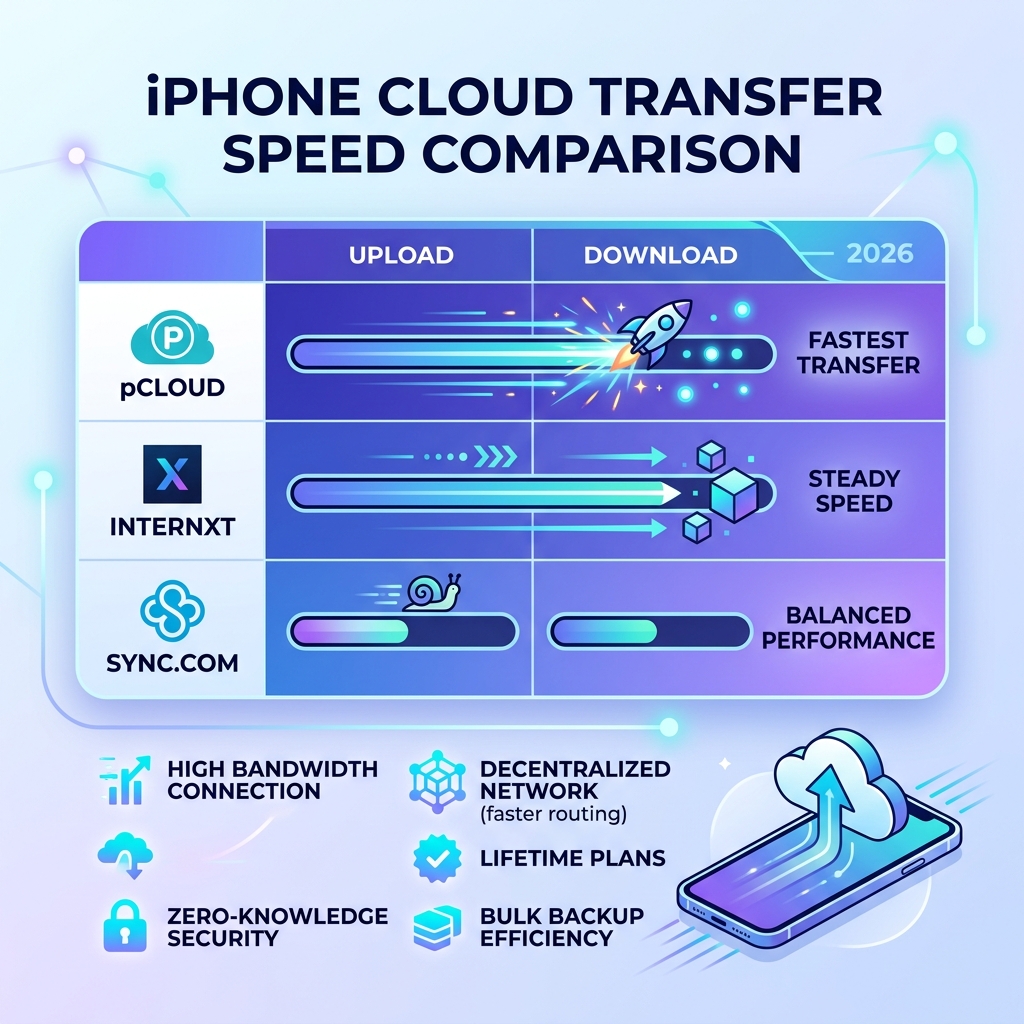
pCloud currently leads the pack for the fastest cloud sync iphone users can access. Unlike many competitors, pCloud does not limit your transfer speeds. If you have a Wi-Fi 6E connection, pCloud will actually use it. They also offer a unique “Lifetime” plan which is a favorite for those tired of monthly subscriptions.
Internxt has made massive strides in efficiency. By using a decentralized architecture, they can often find faster routes for your data fragments. It’s a great choice for those who want speed without sacrificing the “zero-knowledge” security that Apple is sometimes criticized for lacking. You can explore more options in our guide to cloud-backup-apps-for-home-and-work.
MEGA remains a heavyweight in the speed department. Its transfer protocols are built for high-performance file handling, often reaching the maximum bandwidth allowed by your ISP. Meanwhile, IDrive offers excellent “bulk” backup performance, making it ideal for that initial 500GB dump of your entire phone.
pCloud vs. Internxt: Benchmarking the Fastest Cloud Sync iPhone Options
When we pit these two head-to-head, the results are fascinating. pCloud is based in Switzerland, benefiting from both strict privacy laws and high-performance European server infrastructure. Their multi-threaded upload technology allows the app to open multiple “lanes” for your data, significantly cutting down the time it takes to move 4K video files.
Internxt, on the other hand, focuses on a “fragmented” approach. By breaking your files into encrypted shards and distributing them, they can sometimes bypass the congestion that slows down traditional single-server uploads.
Both services support zero-knowledge encryption, meaning even the provider can’t see your files. This is a step up from standard iCloud security. To make the most of these high-speed services, follow our best practices for file backup to ensure your data is both fast and safe.
How to Force Faster File Transfers and Backups
Sometimes, you don’t need a “cloud” at all—you just need the file on your computer now. When the internet is the bottleneck, the fastest way to sync is to stay local.
This is where PhotoSync comes in. It is widely considered the gold standard for power users. Unlike iCloud, which insists on going through Apple’s servers, PhotoSync can transfer files directly over your local Wi-Fi or even via a physical USB cable.
You can find the app here: PhotoSync – transfer photos App – App Store .
By bypassing the “cloud” part of the sync, you eliminate the latency of the internet. If you have a Network Attached Storage (NAS) device at home, you can use PhotoSync Premium Features to trigger automatic, high-speed backups the moment you walk through the door and hit your home Wi-Fi.
The “Zero-Sleep” Method for Rapid Photo Uploads
If you must use iCloud or another cloud service for a massive library (like 10,000+ photos), the “Zero-Sleep” method is your best friend. As we mentioned earlier, one user cut their sync time from days to hours using this logic.
Here is how to do it:
- Plug into Power: iOS will not prioritize large uploads if you are on battery.
- Connect to Strong Wi-Fi: Ensure you aren’t on a crowded public network.
- Disable Auto-Lock: Go to Settings > Display & Brightness > Auto-Lock and set it to “Never.”
- Keep the App Open: Open the Photos app (or pCloud/Google Drive) and leave it on the screen.
By preventing the phone from sleeping, you bypass the “background throttling” we discussed. The app stays in the “foreground,” which tells iOS: “This task is important, give it all the resources.” Before you start this massive sync, it’s a great idea to follow our guide to decluttering cloud storage so you aren’t wasting bandwidth on blurry screenshots or duplicate memes.
Best Practices for Reliable and High-Speed Syncing
Achieving the fastest cloud sync iphone experience isn’t just about the app; it’s about the environment. If your router is ten years old, no app in the world will make your sync feel fast.
Optimize your Router: If you have an iPhone 15 Pro or newer, you have Wi-Fi 6E capability. Using a 6GHz-capable router can drastically reduce interference and increase speeds.
The Shared Folder Hack: Users have discovered that creating a “Shared Folder” in iCloud (even if you only share it with yourself) can sometimes trigger a higher priority sync. It’s as if the system sees a “shared” item and assumes it needs to be updated faster for collaboration purposes.
Security Matters: While chasing speed, don’t forget to protect your data. Use securing your cloud accounts strategies like two-factor authentication (2FA) to ensure that your high-speed data lane isn’t open to intruders.
Finally, keep your software updated. Apple frequently tweaks its background sync protocols in iOS updates. For more on keeping your digital life running smoothly, see our top-tips-for-effective-cloud-storage-management.
Frequently Asked Questions about Fastest Cloud Sync iPhone
Can third-party apps like PhotoSync beat iCloud speed?
Yes, absolutely. In many cases, PhotoSync is significantly faster because it can utilize Direct Wi-Fi transfers. Instead of uploading your file to a server in another state and then downloading it to your Mac, PhotoSync sends it directly across your home network. This bypasses internet congestion entirely. You can review their Cookie and privacy policy to see how they handle your data during these transfers.
Does a shared iCloud folder sync faster?
Anecdotal evidence from power users suggests yes. Standard iCloud Drive syncing can sometimes be deprioritized by the OS. However, files placed in a Shared iCloud Folder often appear to have a “priority queue” status, syncing in seconds rather than minutes. This is likely because Apple optimizes these folders for real-time collaboration.
What is the fastest free cloud storage for iPhone?
If you are looking for speed on a budget:
- Google Drive (15GB): Excellent infrastructure ensures high speeds for most users.
- MEGA (20GB): Offers the most generous free space with very high-performance transfer protocols.
- pCloud (10GB): While the free tier is smaller, the speed is top-tier.
Conclusion
At Tamba Tech, we know that waiting for a progress bar is the ultimate productivity killer. If you want the fastest cloud sync iphone experience in 2026, the verdict is clear: pCloud is the speed champion for traditional cloud storage, while PhotoSync is the undisputed king for direct, local transfers.
iCloud is wonderful for its “set it and forget it” convenience, but when you have 50GB of vacation footage to move, don’t be afraid to use the “Zero-Sleep” method or switch to a high-performance alternative. By optimizing your settings and choosing the right tool for the job, you can turn a three-day upload into a three-hour breeze.
Ready to take full control of your digital life? Master your file management with our latest guides and reviews.
