
Your Photos Deserve Better Than a Cluttered Camera Roll
The best app for photo albums iPhone users actually rely on depends on what’s driving you crazy right now — too many duplicates, no real organization, or memories you can’t find when it matters.
Here’s a quick answer to help you pick:
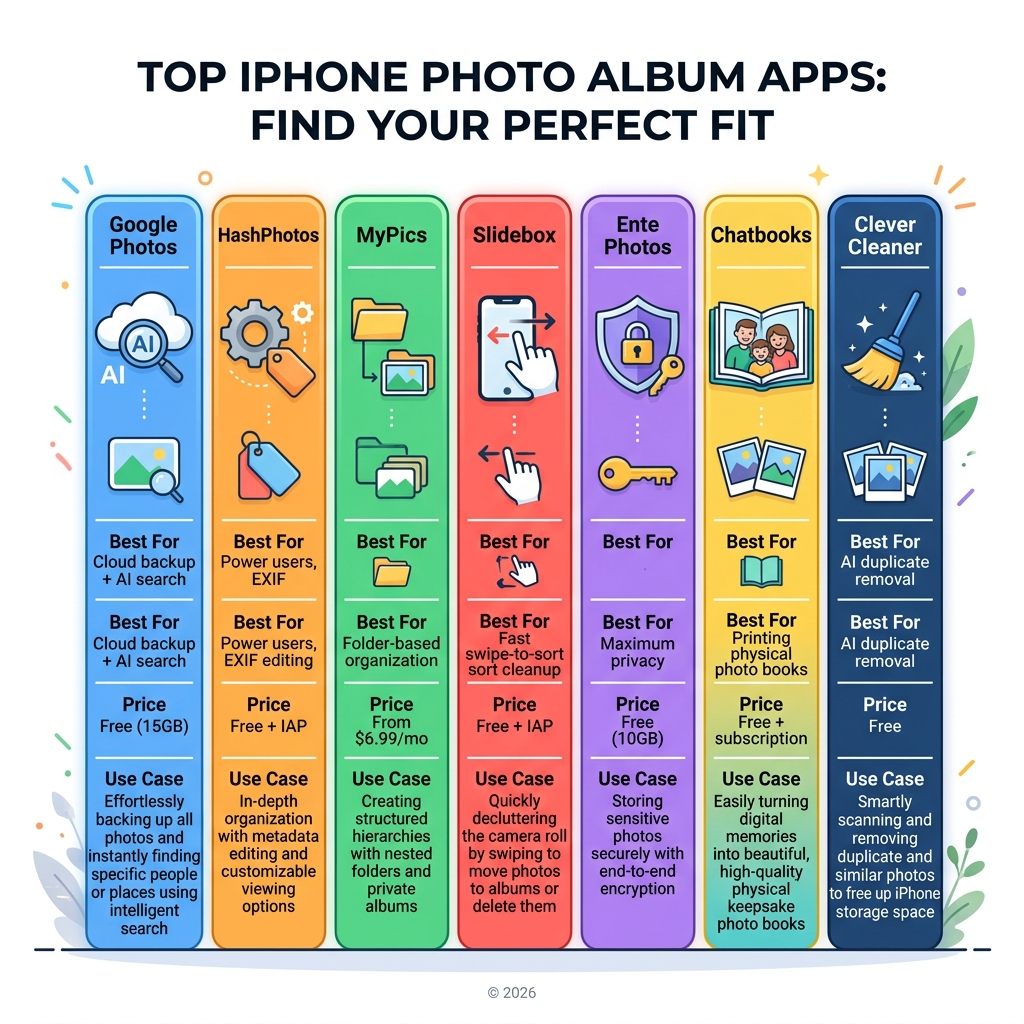
| App | Best For | Price |
|---|---|---|
| Google Photos | Cloud backup + AI search | Free (15GB) |
| HashPhotos | Power users, EXIF editing | Free + IAP |
| MyPics | Folder-based organization | From $6.99/mo |
| Slidebox | Fast swipe-to-sort cleanup | Free + IAP |
| Ente Photos | Maximum privacy | Free (10GB) |
| Chatbooks | Printing physical photo books | Free + subscription |
| Clever Cleaner | AI duplicate removal | Free |
The average person has over 2,000 photos on their iPhone at any given time. Most of those photos sit unsorted, unseen, and slowly buried under screenshots and blurry duplicates.
That’s not a storage problem. It’s an organization problem.
The native Apple Photos app handles the basics — albums, favorites, shared libraries. But for many users, it simply doesn’t go far enough. Smarter sorting, nested folders, duplicate detection, and real privacy controls are things you have to look elsewhere for.
This guide covers the best iPhone photo album apps available in 2025, whether you want to declutter fast, protect your memories, or turn them into something you can actually hold in your hands.
Why You Need the Best App for Photo Albums iPhone Users Love
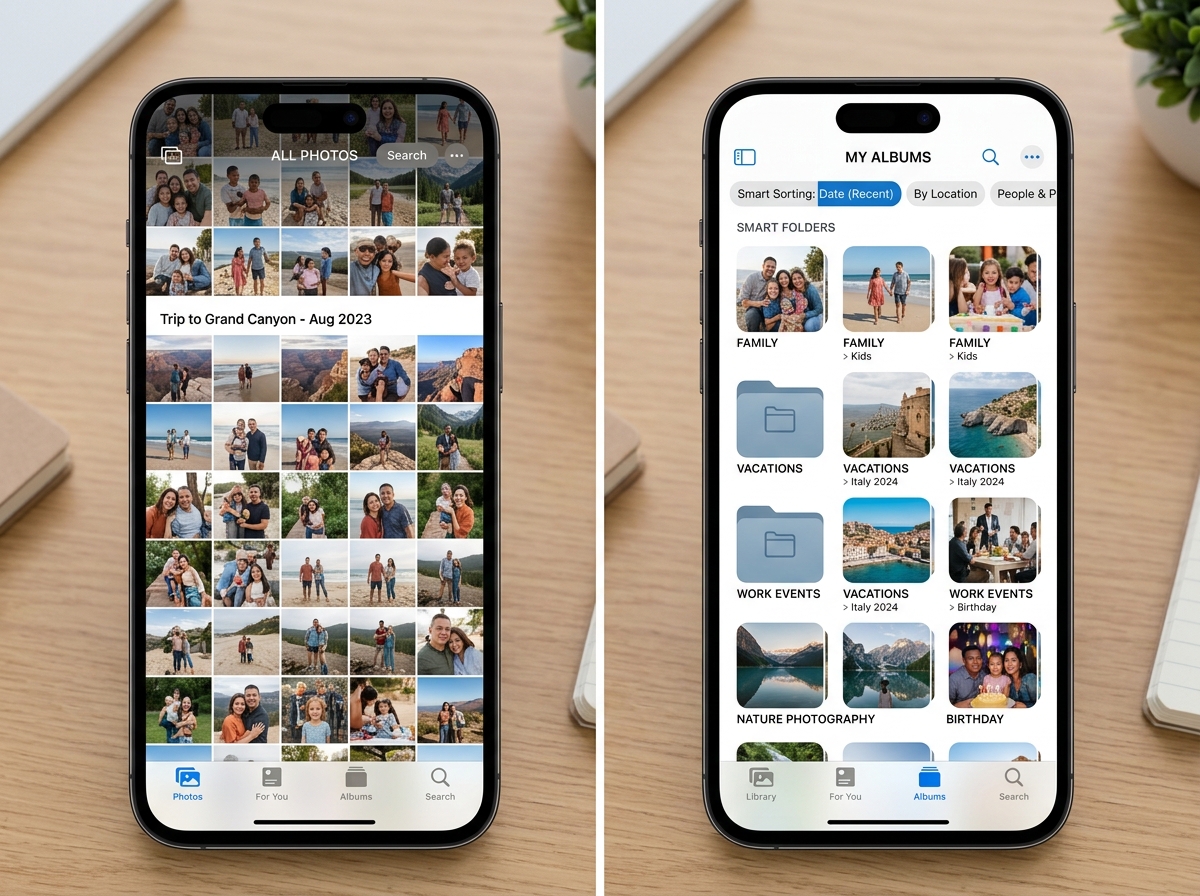
While the native Photos App is the default home for our memories, it has recently become a point of contention for many. With the rollout of iOS 18, the redesign introduced a unified view that some users find more confusing than helpful. Instead of clear tabs, many feel the interface has become cluttered with tiny thumbnails and forced “collections” that don’t always align with how we actually want to browse our lives.
This is exactly why we often recommend looking for the best photo organizing apps for iPhone beyond what comes pre-installed. Third-party apps offer specialized tools that Apple simply hasn’t prioritized. For instance, if you want nested folders (folders inside folders), advanced metadata (EXIF) preservation, or the ability to tag a photo with custom keywords for a “Smart Album,” the native app often falls short.
Furthermore, the “All Photos” view can quickly become a digital junk drawer. Without smart sorting, you’re left scrolling through thousands of images to find one specific receipt or a photo of your pet from three years ago. The right third-party app acts as a professional curator, helping you move from a chaotic stream of pixels to a structured library of memories.
Top Third-Party Apps for Digital Organization and Smart Albums
When we talk about the best app for photo albums iPhone enthusiasts use, we look for features that bridge the gap between “storing” and “managing.” Proper organizing photos on smartphone and cloud requires tools that allow for batch importing, custom album covers, and sophisticated grouping.
| Feature | HashPhotos | MyPics | Slidebox |
|---|---|---|---|
| Primary Goal | Power Management | Folder Structure | Rapid Cleanup |
| Search | Keywords/EXIF | Calendar/Tags | Basic |
| Privacy | Fake Passcode | App Lock | System Default |
| Sync | Wi-Fi Transfer | Dropbox | iCloud |
HashPhotos: The Best App for Photo Albums iPhone Power Users
If you are a “power user” who wants total control, HashPhotos is likely your soulmate. It’s essentially a pro-grade file manager for your media. One of its standout features is the “Tray.” Think of it as a temporary clipboard; you can pick photos from different months, drop them in the tray, and then perform a batch action like moving them all to a new album or deleting them at once.
HashPhotos also solves the “duplicate” nightmare. Its built-in finder identifies similar shots, allowing you to compare them side-by-side to keep only the best one. For those who care about privacy, it offers a “Private Album” with a genius twist: a fake passcode. If someone forces you to open the app, entering the fake code opens a decoy album instead of your actual private files. It also features a full EXIF editor, allowing you to change dates, locations, or add memos to your shots.
MyPics: A Powerful PhotoAlbum for Folder-Based Management
MyPics has been a staple in the App Store for over a decade, and for good reason. It’s designed for users who miss the traditional folder-and-subfolder structure of a computer. You can create “Album Sets” to group related albums together, making it much easier to navigate a library that spans years.
We particularly love the Calendar View. It lets you look back at your life through a monthly grid, showing exactly how many photos you took on a specific day. MyPics also prioritizes data integrity; it doesn’t compress your files, and it doesn’t upload your data to its own servers. Everything stays local unless you choose to back it up to Dropbox (available in the Expert version).
Slidebox: The Best App for Photo Albums iPhone Minimalists
If the thought of “organizing” feels like a chore, Slidebox is the answer. It turns photo management into a game. The interface is essentially “Tinder for your photos.” You see a photo, and you swipe up to trash it or tap an album name at the bottom to file it away instantly.
It is incredibly satisfying for clearing out a weekend’s worth of clutter in under 60 seconds. Because it integrates directly with your iOS library, any changes you make in Slidebox (like favoriting or deleting) reflect in your main Photos app. If you’ve ever read the ultimate guide to taming your android gallery chaos, you know that swipe-based sorting is the gold standard for speed.
Privacy-First and AI-Powered Photo Management
In 2025, privacy isn’t just a feature; it’s a necessity. Many users are rightfully wary of cloud providers scanning their personal images. The trend is moving toward on-device AI and local processing. This means the app uses the power of your iPhone’s chip to recognize faces and objects without ever sending that data to a server.
Mylio Photos is a leader here. It uses computer vision to find over 1,000 different activities and objects in your photos, but it does so locally. Their “SafeShare” feature is also a highlight; it allows you to strip out sensitive GPS metadata before you post a photo to social media, ensuring no one can track your home location from a picture of your cat.
Ente Photos and Keepsafe: Maximum Security
For those who need a “digital vault,” Ente and Keepsafe are the top contenders. Ente Photos provides end-to-end encryption, meaning even the developers can’t see your photos. They even store backups in three different physical locations, including an underground facility, to ensure your memories survive even the most extreme scenarios.
Keepsafe, on the other hand, is the veteran of the “Secret Photo Vault” category. With over 300,000 reviews and a 4.7-star rating, it’s the go-to for PIN-protecting specific albums. It offers “break-in alerts” that take a secret photo of anyone who tries to enter the wrong PIN, giving you peace of mind that your private albums stay private.
Google Photos: The AI Search Standard
We can’t talk about the best app for photo albums iPhone users without mentioning Google Photos. While it is a cloud-first service, its AI search is still the “gold standard.” You can search for “Kayaking on a lake” or “Alice laughing,” and it will find those specific moments in seconds.
Google Photos also offers 15GB of free storage — triple what Apple’s free iCloud tier provides. Features like “Magic Eraser” (to remove photobombers) and “Unblur” make it a powerful editor as well as an organizer. However, Google’s privacy trade-off is different from Ente or Mylio; you are using their cloud, so ensure you are comfortable with their data policies.
Turning Digital Memories into Physical Keepsakes
There is something inherently different about holding a photo in your hand versus seeing it on a screen. If your goal is to take your aesthetic photos and turn them into a coffee table book, specific apps make this transition seamless.
Digital clutter often prevents us from printing because we can’t find the “best” shots. The following apps help bridge that gap by using AI to select the highlights of your month or year.
Chatbooks: Effortless Monthly Photo Books
Chatbooks is built on the philosophy that “your memories shouldn’t be trapped on your phone.” Their “Monthbooks” subscription is a fan favorite. The app automatically pulls your best photos from the month and puts them into a 30-60 page book. It takes about five minutes to review and send to print.
They offer a “Love Chatbooks Guarantee” and even “Toddler Insurance” — if your kid rips the pages of your photo book, they’ll replace it for free. It’s the ultimate “set it and forget it” solution for busy parents who want a physical archive of their children growing up.
Retro and Joy Memories: Shared Family Albums
If you want the social aspect of sharing photos without the “big tech” pressure, Retro and Joy Memories are fantastic.
Retro acts as a weekly photo journal. There are no public “likes” or follower counts; it’s just a private space for you and your inner circle. You can even print and ship high-quality postcards directly from the app.
Joy Memories focuses on the “emotional” side of organization. It allows you to add voice notes to your photos. Imagine looking at a baby photo ten years from now and hearing the actual cooing or laughter from that day. It’s a multi-sensory way to preserve a family legacy while protecting your children’s digital footprint from public social media.
Frequently Asked Questions about iPhone Photo Albums
What is the best free photo album organizer app for iPhone?
If you want a completely free experience without ads or paywalls, Clever Cleaner is a rare gem. It uses AI to find duplicates, similar shots, and large video files that are eating up your space. For cloud-based free storage, Google Photos remains the leader with 15GB of free space, allowing you to organize and search your library without spending a dime.
How do I organize thousands of photos into albums quickly?
The fastest way is a “two-step” workflow:
- Declutter first: Use an app like Slidebox or Daily Delete to quickly trash the junk. Some users have reported clearing 15,000 photos in just over a week using these methods.
- Automate: Use HashPhotos or MyPics to batch-move the remaining photos into themed albums. Use AI-powered apps that can “stack” similar photos so you only have to deal with one thumbnail instead of twenty nearly-identical shots.
Are third-party photo album apps safer than iCloud?
“Safety” depends on your definition. iCloud is very secure against hackers, but it isn’t “private” in the sense that Apple can technically access data if required by law (unless you have Advanced Data Protection turned on). Apps like Ente Photos use end-to-end encryption, meaning only you have the key. Mylio Photos is arguably the “safest” for those who don’t trust the cloud at all, as it syncs your devices directly over your home Wi-Fi without ever putting your photos on the internet.
Conclusion
Finding the best app for photo albums iPhone users can trust is about more than just storage; it’s about reclaiming your memories from the “digital abyss.” At Tamba Tech, we believe that a well-organized library reduces the stress of digital clutter and makes it easier to actually enjoy the thousands of moments we capture every year.
Whether you choose the power-user features of HashPhotos, the minimalist speed of Slidebox, or the physical beauty of Chatbooks, the first step is always the same: start decluttering. Your future self will thank you when you can find that perfect vacation photo in seconds rather than minutes.
For more expert guides on managing your digital life, check out our more info about file management services and stay tuned for our latest app reviews.
