
Too Many Features, Not Enough Focus? Here’s Your Minimalistic Calendar App Review
If you’ve been searching for a minimalistic calendar app review, here are the best options available right now:
| App | Platform | Free Plan | Best For |
|---|---|---|---|
| Dawn | iOS | Yes | Clean daily view, privacy-focused |
| Notion Calendar | iOS, Mac, Web | Yes | Beautiful design, Google Calendar base |
| Morgen | iOS, Android, Mac, Web | 14-day trial | AI planning, multi-calendar sync |
| Amie | iOS, Mac, Web | No (subscription) | Life + task + calendar in one |
| Minimal Cal | iOS | $3.99 one-time | Pure simplicity, gesture navigation |
| Minimalist Agenda Widget | Android | Yes | Google Calendar widget |
Most people don’t need a smarter calendar. They need a simpler one.
The average calendar app is loaded with buttons, panels, and settings you’ll never touch. That clutter makes it harder — not easier — to stay on top of your day.
Minimalist calendar apps strip all of that away. They keep only what matters: your events, your tasks, and a clean view of your time.
One long-time user of a minimalist calendar put it plainly after switching away from Apple and Google Calendar — they never went back. That kind of loyalty says a lot.
But not every app labeled “minimalist” actually earns it. Some are just plain limited. Others hide complexity behind a pretty interface.
This article breaks down the best minimalist calendar apps honestly — what they do well, where they fall short, and who each one is actually built for.
What to Look for in a Minimalistic Calendar App Review
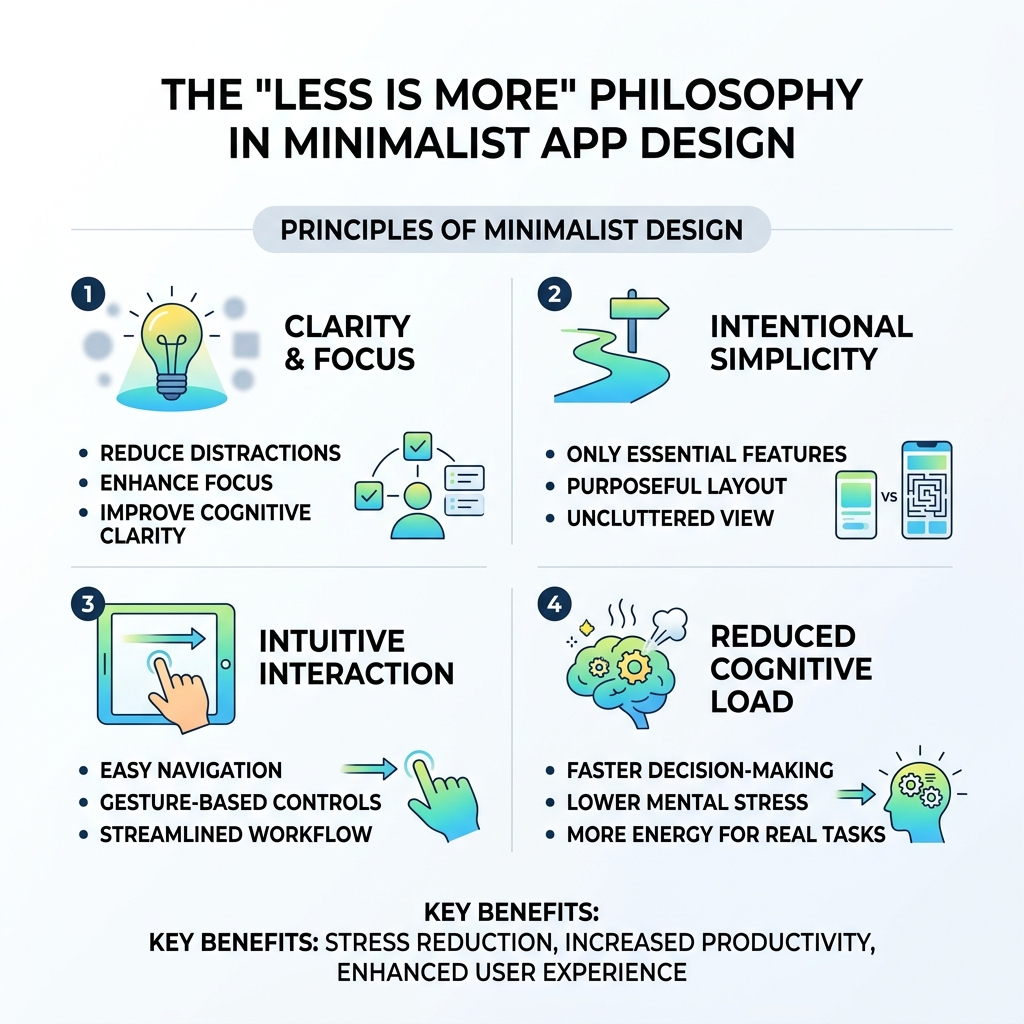
When we sit down to conduct a minimalistic calendar app review, we aren’t just looking for a pretty interface. A truly minimalist tool is about intentionality. It should feel like a Minimalist Desktop Setup for Productivity—clean, organized, and free of distractions that pull your focus away from the task at hand.
A minimalist calendar differs from standard applications by prioritizing “cognitive clarity.” While Google Calendar or Outlook might try to show you every possible detail—sidebars, search bars, and multiple menu layers—a minimalist app hides that metadata. It gives you back control over your visual environment.
Defining the Minimalist Aesthetic
The visual language of these apps usually relies on four pillars:
- Typography: Bold, clear fonts that make your schedule readable at a glance.
- White Space: Plenty of “breathing room” between events so your day doesn’t look like a tetris board of stress.
- Gesture-based Navigation: Swiping left to see your year or right to see your settings, rather than hunting for tiny “hamburger” menus.
- Reduced Metadata: Hiding things like event descriptions or location maps until you actually click on the event.
For example, an app like Minimal Cal uses elegant typography and simple iOS gestures to navigate between day, month, and year views. It’s about making the act of checking your schedule feel inspiring rather than overwhelming.
Core Functionality vs. Feature Bloat
Minimalism isn’t just about looks; it’s about what the app doesn’t do. We look for apps that master essential scheduling without adding “feature bloat.” However, the best modern options do allow for some Task Management Apps for Minimalist Workflow integration.
Ideally, a minimalist calendar should handle:
- Essential Scheduling: Quick event creation (often via natural language like “Coffee with Alex at 10 AM”).
- Task Integration: Seeing your to-dos alongside your appointments so you don’t overcommit.
- Habit Tracking: Some apps, like Dawn, include “Yearly Progress Tracking” to help you visualize how much of the year you’ve “conquered” regarding your goals.

Top-Rated Apps for a Focused Schedule
Finding the right fit depends heavily on your hardware and your workflow. Whether you are Decluttering Smartphone Apps: A Guide for Beginners or looking for a professional desktop solution, here is how the top players stack up.
Dawn: A Top-Rated Minimalistic Calendar App Review
Dawn is a standout for those who want to focus on the “now.” It features a unique 3-Day View designed to help you focus only on today, tomorrow, and the day after. This prevents the “analysis paralysis” that comes from looking at a month full of obligations.
Users have praised its UI for being simple and non-cluttered, with some sticking with the app for over four years. One of its most interesting features is the ability to see past activities on the same day from previous years—a “fun bonus” for those who like a bit of reflection. However, some users have noted a lack of frequent updates, so keep that in mind if you enjoy seeing new features every month.
Morgen: Efficiency in a Minimalistic Calendar App Review
Morgen is perfect for the user who needs a bit more “under the hood” power without the visual mess. It’s a Swiss-made app that excels at Workflow Optimization for Beginner Minimalists.
Key highlights include:
- AI Planner: It can automatically schedule tasks based on your free time and priorities.
- Time Blocking: Drag and drop tasks directly onto your calendar to claim that time.
- Multi-Calendar Sync: It brings Google, Outlook, and iCloud together into one unified view.
In our testing, Morgen felt steady and reliable. While the AI features are still evolving (sometimes hitting or missing the mark), the core experience of managing a busy schedule is significantly streamlined.
Amie and Notion Calendar: The New Standard
If you want your calendar to feel like a “life journal,” Amie is the ambitious newcomer. It spent four years in development to perfect an interface that integrates Spotify (to see what you listened to) and Apple Health (to track heart rate spikes during meetings). It’s arguably one of the best-looking apps on the market, rivaled only by Notion Calendar.
Notion Calendar (formerly Cron) is often cited as the most thoughtfully designed calendar app available today. It’s free, fast, and integrates perfectly with Note-Taking Apps for Minimalists. It provides a “Goldilocks zone” of customization—not too much, not too little.
User Experience and Integration Capabilities
A calendar is only as good as its ability to fit into your life. If it’s hard to navigate or doesn’t talk to your other apps, it’s just digital clutter. We look for “interface fluidity”—the feeling that the app is an extension of your thoughts rather than a hurdle.
Syncing with Existing Ecosystems
For most of us, our “calendar life” lives in Google, iCloud, or Outlook. A top-tier minimalist app must sync seamlessly with these services. Apps like Minimal Cal and Morgen are excellent here; they act as a “minimalist coat of paint” over your existing data. When you add an event in the minimalist app, it appears instantly in your standard Apple or Google calendar, and vice versa.
Privacy and Data Security Practices
Privacy is a major pillar of minimalism. Fewer data points collected means a “cleaner” digital footprint.
- Dawn and The Minimalist Calendar explicitly state they do not collect user data.
- Morgen stores data locally whenever possible and is fully GDPR compliant.
- Minimalist Agenda Widget offers encrypted transit for data, though it’s important to note some apps don’t allow for data deletion once collected.
When you are Deleting Unused Apps for Privacy, choosing a calendar that respects your data is a great way to start your journey toward a more secure digital life.
Pricing Models and Value Proposition
The “minimalist” philosophy often extends to how you pay. Many users express “subscription fatigue” and prefer a one-time purchase.
- One-Time Purchase: Apps like Minimal Cal ($3.99) or The Minimalist Calendar (approx. $5.00) offer a “buy it once, own it forever” model that many minimalists find refreshing.
- Subscription Models: Powerhouse apps like Morgen or Amie often require a monthly fee (ranging from $10 to $30) to maintain their AI features and server integrations.
- Free Tiers: Notion Calendar and Routine offer very generous free versions that are more than enough for the average person.
When deciding, ask yourself: “Am I paying for a pretty skin, or am I paying for a tool that saves me an hour of planning every week?” For more on managing these digital choices, check out A Minimalist’s Guide to Tech Habits: Where to Start.
Frequently Asked Questions about Minimalist Calendars
What defines a calendar app as “minimalist”?
A minimalist calendar app is defined by its focus on essential functionality and a clean, distraction-free interface. It typically uses plenty of white space, high-quality typography, and hidden menus to reduce “cognitive load.” It prioritizes your schedule over buttons and settings.
Are minimalist calendar apps better for productivity?
For many, yes. By removing the clutter of standard apps, they help you focus on your immediate tasks. Features like Mastering Notification Management on Your Phone and Apps are often built into the design, ensuring you only see what’s necessary when you need to see it.
Can these apps sync with my professional Google or Outlook accounts?
Almost all modern minimalist calendars, including Morgen, Notion Calendar, and Amie, offer full integration with Google Workspace and Outlook. This allows you to keep your professional data while enjoying a much cleaner user interface.
Conclusion
Choosing the right tool from this minimalistic calendar app review comes down to your personal “clutter threshold.” If you want pure, gesture-based simplicity, Minimal Cal is a fantastic choice. If you need a professional-grade tool that manages tasks and meetings across multiple accounts, Morgen or Notion Calendar will serve you best.
At Tamba Tech, our expert writers like Lucas Oliveira are dedicated to helping you find the perfect balance between technology and simplicity. By choosing Minimalist Calendar Apps for Productivity, you aren’t just downloading another app; you’re reclaiming your time and focus.
Start small—perhaps with a free trial of Morgen or the clean 3-day view of Dawn—and see how much lighter your day feels when your calendar finally stops shouting at you.
