
Why Finding the Best Storage App for Photos Matters More Than Ever
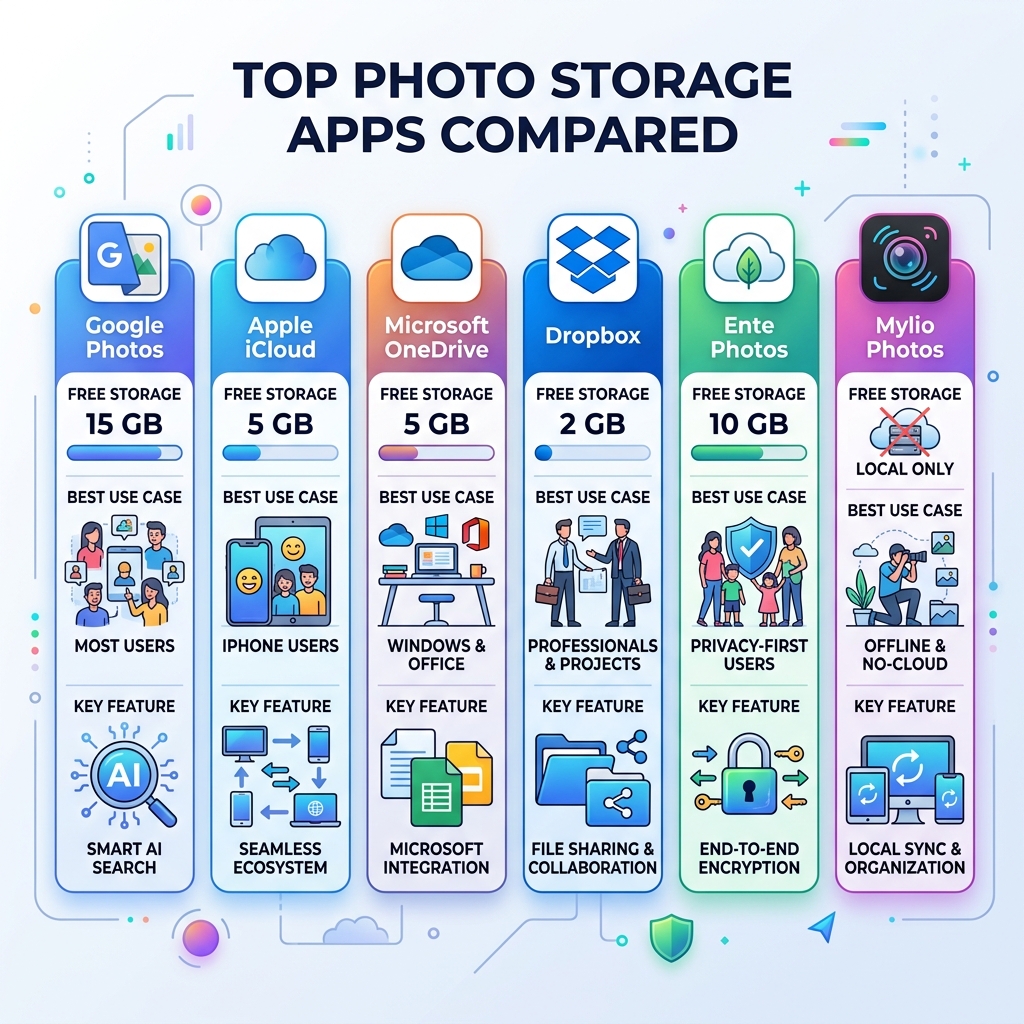
The best storage app for photos depends on your needs, but here are the top picks for most users:
| App | Best For | Free Storage |
|---|---|---|
| Google Photos | Most users (AI search, auto-backup) | 15 GB |
| Apple iCloud | iPhone users | 5 GB |
| Microsoft OneDrive | Windows/Office users | 5 GB |
| Dropbox | Professionals, large libraries | 2 GB |
| Ente Photos | Privacy-first users | 10 GB |
| Mylio Photos | Offline, no-cloud storage | Local only |
Think about the last time you searched your phone for a photo from two years ago. How long did it take?
For most people, photos are scattered across multiple devices, apps, and old backups. Your camera roll grows every day. Your storage fills up. And the memories that matter most become harder and harder to find.
This is a problem almost everyone faces — and it gets worse the longer you wait.
The good news: the right photo storage app can automatically back up every shot you take, organize your library without any effort from you, and free up space on your phone — all at once.
Whether you have hundreds of photos or hundreds of thousands, there’s a solution built for you. Some are free. Some are built for iPhone users. Some are designed for people who never want their photos on someone else’s server.
This guide cuts through the noise and compares the top options side by side, so you can pick the right one and stop worrying about losing your memories.
Essential Features of the Best Storage App for Photos
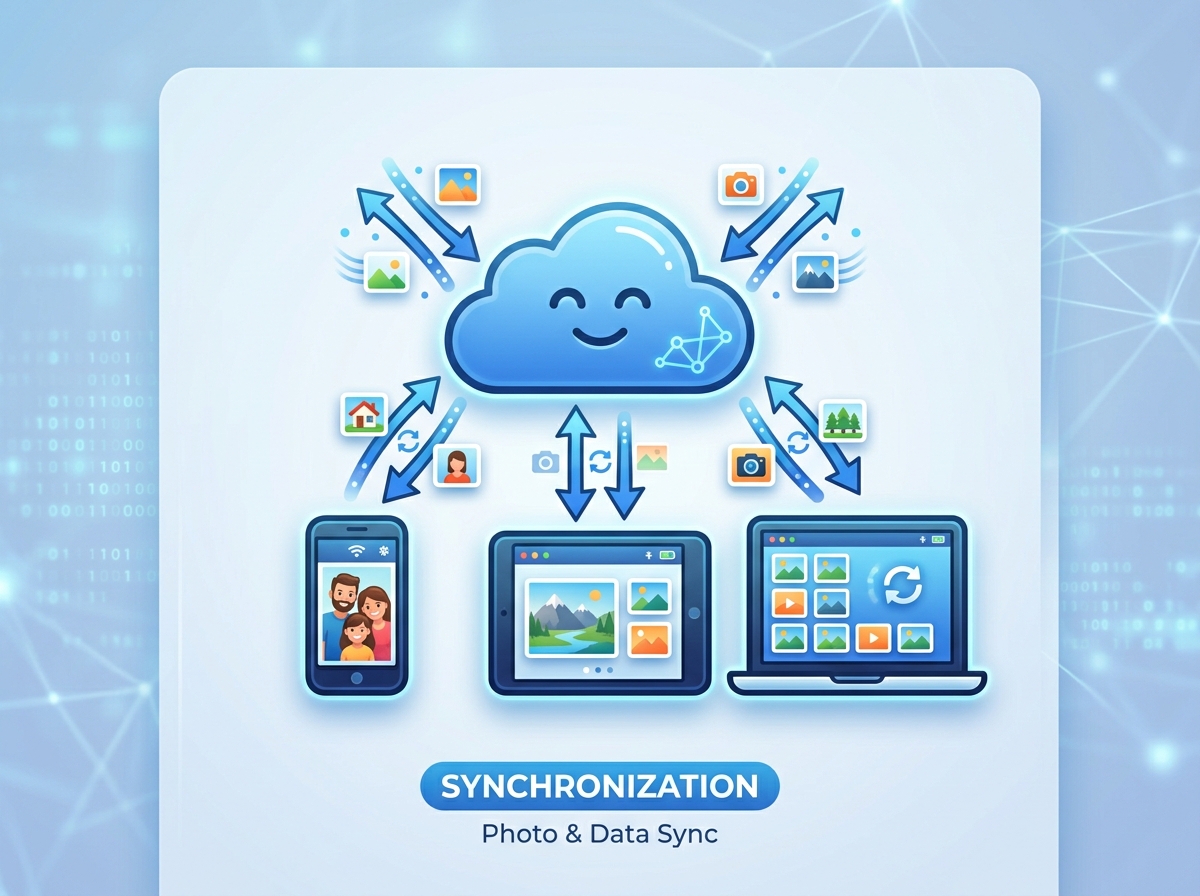
When we look for the best storage app for photos, we aren’t just looking for a digital dumping ground. We want a service that breathes life into our galleries. The essential features of a top-tier service include automatic backup and seamless cross-device synchronization. Whether you are on an iPhone, an Android tablet, or a Windows PC, your photos should follow you everywhere without you needing to lift a finger.
AI-powered organization has become a non-negotiable standard. Modern apps use facial recognition and object detection to sort your thousands of images into searchable categories. Instead of scrolling for ten minutes to find a picture of your dog at the beach, you should be able to simply type “dog beach” into a search bar. This level of organizing photos on smartphone and cloud turns a chaotic camera roll into a curated library.
Security is the other side of the coin. Your photos contain sensitive data—locations, faces of loved ones, and private documents. The best services utilize AES-256 encryption and multi-factor authentication to ensure that “the cloud” doesn’t mean “public access.” For those managing professional portfolios or massive family archives, implementing efficient strategies for organizing large media libraries is much easier when the app supports robust image tagging and metadata management.
Top Cloud-Based Solutions for Seamless Backup
Cloud storage has revolutionized how we keep our memories. By moving files off our physical devices and onto remote servers, we protect ourselves from hardware failure and lost phones. Most services operate on a “freemium” model, giving you a taste of storage for free before asking for a monthly subscription.
To help you decide, we’ve broken down the heavy hitters. If you’re looking for the best apps for aesthetic photos you need now, you’ll want a service that doesn’t just store images but helps them look their best through high-quality previews and integrated editing.
The Best Storage App for Photos for Ecosystem Integration
For most of us, the best storage app for photos is the one that already talks to our phone.
Google Photos is the undisputed king of AI search. With 15 GB of free storage (shared across Gmail and Drive), it offers three times more initial space than many competitors. Its “Magic Eraser” and “Unblur” tools are legendary, allowing you to fix a photobombed vacation shot in seconds. You can learn more about how to Edit, organise, search and back up your photos directly from their platform.
Microsoft OneDrive is the “Exemplary” choice for Windows users. If you spend your day in Word or Excel, OneDrive integrates your photos directly into your File Explorer, making them feel like local files even though they are safely in the cloud.
Apple iCloud remains the gold standard for iPhone and Mac users. It works silently in the background, ensuring every screenshot and portrait mode shot is synced across your iPad and MacBook instantly. While the 5 GB free tier is small, the seamless “it just works” factor is hard to beat.
High-Capacity Options for Professional Photographers
If you are a pro or a serious hobbyist, 15 GB won’t last a week. You need serious horsepower.
Dropbox Professional is a powerhouse for those with massive libraries. A single 3 TB plan can hold roughly 750,000 photos taken with a 12MP camera. It supports over 35 file types, including RAW formats like CR2 and DNG, without needing extra software to preview them. It’s a great way to tame your Android gallery chaos if you’re dealing with high-resolution professional assets.
Adobe Lightroom is less of a storage app and more of a complete workflow solution. It’s rated as a top choice for serious amateurs because it combines world-class editing with reliable Creative Cloud syncing. Your edits on your tablet show up instantly on your desktop, keeping your creative process fluid.
Privacy-First and Specialized Photo Storage Apps
Not everyone is comfortable with big tech companies scanning their photos for AI training. If privacy is your primary concern, you should look for apps that offer end-to-end encryption or zero-knowledge architecture. This means the service provider cannot see your photos—only you have the “key” to unlock them.
Secure and Encrypted Alternatives
Ente Photos is a rising star in the privacy world. They take security to the extreme, storing backups in three different locations, including an underground facility. Their code is open-source and audited by third parties, giving users peace of mind that their “private” albums are actually private. You can find the Ente Photos App on the App Store to get started with 10 GB of encrypted storage.
Internxt and Proton Drive are other excellent choices for the privacy-conscious. Internxt offers a decentralized approach to storage, while Proton Drive integrates into a wider ecosystem of encrypted email and VPN services. These apps ensure that your digital legacy isn’t being monetized by advertisers.
The Best Storage App for Photos Without the Cloud
What if you don’t want the cloud at all? Some users prefer to keep their data on their own hardware but still want the convenience of a modern app interface.
Mylio Photos is the best storage app for photos for the “no-cloud” crowd. It uses peer-to-peer technology to connect your phone, tablet, and computer directly. When you take a photo on your iPhone, it can sync to your Windows PC over your home Wi-Fi without ever touching a third-party server. It’s a fantastic way to organize photos on iPhone while keeping 100% control of your files. This organizing software is perfect for travelers who often find themselves without a reliable internet connection.
Maximizing Your Digital Gallery Experience
Choosing the app is only half the battle; using it effectively is where the magic happens. Many of these apps offer “online-only” modes. This allows you to see thumbnails of your entire 2 TB library on your 128 GB phone without actually taking up physical space. When you tap a photo to view it, the app downloads it on the fly.
Other tools to look for include:
- Duplicate Removal: AI that spots three nearly identical shots of your lunch and suggests which ones to delete.
- Collaborative Albums: Perfect for weddings or family reunions where everyone can contribute to one shared folder.
- Document Scanning: Apps like Dropbox and Google Photos can turn a photo of a receipt or a whiteboard into a high-quality PDF.
- Shared Libraries: Apple and Google both allow you to automatically share photos of specific people (like your kids) with your partner’s library.
Frequently Asked Questions about Photo Storage
How much storage do I need for 100,000 photos?
As a general rule of thumb, 1 TB of storage can hold roughly 250,000 photos taken with a standard 12 MP smartphone camera. For 100,000 photos, you would likely need about 400 GB to 500 GB of space. If you shoot in RAW format, you will need significantly more, as those files are much larger.
Can I edit photos directly within these storage apps?
Yes! Most modern apps like Google Photos, iCloud, and Lightroom have built-in editors. These range from basic cropping and filters to advanced AI tools like “Portrait Light” and “Magic Eraser” which can remove entire objects from the background of your shots.
Are my photos safe from hackers in the cloud?
While no system is 100% foolproof, reputable services use banking-level encryption. To maximize your safety, always enable Two-Factor Authentication (2FA). This ensures that even if someone gets your password, they can’t access your memories without a secondary code from your phone.
Conclusion
At Tamba Tech, we know that your photos are more than just data—they are your life’s timeline. Whether you choose the AI brilliance of Google Photos, the professional capacity of Dropbox, or the ironclad privacy of Ente, the important thing is to start backing up today.
As Lucas Oliveira often emphasizes in our guides, the best storage app for photos is the one you will actually use consistently. Don’t let your digital legacy sit on a single, fragile device. Explore our top-rated tech app reviews to find more tools that make your digital life easier and more secure. Stop losing memories and start organizing them!
