
Your iPhone Camera Roll Is a Mess — Here Are the Best Apps to Fix It
The best apps to organize iPhone camera roll chaos are Slidebox, Utiful, LuminaClean, Picnic, Swipix, Clever Cleaner, Mylio Photos, HashPhotos, and TagCam. Here’s a quick breakdown:
| App | Best For | Free Option |
|---|---|---|
| Slidebox | Swipe-to-sort, album management | Yes (limited) |
| Utiful | Moving photos into real folders | Yes (limited) |
| LuminaClean | Deleting duplicates, blurry shots | Yes (65 free deletions) |
| Picnic | Daily swipe-based cleanup | Yes (100 swipes/day) |
| Swipix | Fast gesture sorting + AI albums | Yes |
| Clever Cleaner | Fully free AI cleanup | Completely free |
| Mylio Photos | Cross-device sync, no cloud | Yes (limited) |
| HashPhotos | Power users, batch editing | Yes (limited) |
| TagCam | Face recognition, custom tagging | Yes (limited) |
If your iPhone camera roll looks like a digital junk drawer, you’re not alone.
Most iPhone users accumulate thousands of photos — duplicates, screenshots, blurry shots, random receipts — all mixed together with no easy way to find what actually matters.
The native Apple Photos app doesn’t help much. It creates albums, but it doesn’t let you truly sort or move photos into separate folders. And the iOS 18 redesign made things even more frustrating for many users, with a cluttered interface that made simple tasks harder than before.
The good news? A handful of third-party apps solve exactly this problem — whether you need to delete junk fast, build a proper folder system, or keep certain photos completely private.
This guide covers the best options, organized by what they actually do, so you can pick the right tool for your situation.
Why You Need Third-Party Apps to Organize iPhone Camera Roll
We’ve all been there: scrolling for ten minutes just to find a photo of a Wi-Fi password or a specific memory from three years ago. While Apple Photos is great for basic viewing, it falls short when your library grows into the thousands.
One of the biggest frustrations we hear about is the lack of a “true” folder system. In the native app, when you add a photo to an album, you aren’t actually moving it; you’re just creating a pointer to it. The original stays in your main “All Photos” feed, keeping the clutter exactly where it was. For those of us who want a clean “Recents” tab, this is a nightmare.
The recent iOS 18 redesign also sparked a lot of debate. Many users found the new UI more confusing, with navigation that felt like a step backward for power users. This is where third-party apps to organize iPhone camera roll shine. They offer features Apple simply hasn’t built yet:
- Physical Movement: Some apps actually move photos out of the main gallery into separate storage areas.
- Metadata Preservation: Ensuring your dates, locations, and tags stay intact during the move.
- Utility Photo Separation: Keeping screenshots, receipts, and work documents away from your precious family memories.
- Advanced Sorting: Tools that help with organizing photos on smartphone and cloud storage simultaneously.
By using a dedicated organizer, you aren’t just tidying up; you’re reclaiming storage space and protecting your privacy.
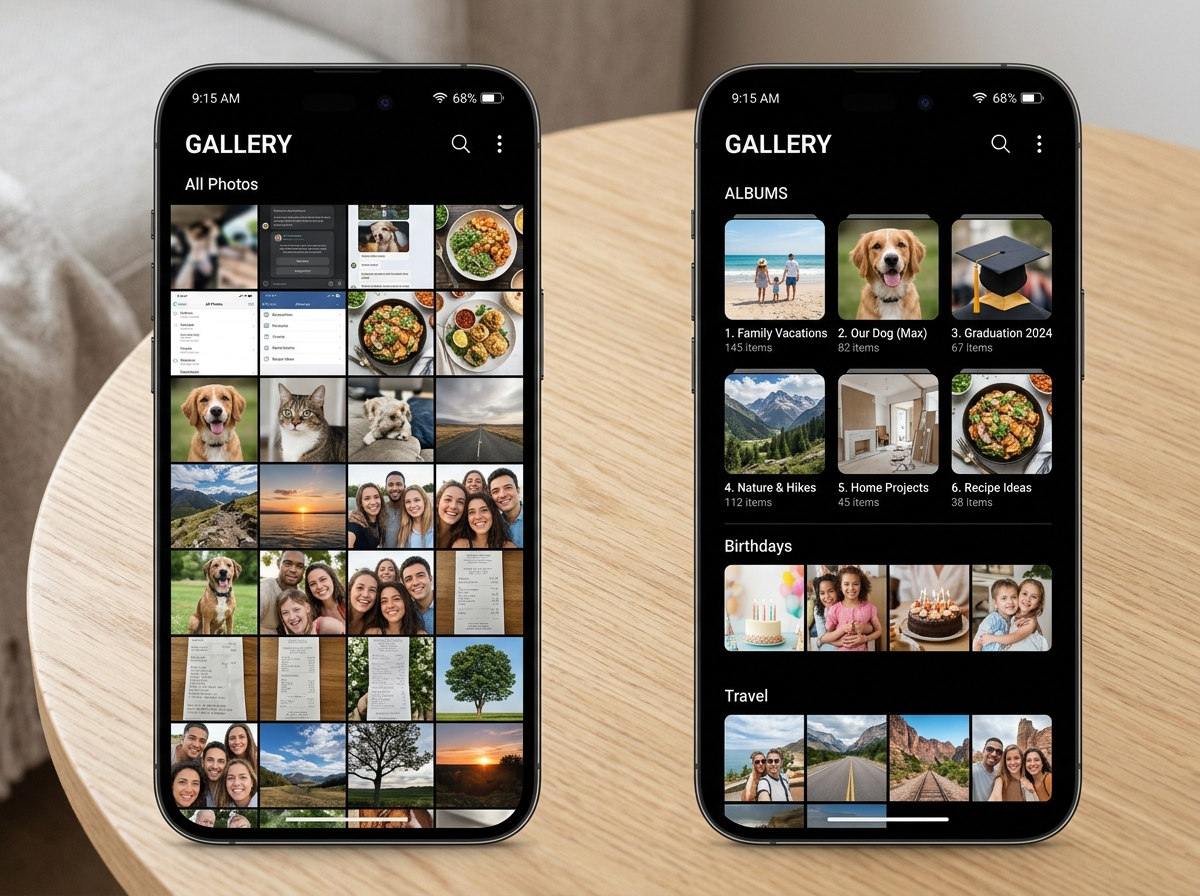
Best Apps for Decluttering and Cleaning Your Gallery
Before you can organize, you have to declutter. There is no point in carefully filing away five nearly identical shots of your lunch. The first step in any best-photo-organizing-apps-for-iphone strategy is “The Great Purge.”
Modern cleaning apps use AI to identify the “junk” automatically. They look for:
- Duplicates: Exact copies often created by multiple backups or messaging apps.
- Similar Shots: That burst of 10 photos where only one person is actually smiling.
- Blurry Photos: Accidents that serve no purpose.
- Screenshots: Information you probably don’t need anymore.
One standout in this category is LuminaClean – Clean Up Duplicate Photos on iPhone | Free Photo Organizer . It uses on-device AI to group these unwanted photos so you can delete them in bulk. It even features a “Flashback” tool to help you clean up photos from a specific year, making the daunting task of cleaning a 50,000-photo library feel manageable.
Which apps to organize iPhone camera roll are completely free?
We know that subscriptions can add up, so finding a free tool is a huge win.
- Clever Cleaner: This is a rare gem. It’s a completely free AI-powered tool that helps you find large videos, duplicates, and screenshots. It even has a nifty feature to convert “Live Photos” into static ones to save space. Best of all? No ads and no paywalls.
- Picnic: If you like the idea of a “daily habit,” the Photo Organizer: Picnic App – App Store is fantastic. It gives you 100 free “swipes” every single day. It’s designed to be a relaxing way to chip away at your mess while you’re waiting for coffee or riding the bus.
- LuminaClean: While it has a pro version, it offers a generous start with 65 free deletions and adds 10 more every day you return to the app.
Slidebox and Swipix for Rapid Sorting
If you prefer a manual touch but want it to be fast, “swipe-to-sort” is the way to go. These apps turn your camera roll into something resembling a dating app—swipe one way to keep, the other to trash.
Swipix – Organize Your Photos with a Swipe is a leader here. It uses a “Swipe to Decide” system that is incredibly satisfying. It also provides “Storage Insights,” showing you exactly how much room you’re clearing as you go.
Slidebox offers a similar experience but excels at album management. As you swipe through your photos, you can tap an album name at the bottom to instantly file that photo away. It’s a great way to handle the ultimate guide to taming your gallery chaos if you’ve recently switched from another platform or just have years of unsorted memories.
Top Management Apps for Advanced Folder Structures
For professionals, freelancers, or anyone who uses their phone for work, simple albums aren’t enough. You need a “real” file system.
| Feature | Apple Photos | Utiful / MyPics |
|---|---|---|
| Organization Style | Tag-based Albums | True Folders & Subfolders |
| Main Gallery Impact | Photos stay in “All Photos” | Photos can be moved out of gallery |
| Work/Life Separation | Mixed together | Completely separate storage |
| Privacy | Device passcode only | App-level PIN/FaceID locks |
Utiful is the “heavy lifter” in this category. Its unique selling point is that it physically moves photos out of the camera roll. If you move a work receipt into a Utiful folder, it disappears from your iPhone’s main gallery. This is life-changing for doctors, lawyers, or contractors who need to keep “utility” photos (like evidence or project progress) away from their personal family photos.
Using AI Apps to Organize iPhone Camera Roll Efficiently
If manual sorting sounds like a chore, let the robots do it. Apps like TagCam – Photo Organizer use advanced computer vision to scan your library.
TagCam can recognize faces, objects, and even text within your photos. It automatically “stacks” similar shots, so your gallery looks cleaner instantly. You can search for “Mother’s Day 2018” or “receipts from Paris,” and the AI will pull them up in seconds. This level of automation is perfect for those who want an organized library without spending hours swiping.
HashPhotos for Power Users
For the true enthusiast, HashPhotos – The Best Photo Gallery and Editor App for iPhone/iPad! is like a Swiss Army knife. It combines organization, editing, and privacy into one interface.
Our favorite feature is the “Tray.” You can pick photos from different months or albums and drop them into a temporary tray. Once you’re done, you can batch-edit, move, or share everything in the tray at once. It also includes a metadata viewer, allowing you to see exactly what camera settings or GPS coordinates are attached to a file.
Privacy-First and Cross-Device Sync Solutions
In an age of data leaks, many of us are wary of uploading our entire lives to the cloud. This is where “Local-First” apps come in.
Mylio Photos is a powerhouse for privacy. It organizes your photos across your iPhone, iPad, and computer without ever requiring a cloud upload. It uses your local Wi-Fi to sync devices, meaning your data stays in your house, on your hardware. It also features powerful OCR (Optical Character Recognition), allowing you to search for text inside your images—perfect for finding that one specific document you snapped a photo of months ago.
Comparing Free vs. Paid Photo Organizers
When choosing between apps to organize iPhone camera roll, you’ll usually face three pricing models:
- Completely Free: Apps like Clever Cleaner or the basic tier of Picnic. Great for simple tasks but may lack advanced syncing.
- Subscription: Apps like Slidebox or Utiful often charge a monthly fee (around $3.99 – $4.99). This usually covers cloud syncing and ongoing AI updates.
- Lifetime License: Some apps, like HashPhotos or TagCam, offer a one-time “pro” unlock. This is often the best value for long-term users who want to avoid “subscription fatigue.”
Frequently Asked Questions about iPhone Photo Organization
Can I move photos out of the camera roll without deleting them?
Yes, but only with specific apps like Utiful. Most apps only create “albums” which are just groups of shortcuts. Utiful actually moves the file into its own internal storage, allowing you to delete it from the system camera roll while keeping it safe in the app.
How do swipe-based apps help free up storage?
They make the decision-making process faster. By gamifying the deletion process, you’re more likely to sit down and remove 500 photos in ten minutes than you would be using the standard “Select” tool in Apple Photos.
Are third-party photo apps safe for my privacy?
Most reputable apps like LuminaClean and Mylio Photos use “on-device processing.” This means the AI looks at your photos locally on your iPhone and never sends the data to a server. Always check the App Store privacy labels to see if “Data Linked to You” is collected.
Conclusion
At Tamba Tech, we know that a cluttered phone leads to a cluttered mind. Taking the time to find the right apps to organize iPhone camera roll messes isn’t just about saving a few gigabytes of storage; it’s about being able to enjoy your memories without the stress of the mess.
Whether you choose the high-speed swiping of Swipix, the “real folder” power of Utiful, or the privacy-first approach of Mylio Photos, the best time to start is now. Pick one app from our roundup today, spend ten minutes cleaning, and you’ll be amazed at how much lighter your digital life feels.
For more tips on keeping your digital world in order, check out our more info about file management services and guides. Happy cleaning!
