
Why Every iPhone User Needs an Album Photo Maker
An album photo maker is a tool — app, website, or software — that helps you organize your photos into a structured, shareable album. It can produce a printed photo book, a digital slideshow, or a polished keepsake you order online.
Here are the most popular album photo makers and what they do best:
| Tool | Best For | Output Type | Free Option |
|---|---|---|---|
| Mixbook | Customization & AI design | Printed photo book | No (paid) |
| Canva | Templates & ease of use | Print or digital | Yes (1,000+ free templates) |
| Shutterfly | Gifts & occasions | Printed photo book | No |
| MILK Books | Premium quality | Printed album/book | No |
| MyAlbum | Collaborative sharing | Digital album | Yes |
| CapCut | Video + photo albums | Digital/video | Yes |
| Fotor | Quick online editing | Digital/print | Yes |
Think about how many photos are sitting in your iPhone right now — scattered, unsorted, slowly fading into a feed you never scroll back through.
Most people never do anything with those memories. They stay buried in a camera roll until a phone breaks or storage runs out.
That’s exactly the problem an album photo maker solves. It takes your scattered photos and turns them into something you’ll actually look at again — a beautiful, organized story of the moments that matter.
The good news? You don’t need design skills. Modern tools use AI to handle the hard parts, and many options start completely free. Whether you want a printed book shipped to your door or a digital album you share in seconds, there’s a tool that fits.
This guide walks you through everything — from picking the right tool to designing your first project and getting a finished product you’re proud of.

Understanding the Modern Album Photo Maker
In the past, making a photo album involved a trip to the local pharmacy to develop film, followed by hours of peeling sticky plastic and centering 4×6 prints. Today, the landscape has shifted entirely. A modern album photo maker lives on your laptop, your smartphone, or even inside your web browser. These tools allow us to create a variety of products, ranging from high-end physical coffee table books to interactive digital galleries and cinematic video slideshows.
For those who want to mix media, platforms like CapCut – AI Tools offer specialized templates that blend photos and videos into a seamless narrative. This is perfect for the modern storyteller who wants to share a vacation recap on social media or preserve a wedding day in a format that feels alive.
However, before you jump into the design phase, the foundation of a great album is organization. If your library is a mess of screenshots and blurry duplicates, even the best AI will struggle to find your “best” shots. We always recommend starting with efficient strategies for organizing large media libraries to ensure you are only working with your highest-quality memories.
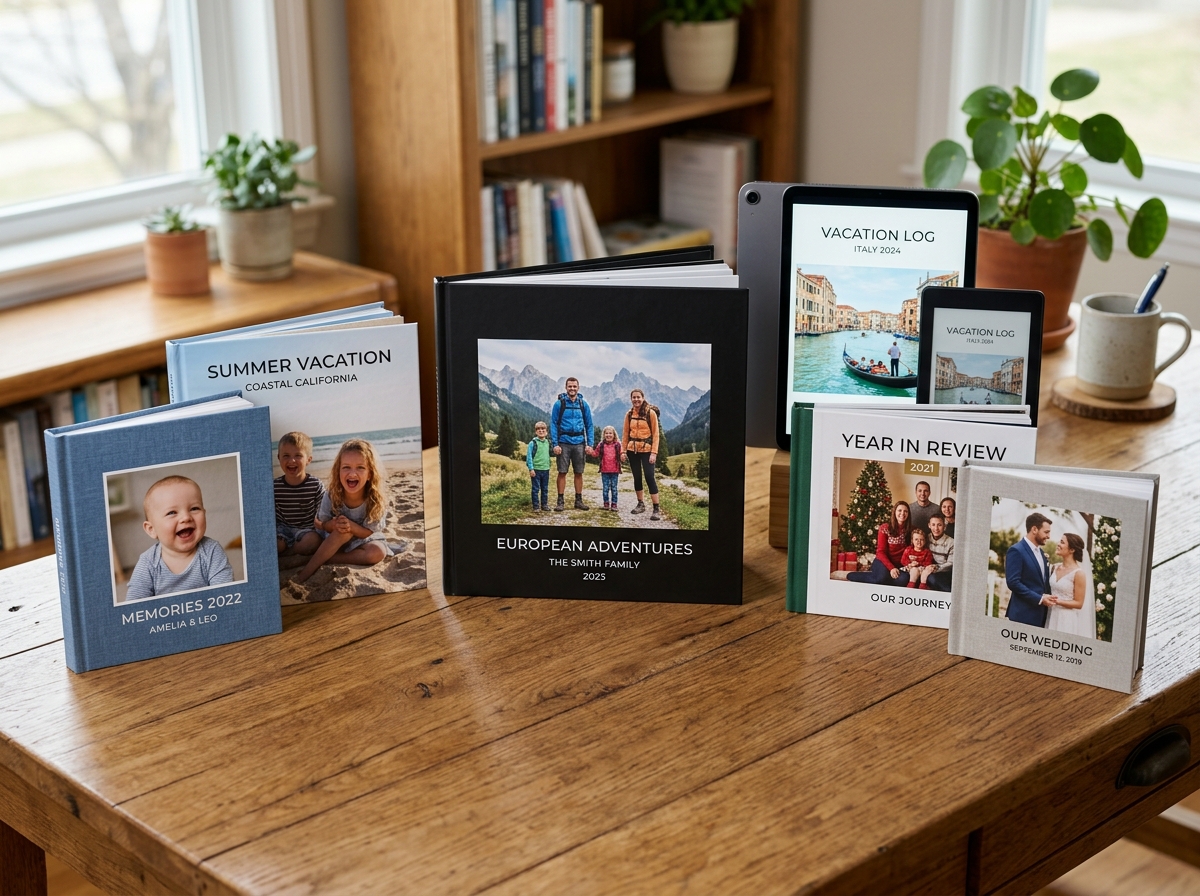
Choosing Between Photo Books and Professional Albums
One of the most common points of confusion for beginners is the difference between a “photo book” and a “photo album.” While the terms are often used interchangeably, they represent very different levels of craftsmanship and price points.
| Feature | Photo Book | Professional Photo Album |
|---|---|---|
| Page Type | Flexible, paper-like (approx. 148gsm to 200gsm) | Thick, rigid board pages (up to 1mm thick) |
| Binding | PUR or stitched; pages curve at the center | Flush-mount; pages lay perfectly flat |
| Page Count | High capacity (up to 400 pages in some cases) | Lower capacity (typically 24 to 80 pages) |
| Cover Options | Softcover, linen, or basic hardcover | Premium leather, coated cloth, or acrylic |
| Longevity | Great for everyday memories | Heirloom quality; designed to last 200+ years |
If you are documenting a weekend trip or a “year in review,” a photo book is usually the way to go. It’s lighter, more affordable, and can hold hundreds of photos. For a wedding or a milestone anniversary, a professional album with flush-mount binding and archival-quality board pages ensures that your photos don’t disappear into the “gutter” of the book’s spine.
Key Features to Look for in an Album Photo Maker
When selecting your tool, look beyond just the price. You want a platform that makes the process “fun” rather than a chore. Key features to prioritize include:
- Drag-and-Drop Interface: This allows you to move photos and elements with a simple click or tap.
- AI Selection and Autofill: Some tools can scan your library, pick the best shots (discarding the blurry ones), and lay them out chronologically in seconds.
- Template Variety: Having access to 1,000+ free templates, like those found in Canva, gives you a professional head start.
- Cloud Integration: The ability to pull photos directly from Google Photos, iCloud, or Dropbox is a massive time-saver.
Properly organizing photos on smartphone and cloud beforehand will make these features work even more effectively, as the software can better read the metadata of your files.
Step-by-Step: Designing Your First Project
Ready to start? The first step isn’t picking a template—it’s curation. We’ve all been there: you have 45 photos of the same sunset, and you only need one for the album. To save yourself from decision fatigue, we suggest deleting duplicate files quickly before you even open your album photo maker.
Once your photos are ready, you can head over to a user-friendly platform like Fotor to begin. Most platforms follow a similar workflow:
- Select Your Format: Choose between landscape, square, or portrait. Landscape is generally best for travel, while square is a classic choice for Instagram-style memories.
- Pick a Theme: Whether it’s “Minimalist Wedding” or “Colorful Travel,” the theme sets the mood with pre-selected fonts and backgrounds.
- Upload Your Photos: Most tools allow you to upload from your computer, phone, or even social media accounts.
Leveraging AI in Your Album Photo Maker
AI is the “secret sauce” that has turned a five-hour project into a five-minute task. Many modern tools now include “Smart Captions” and “Auto-Create” features. For instance, if you’re using one of the best photo organizing apps for iPhone, you might already have your photos grouped by facial recognition.
The AI in an album photo maker can:
- Balance Layouts: It ensures that a portrait photo isn’t awkwardly stretched into a landscape slot.
- Generate Captions: Some tools use “Magic Writers” to suggest captions based on the date and location of the photo.
- Automated Proofing: It will flag low-resolution images that might look “pixelated” when printed, saving you from a disappointing final product.
Customizing Your Layout and Materials
After the AI does the heavy lifting, it’s time for the personal touches. This is where you decide on the “tactile” feel of your project.
- Paper Finishes: Matte is great for a modern, smudge-free look; Glossy makes colors “pop”; Lustre or Eggshell finishes provide a premium, gallery-like feel.
- Embellishments: You can add digital stickers, borders, or even “memorabilia pockets” in physical books to hold ticket stubs or cards.
- Text Additions: Don’t just rely on photos. Add the “who, what, and where” to ensure the story stays clear for future generations.
If you are working across different devices, using file organization apps for Mac and Windows ensures that your high-resolution assets are always within reach during the customization phase.
Quality Standards and Preservation Techniques
If you are investing time and money into a physical album, you want it to last. This is where “archival quality” comes into play. Premium providers use acid-free Mohawk paper and liquid ink technology. Unlike standard toner, which sits on top of the paper, liquid ink binds to the fibers, preventing the images from cracking or peeling over time.
Innovative tools like the PhotoBase Album Maker focus on intelligent technology to ensure your layouts are as high-quality as the materials they are printed on. Furthermore, sustainability is becoming a major factor in the industry. Look for providers that use FSC-certified papers (which support responsible forestry) and offer curbside recyclable packaging.
Preservation isn’t just about the physical; it’s about the digital too. We always recommend following best practices for file backup and storage management so that even if your physical book is lost in a move, you still have the digital design files ready for a reprint.
Caring for Your Physical Keepsakes
Once your beautiful album arrives, how you store it matters.
- Store it Flat: Especially for heavy professional albums, storing them vertically can put stress on the binding.
- Avoid the “Sun Trap”: Direct sunlight will fade even the best inks over time. Keep your books in a cool, dry, and ventilated area.
- Support the Binding: When showing off your album, rest the back cover on a flat surface. Never hang the book by its cover, as the weight of the thick pages can pull the binding apart.
For digital-only minimalists, your “preservation” involves security. Using encrypted storage solutions for minimalists ensures that your private family albums stay private.
Selecting the Right Album Photo Maker for Longevity
When shopping around, check the “specs” section of the website. A high-quality album photo maker should offer:
- Archival-grade paper: This prevents yellowing over the decades.
- Layflat technology: This uses a specific hinge or “flush-mount” technique so you don’t lose the center of your panoramic photos.
- Protective Boxes: Some premium albums come with presentation boxes lined with Italian paper to keep dust and moisture away.
Logistics: Pricing, Shipping, and Device Compatibility
The cost of using an album photo maker can vary wildly. A simple softcover book might start around $15, while a high-end leather-bound wedding album can exceed $200.
Pro Tip: Always check for “bulk order” discounts if you’re making family yearbooks for multiple relatives. Also, keep an eye on shipping. While some companies offer worldwide delivery, customs duties can sometimes surprise you if the printer is located in a different country (like Hong Kong or New Zealand).
Compatibility is another big factor. Can you start a project on your iPhone during your commute and finish it on your Mac at home? Most top-tier services offer:
- Mobile Apps: For quick, on-the-go creation using your camera roll.
- Desktop Editors: For detailed work and large-scale layouts.
- Mac Extensions: Some premium services integrate directly into the Apple Photos app on Mac, allowing you to design without ever leaving your photo library.
To keep your digital workflow smooth, we recommend cloud backup apps for home and work to sync your project assets. And don’t forget the basics: embracing minimalism through file naming conventions will help you find that one specific photo of “Aunt Mary at Christmas” much faster when you’re in the middle of designing.
Frequently Asked Questions about Photo Albums
What is the difference between a photo book and a photo album?
A photo book is digitally printed on flexible paper, much like a high-quality magazine or art book. It can hold a massive number of pages (up to 400). A photo album is a more traditional “heirloom” item, featuring thick, rigid board pages and flush-mount binding that allows the book to lay perfectly flat.
How many photos should I include per page for the best layout?
While some software allows up to 10 photos per page, the “sweet spot” for a professional look is usually 1 to 4 images per page. This gives your photos “room to breathe” and prevents the layout from looking cluttered. Most standard photo books contain between 50 and 100 images in total.
Can I create a professional album on my smartphone?
Yes! Many album photo maker platforms have robust mobile apps. They use touch-screen gestures for drag-and-drop and can pull photos directly from your phone’s library. While the smaller screen makes detailed text editing a bit harder, the AI tools handle the layout beautifully.
Conclusion
Creating your first digital photo album doesn’t have to be an overwhelming tech project. By using a modern album photo maker, you’re doing more than just “printing pictures”—you’re curating a legacy. Whether you choose a free digital option for collaborative sharing or a premium leather-bound book to pass down to your children, the most important step is simply to start.
At Tamba Tech, we believe that your digital life should be organized and accessible. If your cloud storage is currently a “digital attic” full of forgotten files, take a moment to look at our guide on decluttering cloud storage step-by-step. Once your library is clean, you’ll find that making these beautiful keepsakes becomes a joy rather than a chore.
Ready to take control of your media? Explore more info about file management services to keep your memories safe, secure, and ready for your next big project. Happy creating!
