
Your Phone Has Too Many Photos — Here’s How to Fix It
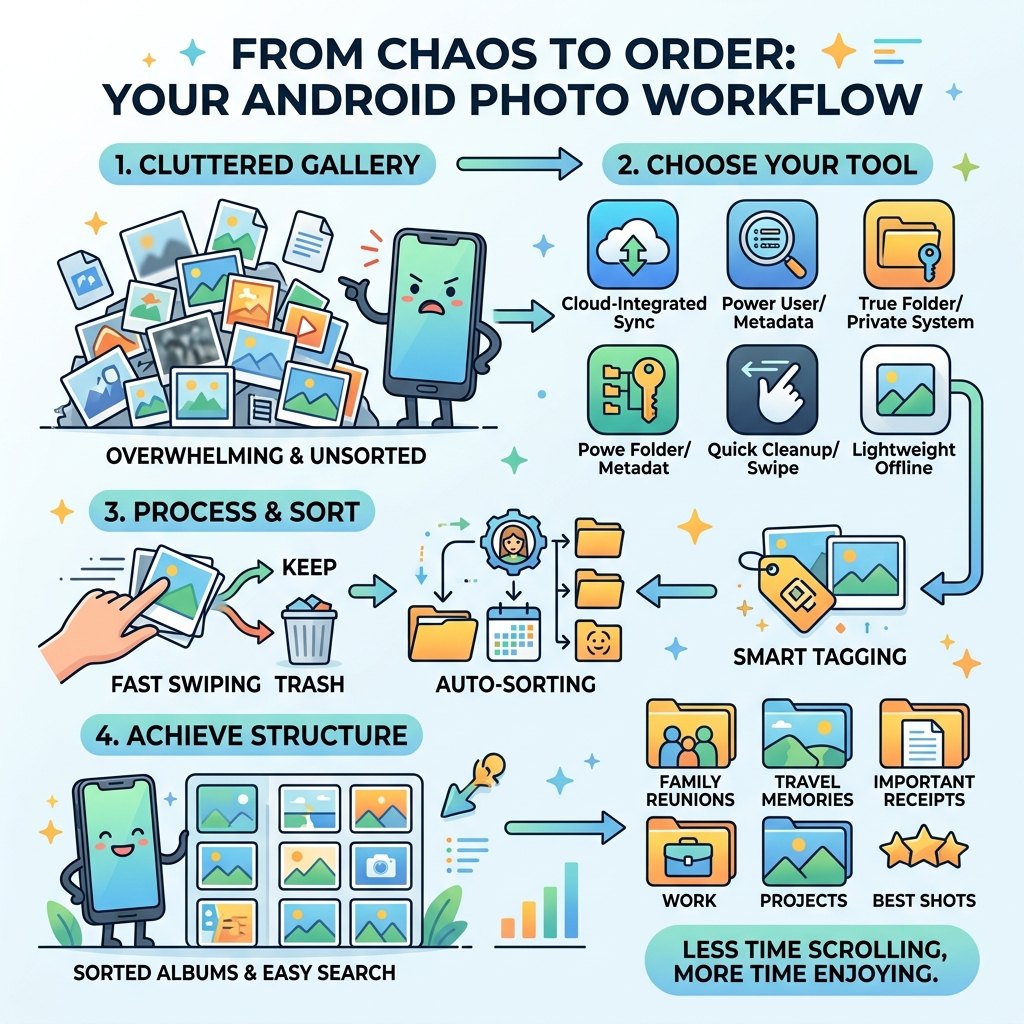
The best photo organizer android apps available right now are:
- Google Photos – Best overall for Android, seamless integration
- Mylio Photos – Best for privacy and cross-device control
- F-Stop Media Gallery – Best for power users and metadata management
- Utiful Photo Organizer – Best true folder system for moving photos
- Slidebox – Best for quick swipe-to-sort cleanup
- Ashampoo Photo Organizer – Best for automatic focus and duplicate detection
- Google Gallery – Best lightweight offline option
The average person has over 10,000 photos sitting on their phone right now. Screenshots, blurry selfies, duplicate shots, random receipts — all mixed together in one giant, unsearchable pile.
Sound familiar?
Finding one specific photo can feel like digging through a landfill. And the longer you wait to organize, the worse it gets.
The good news: the right app can fix years of chaos in hours. But with dozens of options on the Play Store, picking the right one is its own challenge. Some apps shine at decluttering. Others excel at privacy, metadata, or cross-device syncing. The “best” one depends entirely on what you actually need.
This guide breaks down the top Android photo organizer apps side by side — so you can stop scrolling through 10,000 photos and start finding the ones that matter.
The Importance of Digital Asset Management
We live in an era where digital photos have virtually no individual cost, unlike the days of film. This convenience is a double-edged sword. While we can capture every moment, we often end up with a “digital landfill” that makes those moments impossible to find. Digital Asset Management (DAM) isn’t just for professional photographers anymore; it’s a survival skill for anyone with a smartphone.
Properly managing your library helps you reclaim storage space, protects your privacy, and ensures that your digital legacy isn’t lost when you upgrade your phone. Using Organizing Photos on Smartphone and Cloud strategies, you can move from a reactive “scroll and hope” method to a proactive system where every image has a place.

Why You Need the Best Photo Organizer Android App
If you are reading this, you likely feel the weight of those 10,000+ photos. Default gallery apps are often designed to sell you more cloud storage rather than help you curate your life. A dedicated best photo organizer android app provides the tools that native apps often lack: advanced AI tagging, duplicate detection, and robust folder management.
By using Android Apps for Decluttering Digital Life, you can filter out the “noise”—the screenshots of parking spots, the accidental pocket photos, and the five nearly identical shots of your lunch—leaving only the memories that matter.
Top-Rated Third-Party Organizers for Power Users
For those who want more than just a chronological scroll, third-party organizers offer professional-grade features. These apps allow you to dive deep into metadata, manage EXIF data (the “hidden” info like camera settings and GPS location), and create “Smart Albums” that update themselves based on your criteria.
Mylio Photos: The Privacy-First Powerhouse
If you are wary of big tech companies scanning your family photos for AI training, Mylio Photos is a game-changer. It is built on a “no-cloud” philosophy. Instead of uploading your life to a server, Mylio connects your devices (phone, tablet, computer) directly to sync your library privately.
Its local AI-driven computer vision is incredibly powerful, capable of finding over 1,000 different objects, activities, and properties within your images—all without your data ever leaving your device. It’s the ultimate choice for those seeking 100% privacy and cross-platform control.
F-Stop Media Gallery: Metadata and Tagging Mastery
Fast Photo Gallery Pro: F-Stop – Apps on Google Play is widely considered the gold standard for users who love structure. It treats your photos like a database. You can tag images, rate them from one to five stars, and even edit EXIF data directly.
One of its standout features is the “Smart Album” system. You can tell the app to “show me all 4K videos shot in Italy with a 35mm lens,” and it will populate that album instantly. It also features a secure vault for private photos, protected by a password or biometric lock.
Utiful: The True Folder System
Most gallery apps use “virtual” albums, meaning if you delete a photo from your main gallery, it disappears from your album too. Utiful Photo Organizer changes this by offering a “true folder system.”
When you move a photo into a Utiful folder, it is physically moved out of your main Android Gallery. This is perfect for separating work photos, receipts, or hobby references from your personal memories. Plus, their new Storage Saver Mode can save up to 99% of storage space for new photos, making it a hero for those with limited internal memory. You can learn more about their unique approach at Utiful – Photo Organizer App with Real Folders for iPhone & Android .
Comparing the Best Photo Organizer Android Options
Choosing between these apps often comes down to your specific pain points. Are you drowning in duplicates? Do you need something lightweight that works offline? Or do you want a fun, gesture-based way to clean up?
| Feature | Slidebox | Ashampoo | Google Gallery |
|---|---|---|---|
| Primary Strength | Fast cleanup via swipes | Auto-focus & duplicate detection | Lightweight & offline-first |
| Best For | Deleting junk quickly | Large collection culling | Older phones/low data |
| Unique Feature | Undo button for deletions | Lossless rotation/mirroring | One-tap auto-enhance |
| Cloud Sync | Syncs with Google Photos | OneDrive/Dropbox support | No native cloud backup |
Slidebox is the “Tinder for photos”—swipe left to delete, swipe up to save. It’s incredibly satisfying for clearing out thousands of images in one sitting. On the other hand, Ashampoo Photo Organizer uses “smart” filters to automatically find your best shots and hide the blurry ones.
If you want something simple and fast, Gallery – Apps on Google Play is Google’s lightweight alternative to the main Photos app. It’s designed to work offline and uses very little memory, making it ideal for budget devices.
Privacy and Security in Mobile Photo Management
Privacy is a major concern when discussing the best photo organizer android apps. Many mainstream services rely on cloud storage, which can be expensive and raises questions about data mining.
As we discuss in our guide on Cloud Storage Apps for Digital Minimalists, moving toward local processing is the best way to secure your data. Apps like Mylio and F-Stop prioritize local AI, meaning your face-tagging data isn’t being sent to a server to help a corporation “learn” about you. Always look for apps that offer encrypted vaults and clear data deletion policies.
Final Verdict on App Selection
There is no “one size fits all” here. Your choice should depend on the current state of your archive and your ultimate goal.
- If you are overwhelmed by junk: Start with Slidebox.
- If you want a professional archive: Choose F-Stop or Mylio.
- If you need to separate work and life: Go with Utiful.
For more detailed advice on managing massive libraries, check out our Efficient Strategies for Organizing Large Media Libraries.
Choosing the Best Photo Organizer Android for Your Needs
Before you hit “Install,” ask yourself: Do I want my photos in the cloud or on my device? Do I need to sync with a PC? Am I willing to pay a subscription, or do I want a one-time purchase?
For those moving from an iPhone to Android, the transition can be tricky. You might find our Best Photo Organizing Apps for iPhone guide helpful for comparison. The best app is the one you will actually use consistently.
Frequently Asked Questions about Android Photo Organizers
How do third-party apps compare to Google Photos?
Google Photos is excellent for seamless backup and search, but it can feel like a “black box” where you have little control over the actual file structure. Third-party apps like Utiful or F-Stop give you “true” folder management and better metadata control, which Google Photos often lacks.
Are there effective free photo organizer options?
Yes! Google’s “Gallery” app is completely free and excellent for basic offline use. Slidebox offers a very capable free tier for cleaning. However, for advanced features like automated PC syncing or unlimited “Smart Albums,” a small investment in a “Pro” version is usually worth it.
How do these apps address data security?
The best apps now use local AI processing. This means the app “looks” at your photos to categorize them (e.g., “beach,” “dog,” “receipt”) using your phone’s processor rather than sending those images to a cloud server. Look for “offline-first” apps if security is your top priority.
Conclusion
At Tamba Tech, we believe that organizing your digital life is the first step toward digital peace. Your photos are your legacy; don’t let them get lost in a sea of screenshots. Whether you choose a powerhouse like Mylio or a simple cleaner like Slidebox, the most important step is to start today.
Ready to take the next step in your digital decluttering journey? Read our guide on Organizing Your Digital Life: Starting Simple and Staying Productive or explore more file management guides to master your smartphone once and for all.
