
Why the Advantages of Cloud Storage Matter More Than Ever
The advantages of cloud storage are hard to ignore: it’s cheaper, safer, and more flexible than keeping files on local drives or physical hardware.
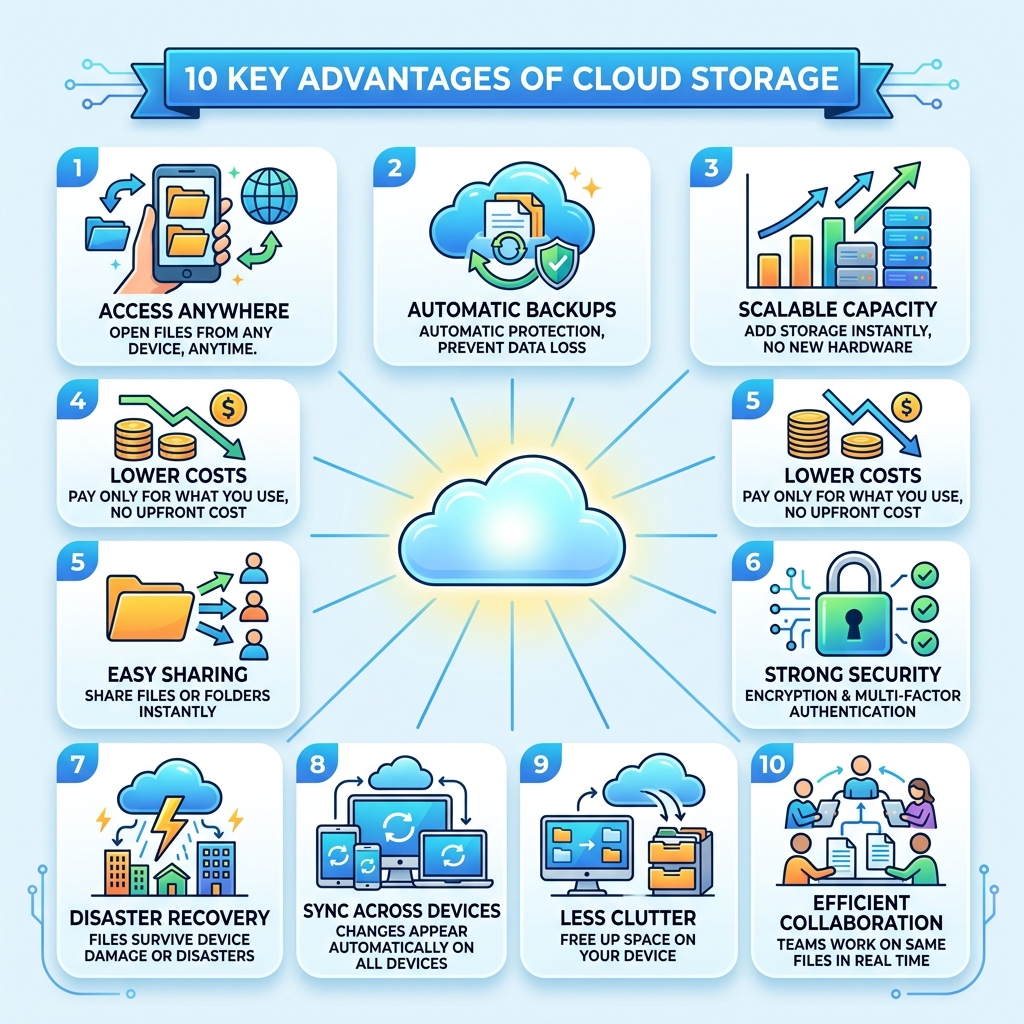
Here’s a quick look at the top benefits:
| Advantage | What It Means for You |
|---|---|
| Access anywhere | Open your files from any device, anytime |
| Automatic backups | No more losing photos if your phone breaks |
| Scales with you | Add more storage in seconds, no new hardware needed |
| Lower costs | Pay only for what you use, no big upfront spend |
| Easy sharing | Share files or folders with anyone instantly |
| Strong security | Encryption and multi-factor authentication protect your data |
| Disaster recovery | Your files survive even if your device doesn’t |
| Sync across devices | Changes on your phone show up on your laptop automatically |
| Less clutter | Free up space on your phone or computer |
| Collaboration | Teams can work on the same files in real time |
Today, more than 60% of the world’s corporate data lives in the cloud. And it’s not just businesses – if you’ve ever saved a photo to Google Drive or iCloud, you’re already using it.
The global cloud storage market was worth $108.69 billion in 2023. It’s expected to hit $665 billion by 2032. That kind of growth doesn’t happen unless something genuinely works.
For everyday users – especially anyone drowning in scattered photos across multiple devices – cloud storage solves real, frustrating problems without requiring any technical know-how.
Top Advantages of Cloud Storage for Modern Users
When we talk about the advantages of cloud storage, the first thing that comes to mind is freedom. Remember the days of carrying around a stack of labeled floppy disks or a handful of USB thumb drives? Those are quickly becoming relics of the past. Today, we expect our data to be as mobile as we are.
Whether you are a professional accessing a presentation from a mobile device at a coffee shop or a parent trying to show off baby photos on a tablet, the cloud makes it possible. This shift is reflected in the massive global market growth we are seeing. With a projected compound annual growth rate (CAGR) of 22.4%, it is clear that individuals and organizations alike are moving away from local hardware.
One of the biggest drivers of this change is the sheer amount of “unstructured data” we create. In 2022, a staggering 90% of data generated by organizations was unstructured—think emails, videos, and social media posts. Managing this mountain of info on a physical hard drive is like trying to fit a giant into a tiny box. The cloud provides the room we need to grow.
As highlighted in this guide on 10 benefits of using cloud storages, usability and accessibility are at the core of the experience. You don’t need to be an IT expert to sync your phone to the cloud; it just happens. For those of us feeling overwhelmed by the sheer volume of our digital lives, we recommend checking out our resource on Reducing Digital Storage Overload: A Simple Guide for Beginners to help you start your journey toward a cleaner digital space.
Cost-Efficiency and the Financial Advantages of Cloud Storage
One of the most practical advantages of cloud storage is how it changes the way we spend money. In the “old days,” if a business needed more space, they had to buy expensive servers, find a room to put them in, and pay someone to keep them cool and running. This is what we call “Capital Expenditure” (CAPEX)—a big, scary upfront cost.
Cloud storage flips this model on its head by turning storage into an “Operational Expenditure” (OPEX). It’s a pay-as-you-go system. You only pay for the gigabytes or terabytes you actually use. If you need less space next month, you pay less. It’s like a utility bill for your data.
For individuals, this means you can get 100 GB of storage for a few dollars a month instead of buying a $100 external hard drive that might fail in three years. For businesses, it removes the need for constant hardware maintenance and electricity costs. To make sure you’re getting the most out of your investment, it’s worth looking into Best Practices for File Backup and Storage Management to avoid paying for “ghost” data you no longer need.
Scalability: One of the Key Advantages of Cloud Storage
Scalability is a fancy word for “it grows with you.” Imagine you’re a photographer. Today, you have 1,000 photos. Next year, you might have 100,000. On a physical computer, you’d eventually run out of space and have to play a frustrating game of “which files should I delete?”
With cloud storage, your capacity is virtually unlimited. This “elasticity” means you can scale up in seconds. There’s no need to wait for a technician to install a new drive; you just click a button and—poof—you have more space.
| Feature | Local Hardware | Cloud Storage |
|---|---|---|
| Limit | Fixed by the physical drive size | Virtually unlimited |
| Upgrade Speed | Days/Weeks (buying/installing) | Instant (clicks) |
| Maintenance | You fix it if it breaks | Provider handles everything |
| Cost | Large upfront payment | Small monthly subscription |
This resource agility is why even the world’s largest companies use the cloud to manage petabytes of data. If you’re managing your own growing library, our Cloud Storage Management Tips can help you keep everything organized as you scale.
Understanding Cloud Storage Types and Deployment Models
Not all clouds are created equal. Depending on what you’re storing, you might use different types of storage architectures.
- Object Storage: This is the most common type for the web. It treats every file as an “object” and attaches metadata (info about the file) to it. It’s incredibly scalable and perfect for unstructured data like photos and videos.
- File Storage: This looks just like the folders on your computer. It’s hierarchical and intuitive, making it great for shared office documents.
- Block Storage: This is the “high-performance” option. It breaks data into chunks (blocks) and is mostly used for heavy-duty applications like databases.
Understanding these types helps you choose the right tool for the job. For example, if you are looking to Archive Old Files Without Losing Data: A How-To Guide, you’ll likely be looking at object storage because it’s cost-effective for long-term retention. As explained in this What is Cloud Storage? – Cloud Storage Explained – AWS guide, choosing the right type can drastically improve your app’s performance and your overall costs.

Public, Private, and Hybrid Cloud Benefits
Where your data actually lives also matters. There are three main ways the cloud is deployed:
- Public Cloud: Services like Google Drive or Dropbox. You share the underlying hardware with other users (though your data is strictly separated). It’s the most cost-effective and easiest to set up.
- Private Cloud: A dedicated cloud just for one organization. This is common in healthcare or finance, where data residency and strict control are required.
- Hybrid Cloud: The best of both worlds. You keep sensitive data on a private cloud but use the public cloud for less sensitive tasks.
Many modern businesses are now adopting a multicloud strategy, using different providers for different needs. This prevents “vendor lock-in” and ensures that if one provider has an outage, your business keeps running. Regardless of which you choose, security is a “shared responsibility.” The provider secures the building and the servers, but you are responsible for securing your own account with strong passwords. For those who want the highest level of privacy, we’ve reviewed several Encrypted Storage Solutions for Minimalists that prioritize user-only access.
Security, Backup, and Disaster Recovery in the Cloud
One of the biggest myths about the cloud is that it’s less secure than a physical drive. In reality, it’s often much safer. Think about it: a professional cloud provider has hundreds of security experts working 24/7 to protect their data centers. Can you say the same for your laptop?
The advantages of cloud storage in security include:
- Data Redundancy: Your files aren’t just in one place. They are copied across multiple servers and often multiple cities. If one data center is hit by a lightning strike, your files are still safe in another.
- Encryption: Data is scrambled so that even if a hacker intercepted it, they couldn’t read it without a digital key.
- Multi-Factor Authentication (MFA): Even if someone steals your password, they can’t get into your account without a second code from your phone.
As noted by Proton in their 5 benefits of cloud storage, end-to-end encryption is the gold standard for privacy. It ensures that not even the storage provider can see your files. We always tell our readers that the first step to peace of mind is Securing Cloud Storage Accounts properly from day one.
Business Continuity and the 3-2-1 Backup Method
For businesses and families alike, “business continuity” just means being able to keep going after a disaster. If your house floods or your office catches fire, physical hard drives are gone forever. Cloud storage provides offsite management, meaning your data is physically somewhere else.
We highly recommend the 3-2-1 Backup Method:
- 3 copies of your data (the original and two backups).
- 2 different types of media (e.g., your computer and an external drive).
- 1 copy stored offsite (the cloud).
This setup protects you against everything from simple hardware failure to ransomware attacks. Many Cloud Backup Apps for Home and Work automate this process, so you don’t even have to think about it. If you’re new to this, our Data Protection Tips for Beginners will walk you through the basics.
Enhancing Collaboration and Remote Work Efficiency
The way we work has changed forever, and cloud storage is the engine behind that change. One of the most powerful advantages of cloud storage is real-time synchronization. When one person edits a document in the cloud, everyone else sees the changes instantly. No more emailing “Version 2finalFINAL.doc” back and forth!
Cloud storage also offers:
- File Versioning: Made a mistake? You can “roll back” to a version of the file from yesterday or last week.
- Permission Controls: You can decide exactly who can see, edit, or download a file.
- Centralized Repositories: Everyone knows exactly where the latest files are.
As Oracle points out, cloud storage is the ultimate tool for collaboration. It allows teams to work together from different time zones as if they were in the same room. Just remember to follow our Tips for Safe Online File Sharing to ensure you aren’t accidentally sharing your private data with the whole world.
Streamlining Workflows for Distributed Teams
Beyond just sharing documents, the cloud helps streamline complex workflows. For example, Content Delivery Networks (CDNs) use cloud storage to store copies of videos and websites closer to users, making everything load faster.
For the tech-savvy, API integration allows different apps to talk to your storage automatically. This is essential for modern AI workloads, where massive amounts of data need to be fed into machine learning models.
Whether you are a solo creator or part of a large team, having a plan is key. Check out our Best Practices for Online File Management: A Beginner’s Guide and our Efficient Strategies for Organizing Large Media Libraries to keep your digital workspace as efficient as possible.
Frequently Asked Questions about Cloud Storage
How does cloud storage fundamentally work?
Think of cloud storage as a giant, remote hard drive that you access over the internet. When you upload a file, it travels through internet protocols to a physical data center. Inside that center, your data is stored on virtual servers, which are essentially “slices” of very powerful physical computers. These systems use API connections to make sure your phone or laptop can talk to the server and fetch your files whenever you need them.
Is cloud storage more secure than local hardware?
In most cases, yes. While local hardware feels “safe” because you can touch it, it is vulnerable to theft, fire, and simple mechanical failure. Cloud providers employ specialist security teams, use layered encryption, and maintain physical redundancy (storing your data in multiple locations). They also use proactive monitoring to catch threats before they reach your data.
What are the main types of cloud storage?
There are three big ones:
- Object Storage: Best for “unstructured” data like photos, videos, and backups. It’s highly scalable.
- Block Storage: Used for high-speed tasks like running databases or enterprise applications.
- File Storage: The classic “files and folders” system we all use for daily documents.
Conclusion
At Tamba Tech, we believe that technology should make your life easier, not more complicated. The advantages of cloud storage—from saving money and space to protecting your most precious memories—make it an essential tool for the digital age.
Transitioning to the cloud doesn’t have to be a headache. By choosing the right deployment model and following a few security best practices, you can enjoy a digital life that is organized, accessible, and safe. If you’re ready to get started, we recommend our Step-by-Step Guide to Decluttering Cloud Storage to help you set up a system that works for you.
For more deep dives into making your tech work for you, explore More expert advice on file management right here on our site. We’re here to help you navigate the ever-changing world of digital storage with confidence!
