
Why Your Photo Library Is Probably a Mess (And What to Do About It)
Photo sorting tools are apps and software that help you organize, label, and manage your growing photo collection — whether it’s on your phone, computer, or an external drive.
Here’s a quick look at the most popular options:
| Tool | Best For | Platform | Price |
|---|---|---|---|
| Slidebox | iPhone users with cluttered camera rolls | iOS | Free / $19.99 one-time |
| digiKam | Large libraries, privacy-first users | Windows, Mac, Linux | Free (open-source) |
| Mylio Photos | Cross-device sync without cloud lock-in | Mac, Windows, iOS, Android | Freemium |
| ImgSorter | Fast manual sorting with keyboard shortcuts | Windows | Free |
| Excire Foto | AI-powered search and keywording | Mac, Windows | Paid (one-time) |
| Adobe Lightroom Classic | Professional workflows | Mac, Windows | $9.99/month |
| FastStone Image Viewer | Lightweight, fast culling | Windows | Free |
Think about how many photos you have right now. On your phone. On that old hard drive. Maybe scattered across a few different cloud services too.
You’re not alone. Many people are sitting on thousands of unsorted images — vacation shots mixed with blurry duplicates, screenshots buried next to family memories.
One Reddit user described it perfectly: they had over 25,000 photos just on their phone from the last three years, plus drives of images going all the way back to 2013. Another person was staring down 33,000+ travel photos on a NAS, not sure where to even start.
The problem isn’t taking too many photos. It’s that most of us never had a system for organizing them.
The good news? There are tools built specifically for this. Some use AI to do the heavy lifting. Some are built for speed, letting you sort hundreds of photos in minutes using just your keyboard. Some run entirely offline so your photos never leave your device.
This guide breaks down what’s actually worth using — for iPhone users, desktop power users, and everyone in between.
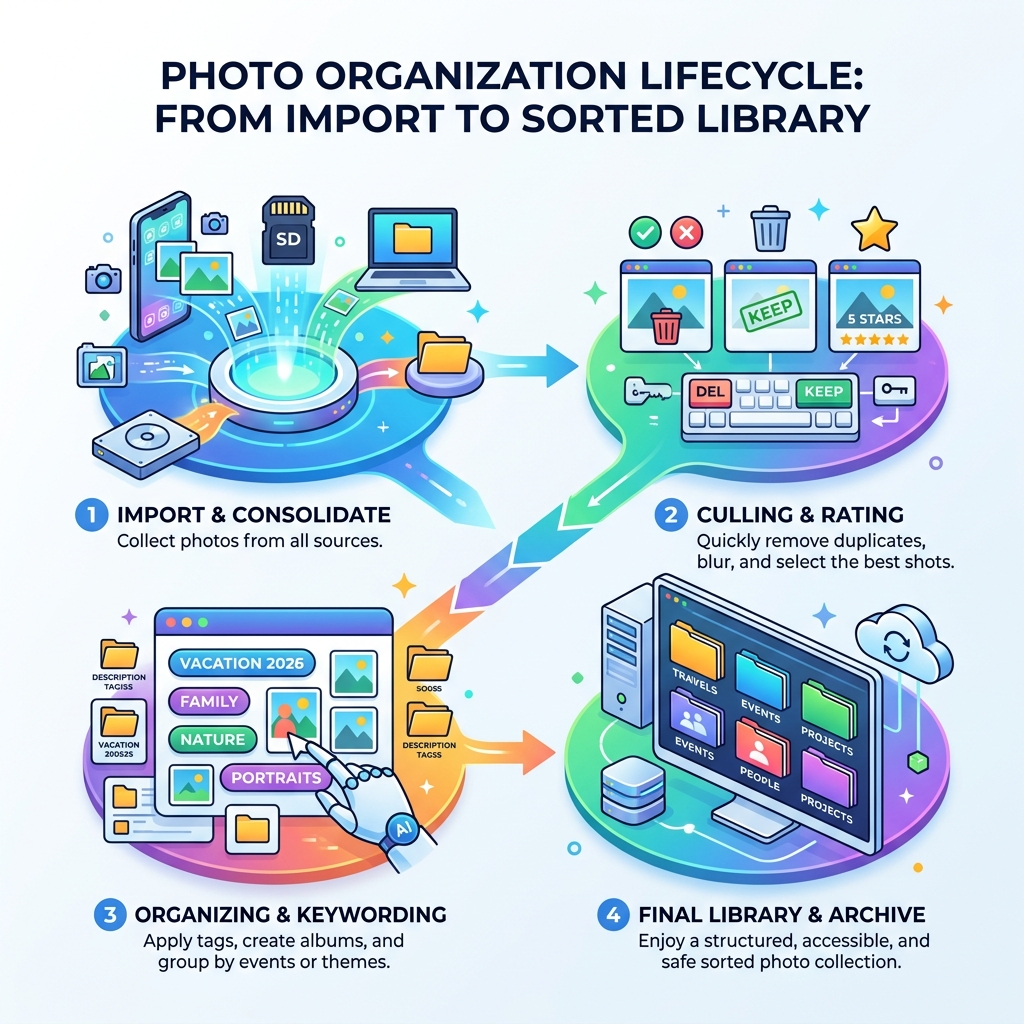
Key Categories of Modern Photo Sorting Tools
When we talk about photo sorting tools, we aren’t just talking about one type of app. The market has evolved into several distinct categories based on how you prefer to work. Some of us want a “set it and forget it” AI solution, while others want total manual control over every folder.
- Mobile Apps: These are designed for quick “triage.” Think of these as the first line of defense against a bloated camera roll. They often use gestures, like swiping, to delete or categorize photos instantly.
- Desktop Software: This is where the heavy lifting happens. Tools like PhotoSort – Fast Photo Organizer focus on high-speed folder management, allowing you to move files between directories without the lag of traditional “drag and drop” methods.
- Cloud-Based Organizers: These services host your photos on their servers. While convenient for access anywhere, they often come with monthly fees and privacy considerations. For a deeper dive into this, check out our guide on organizing photos on smartphone and cloud.
- AI-Powered vs. Manual: Modern tools use machine learning to recognize faces, objects, and even “aesthetic quality.” Manual tools, on the other hand, prioritize speed and keyboard efficiency for users who know exactly where they want their files to go.
Free vs. Paid Photo Sorting Tools
Budget is a major factor when choosing your toolkit. Many users start with “freemium” models, where the basic app is free, but advanced features like RAW support or cloud syncing require a subscription.
If you are looking for a completely free desktop experience, Image Sort – a free app for sorting your folders is a fantastic open-source option. It focuses on “speed without friction,” using keyboard shortcuts to help you fly through messy folders.
Paid tools usually offer more robust support and advanced features. You’ll find two main pricing models:
- Subscriptions: Like Adobe’s Photography Plan ($9.99/month), which provides constant updates and cloud storage.
- One-Time Purchase: Tools like PhotoSortPro or Excire Foto often offer a perpetual license, which many users prefer to avoid “subscription fatigue.”
Open-Source vs. Commercial Software
For the privacy-conscious or the technically inclined, open-source software is a goldmine. digiKam is a powerhouse in this category. It’s a professional-grade tool that can handle libraries exceeding 100,000 images without breaking a sweat. Because it’s open-source, it’s free and respects user privacy—your data stays on your machine.
Commercial software like ACDSee or Lightroom offers a more “polished” user interface and dedicated customer support. The trade-off is usually a higher price tag or a recurring subscription. However, for many, the ease of use and integrated editing features make the cost worthwhile.
Top Desktop Software for Massive Libraries
If you have a collection that spans decades—we’re talking 100K+ images—you need software that won’t lag every time you scroll. Large libraries often live on Network Attached Storage (NAS) or massive external drives, which introduces its own set of challenges.
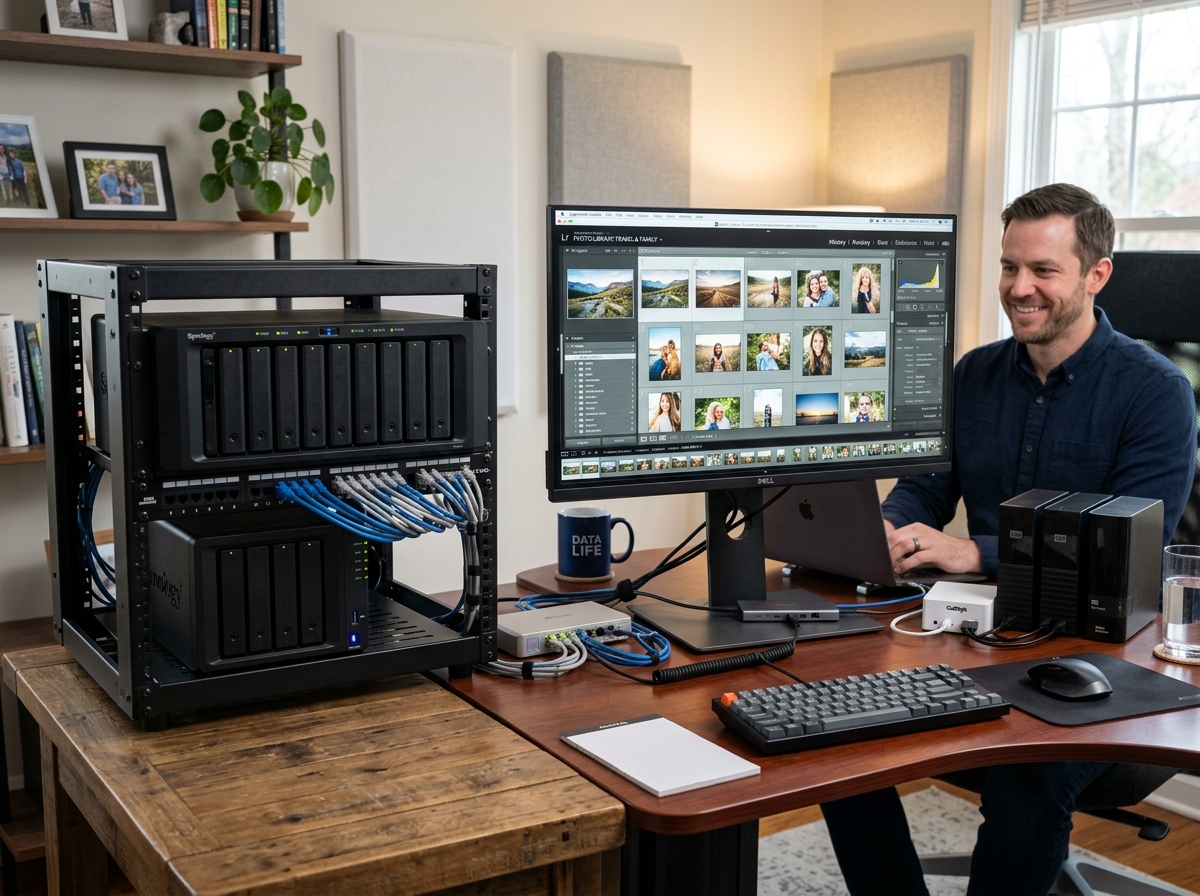
When dealing with massive scale, speed is everything. ImgSorter – Sort Smarter, Not Harder is designed for exactly this. It allows you to sort thousands of photos per event in a fraction of the time it would take manually. One user reported that a task that used to take three hours now takes only 45 minutes. If you’re struggling with a messy Android collection before moving it to a PC, our ultimate guide to taming your Android gallery chaos can help you prep your files for the big move.
Professional Workflows and Keyboard Shortcuts
Professional photographers don’t use a mouse to sort photos; they use their keyboards. Tools like PicSort and Image Sort adopt a “keyboard-driven” philosophy.
For example, Image Sort uses a WASD navigation scheme—just like a video game. Your left hand navigates folders while your right hand uses arrow keys to move or delete images. This “View-Classify-Move” loop is significantly faster than clicking and dragging. Most professional-grade tools also include “Undo” functionality, which is a lifesaver when you realize you just accidentally sent a wedding portrait to the recycle bin.
Handling External Drives and NAS
Storing your photos on a NAS is a smart move for data redundancy, but it can be slow if your software isn’t configured correctly.
- Database Location: Expert tip—always keep your software’s database or catalog on your local SSD, even if the actual photos are on the NAS. This prevents the software from lagging while it tries to read metadata over the network.
- Performance Bottlenecks: High-quality previews for 100,000 photos can take up 25 GB of space. Ensure your local drive has enough room to cache these previews so you can scroll through your library smoothly.
- Directory Structure: Don’t rely solely on software to organize your life. Maintain a sensible physical folder structure on your drive (e.g., Year > Month > Event). This ensures that even if you switch software in five years, your photos remain organized.
Best Mobile Apps for On-the-Go Organization
Most of our memories start on our phones. If you don’t stay on top of your mobile library, it quickly becomes a graveyard of accidental screenshots and blurry “burst” shots.
Apps like Slidebox have revolutionized mobile organization by using a Tinder-style swipe interface. Swipe up to delete, tap to save to an album. It syncs directly with your native iOS Photos app and iCloud, meaning your organization carries over to all your devices. For a curated list of our favorites, see our article on the best photo organizing apps for iPhone.
For those who want a more comprehensive solution that spans both mobile and desktop, Mylio Photos is a standout. It connects your phone, tablet, and computer into a single library without requiring you to store everything in a third-party cloud.
How to Choose the Best Photo Sorting Tools for Your Workflow
Choosing a tool depends on your end goal. Are you trying to clear space, or are you trying to curate a beautiful gallery?
- The “Culler”: If you just need to delete the junk, look for lightweight tools like FastStone or Slidebox.
- The “Curator”: If you want to make your photos look their best, you might want an app that combines organization with editing. Check out our guide from drab to fab: the best apps for aesthetic photos to see how to bridge the gap between sorting and styling.
Syncing Across Multiple Devices
The “holy grail” of photo management is having your phone and computer perfectly in sync.
- Peer-to-Peer Sync: Tools like Mylio use your local Wi-Fi to sync devices directly. If you take a photo on your iPhone, it can appear on your Windows PC almost instantly without ever touching a cloud server.
- Conflict Resolution: What happens if you delete a photo on your tablet while your phone is offline? Modern photo sorting tools use smart syncing to track changes and ensure you don’t lose data during the handoff.
Advanced AI Features in Photo Sorting Tools
We are living in the golden age of AI-assisted organization. We no longer have to manually tag every photo of “Aunt Mary” or “The Beach.”
Software like PhotoSortPro – Professional Photo Organization Software and Excire Foto use on-device AI to scan your library. This means the “thinking” happens on your computer, not on a remote server, which is a huge win for privacy.
Automatic Keywording and Tagging
Modern AI can recognize thousands of objects and scenes. If you search for “dog” or “mountain,” the software will pull up every relevant image even if you never typed a single tag. This metadata enrichment makes massive libraries searchable in seconds. Excire Foto, for instance, requires only about 800 MB of additional memory to index 100,000 images for lightning-fast search.
Smart Culling and Aesthetic Scoring
One of the most tedious parts of photography is “culling”—picking the one good shot out of ten similar ones. AI can now do this for you.
- Sharpness Detection: The AI automatically flags blurry photos for deletion.
- Aesthetic Rating: Some tools give your photos a “score” based on lighting, composition, and focus, helping you find your best work instantly.
- Duplicate Detection: AI doesn’t just look for identical files; it looks for “visually similar” images (like five slightly different shots of a sunset) and helps you pick the winner.
Privacy vs. Cloud: Choosing Your Storage Model
This is the biggest debate in the community: Do you trust the cloud, or do you keep everything local?
Local processing is the gold standard for privacy. When you use tools like digiKam or Mylio, your photos stay on your hardware. There is no data mining, and no one is using your family photos to train AI models.
The Risks of Cloud Lock-in
Cloud services are convenient, but they come with “lock-in.” If you stop paying your monthly subscription, you might lose access to your high-resolution originals. Furthermore, some services compress your images to save space, meaning the photo you download five years from now might not be as high-quality as the one you uploaded.
Benefits of On-Device AI Processing
By keeping your AI processing local, you get:
- Speed: No waiting for uploads or downloads.
- Offline Access: Sort your photos on a plane or in a remote cabin without internet.
- Data Ownership: You aren’t at the mercy of a company’s changing terms of service.
Frequently Asked Questions about Photo Sorting Tools
Can these tools handle libraries larger than 100,000 images?
Yes. Professional-grade tools like digiKam, Mylio, and Excire Foto are specifically built for libraries of this size. In fact, some Excire users manage collections of over 1.2 million images! The key is having a fast SSD to store the database/index.
Do I need an internet connection for AI photo sorting?
Not necessarily. While many mainstream apps require the cloud, tools like Mylio, PhotoSortPro, and Excire perform all AI tasks (facial recognition, object tagging) locally on your device. This is faster and much more private.
What is the fastest way to delete duplicate photos?
The fastest way is to use a tool with AI-powered duplicate detection. These tools scan your library for visually similar images and group them together, allowing you to delete the “losers” with a single click. For mobile, Slidebox offers a “Compare Similar Photos” feature that is incredibly intuitive.
Conclusion
At Tambas Tech, we believe that your digital legacy shouldn’t be a source of stress. Organizing your photos is about more than just “cleaning up”—it’s about making sure your memories are actually accessible when you want to look back on them.
Whether you choose an open-source powerhouse like digiKam, a high-speed manual tool like ImgSorter, or a privacy-first sync solution like Mylio, the best time to start is now. Don’t let another 10,000 photos pile up before you implement a system.
For more tips on keeping your digital life in order, check out more info about file management services on our site. Happy sorting!
