
Tired of Photo Chaos? Find the Best App to Organize Google Photos
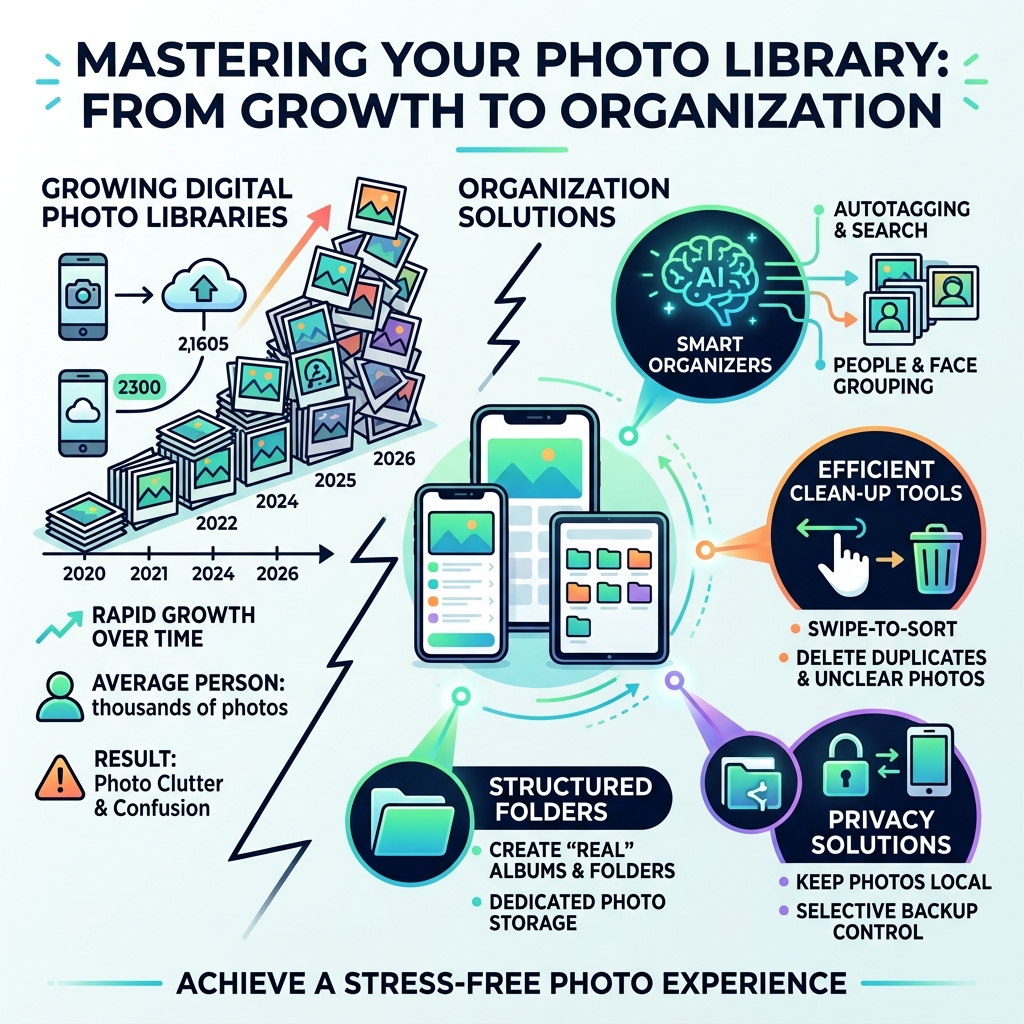
Are you looking for the best app to organize Google Photos? You’re not alone. The average person has over 10,000 photos on their phone. This makes keeping track of memories a real challenge.
Google Photos offers some great features. It uses AI to search, group photos, and gives you 15 GB of free storage. But sometimes, you need more control. You might want “real” folders or better tools to clean up your library.
Many apps can help manage your photos. They offer features Google Photos might not have.
Here are some top types of apps that can boost your Google Photos organization:
- Quick Clean-Up Apps: Use simple swipes to delete unwanted photos and sort them fast.
- Advanced AI Organizers: Find specific photos with smart search and automatic tagging.
- “Real” Folder Systems: Move photos out of your main gallery into dedicated folders for better control.
- Privacy-Focused Solutions: Keep your photos on your devices, away from the cloud.
This guide will compare these options. We’ll help you find the perfect app to get your photo library in order.
The Power and Limits of Google Photos AI
Google Photos is often the default choice for many of us, and for good reason. It’s packed with “magic” features that make manual sorting feel like a thing of the past. According to the official Google Photos: Edit, Organize, Search, and Backup Your Photos page, the app provides 15 GB of storage for free—which is three times more than many other cloud services.
One of its strongest suits is the AI-powered search. You can type in “pizza” or “San Francisco,” and it instantly pulls up relevant images. It even recognizes faces and pets, allowing you to name them for easier retrieval later. Recently, Google introduced “Photo Stacks,” a feature that automatically groups similar photos taken together, keeping your main grid from looking like a repetitive mess.
The app also handles document sorting remarkably well. It can identify screenshots, receipts, and notes, placing them into their own categories so they don’t clutter your family vacation memories. However, as we discuss in our guide on Organizing Photos on Smartphone and Cloud, even the best AI has limits.
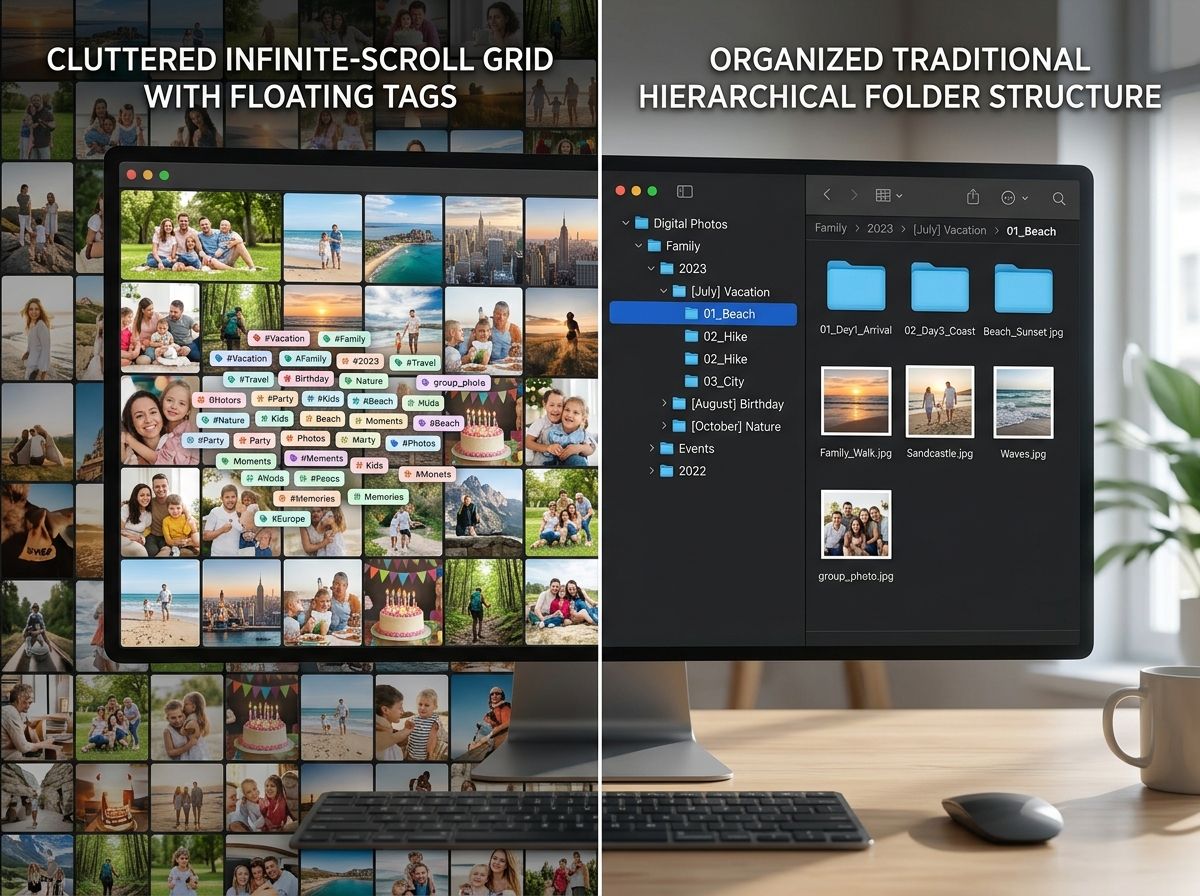
The 15 GB limit is shared across Gmail and Google Drive, meaning that 10,000-photo library can eat up your space faster than you think. Furthermore, Google Photos relies heavily on “tags” and “albums” rather than a traditional file system. For those who prefer a structured, folder-based approach, the “limitless” scroll of Google Photos can eventually feel like a digital abyss.
Why You Need a Third-Party App to Organize Google Photos
If Google’s AI is so smart, why are people still looking for an external app to organize Google Photos? The answer usually comes down to three things: control, decluttering, and structure.
Real Folders vs. Albums
In Google Photos, when you add a photo to an album, it stays in your main “Photos” timeline. It’s essentially just a label. Many users prefer “real” folders where moving a photo actually takes it out of the main gallery. This is especially helpful for professionals who need to separate work receipts or project photos from their personal life.
Advanced Decluttering and Deduplication
While Google helps group similar photos, it isn’t always aggressive enough at helping you delete the “junk.” Third-party apps often provide specialized tools for Deleting Duplicate Files Quickly, allowing you to compare two nearly identical shots side-by-side and pick the winner. This is a vital part of Reducing Digital Storage Overload: A Simple Guide for Beginners.
Privacy and Local Control
Some users are wary of having every single memory indexed by a cloud giant. Third-party apps can offer local AI processing, meaning the “recognition” happens on your phone, not on a server. Using these tools in tandem with Cloud Storage Management Tips ensures you have the best of both worlds: cloud backup and local organization.
Top-Rated Apps for Streamlining Your Library
When searching for the right app to organize Google Photos, it helps to see how the top contenders stack up. We’ve looked at the most popular options that integrate with or complement your existing library.
| Feature | Slidebox | PhotoSync | Utiful | Mylio Photos |
|---|---|---|---|---|
| Primary Method | Swipe to sort/delete | High-speed sync/AI | Real folder system | Local AI/Privacy |
| Best For | Fast decluttering | Power users/DSLRs | Work/Life separation | Privacy enthusiasts |
| Google Sync | Direct Gallery Sync | Cloud Import/Export | Manual/Share menu | Reclaim/Import |
| Unique Stat | 50M+ organized | 50,000+ users | 250M+ organized | 1,000+ AI tags |
For a deeper dive into mobile-specific options, check out our list of the Best Photo Organizing Apps for iPhone.
Slidebox: Best Swipe-Based App to Organize Google Photos
Slidebox is the “Tinder for photos.” If you are drowning in screenshots and blurry selfies, this is likely the best app to organize Google Photos for you. The logic is simple: swipe up to trash, swipe left or right to browse, and tap a folder to file.
The app is designed for speed. Because it syncs directly with your device’s gallery, any changes you make in Slidebox are reflected in Google Photos (provided your backup is turned on). It’s an incredibly satisfying way to handle the “delete or keep” dilemma. With over 50 million photos organized by its users, it has proven that a gesture-based UI is often more efficient than traditional clicking. You can learn more about their approach at Swipix – Organize Your Photos with a Swipe.
PhotoSync: Advanced AI App to Organize Google Photos
For those who need more than just a “delete” button, PhotoSync offers a professional-grade suite of tools. It is widely used by over 50,000 people, including photographers who need to move images between phones, tablets, and computers without losing metadata.
PhotoSync’s standout feature is its intelligent AI organization. It analyzes faces, objects, and even events to create collections automatically. Unlike basic cloud services, it uses end-to-end encryption, ensuring your data remains private during the transfer. It also supports importing directly from Google Photos, making it a powerful ally for Efficient Strategies for Organizing Large Media Libraries. Visit PhotoSync.pics | Intelligent Photo Organization & Sharing to see their full feature list.
Utiful and Mylio: Folder Systems and Privacy
If you want to physically move photos out of your camera roll, Utiful Photo Organizer is the answer. It addresses the “missing” feature in Google and Apple’s native apps: the ability to move a photo into a folder so it no longer appears in the main stream. This is perfect for separating work-related images from your personal memories. With over 250 million photos organized, Utiful’s “Storage Saver Mode” can even help you save up to 99% of space on new photos.
Mylio Photos, on the other hand, is the gold standard for privacy. It uses local AI-driven computer vision to find over 1,000 different activities and objects in your images. The best part? It doesn’t require the cloud to sync your devices. It creates a private mesh network between your phone and computer. For those worried about Securing Cloud Storage Accounts, Mylio offers a “Reclaim” feature that pulls your photos back from Google or Facebook into a private, locally managed library.
Essential Features for Photo Management
Choosing the right app to organize Google Photos requires looking at more than just the interface. You need to consider how the app handles your data and your wallet.
Data Privacy and Control
Google Photos explicitly states they do not sell your photos for advertising, but they still index your images to improve their AI. If that makes you uncomfortable, look for apps like Mylio or PhotoSync that prioritize local processing or encryption. Always check if an app allows you to request data deletion easily.
Storage Implications
Since Google Photos shares its 15GB tier with Gmail, every gigabyte counts. Apps with “Storage Saver” modes or advanced deduplication tools are essential. By cleaning up your library before it hits the cloud, you can avoid paying for a Google One subscription longer. Following a Step-by-Step Guide to Decluttering Cloud Storage can save you significant money over time.
Cross-Device Sync
An organization system is only useful if it works everywhere. Ensure the app you choose has a reliable way to sync between your iPhone and your desktop. Some apps use the cloud, while others use local Wi-Fi. For Android users, there are specific Android Apps for Decluttering Digital Life that integrate seamlessly with the Google ecosystem.
Frequently Asked Questions
How do third-party apps handle Google Photos privacy?
Most reputable third-party apps use official APIs to connect to Google Photos. This means they only see what you allow them to see. Privacy-focused apps like Mylio go a step further by keeping the AI processing on your actual device rather than in the cloud. However, always read the “Data Safety” section in the App Store to see if an app shares data with third parties.
Can I move photos instead of just copying them?
Native apps like Google Photos usually only “copy” photos into albums. If you want to truly “move” them (so they disappear from the main gallery), you need an app like Utiful. This is a game-changer for anyone trying to declutter their primary photo feed.
Do these apps help save Google One storage space?
Yes! By using deduplication tools (like those in Slidebox or Mylio) to remove “near-duplicate” photos and blurry shots, you reduce the total amount of data being backed up. Utiful’s Storage Saver Mode is also specifically designed to minimize the footprint of new images.
Conclusion
At Tamba Tech, we believe in the power of digital minimalism. You shouldn’t have to scroll through 500 screenshots of recipes you’ll never cook just to find a photo of your grandmother. Whether you choose the swipe-to-delete simplicity of Slidebox, the professional syncing of PhotoSync, or the “real” folders of Utiful, the right app to organize Google Photos will transform your digital life.
Ready to take the next step in your digital cleanup? Check out our Step-by-Step Guide to Decluttering Cloud Storage for more expert tips on managing your media library. Your memories deserve a clean, organized home!
